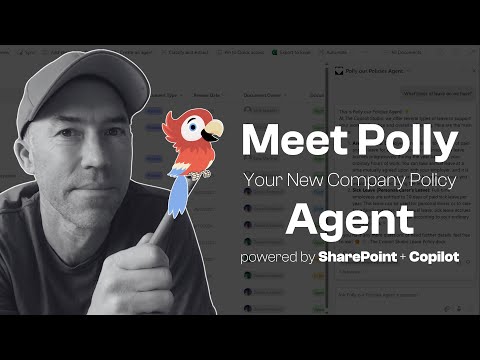
Boost SharePoint: Copilot Agents Make Sites 10x Smarter!
A Microsoft MVP 𝗁𝖾𝗅𝗉𝗂𝗇𝗀 develop careers, scale and 𝗀𝗋𝗈𝗐 businesses 𝖻𝗒 𝖾𝗆𝗉𝗈𝗐𝖾𝗋𝗂𝗇𝗀 everyone 𝗍𝗈 𝖺𝖼𝗁𝗂𝖾𝗏𝖾 𝗆𝗈𝗋𝖾 𝗐𝗂𝗍𝗁 𝖬𝗂𝖼𝗋𝗈𝗌𝗈𝖿𝗍 𝟥𝟨𝟧
Boost SharePoint with Copilot Agents: Create Custom AI for Smarter Sites! 🚀 #MicrosoftCopilot #ProductivityTips
Key insights
- SharePoint Copilot Agents are designed to transform SharePoint sites into intelligent, self-service hubs, enhancing productivity and collaboration.
- The creation and customization of AI agents involve step-by-step processes and real-world examples, such as implementing leave policies.
- Custom agents can be tailored with unique personalities, responses, and settings to meet specific organizational needs.
- Best practices for agent configuration include setting targeted prompts, creating effective instructions, and adding personality elements like emojis.
- Copilot Agents manage content sources and permissions, ensuring compliance with security policies while offering self-service access to information.
The main topic revolves around SharePoint's Copilot Agents, which are AI-powered tools that enhance the efficiency of workflows and collaboration in an organization. These agents can automate routine tasks, such as answering questions and summarizing documents, thereby helping users navigate large data volumes effectively. Customization plays a critical role, allowing organizations to align these agents with specific tasks and project scopes.
Executive Summary: Unleashing the Power of SharePoint Copilot Agents
The recent YouTube video by Daniel Anderson showcases how SharePoint Copilot Agents can revolutionize the way organizations utilize their SharePoint sites. In an easy-to-follow tutorial, Anderson guides the viewer through creating and customizing AI agents to transform SharePoint into an intelligent platform. This enhanced capability makes content more accessible and engaging, perfectly aligning with modern organizational needs. Enhancing Productivity with SharePoint Copilot Agents
Copilot Agents are a game-changer for productivity on SharePoint. As AI-powered assistants, they streamline workflows by automating repetitive tasks and improving information accessibility. Key features include automated assistance with navigation and document summarization, customization for specific tasks, and seamless integration within SharePoint and other Microsoft 365 applications. These agents respect existing security policies, ensuring compliance with organizational guidelines while enhancing collaboration and efficiency.
Creating and Customizing Agents
Anderson's tutorial effectively details the process of creating and customizing SharePoint Copilot Agents. The step-by-step instructions teach users how to set up agents tailored to their organization's needs. This involves modifying agent behavior, setting starter prompts, and adding personalized touches such as custom icons or welcome messages. The tutorial also explains how to manage content access and connect multiple SharePoint sources for an enriched self-service experience.
Practical Applications and Best Practices
Real-world examples underscore the practical value of Copilot Agents. Anderson demonstrates scenarios such as implementing leave policy agents, which can simplify everyday workflows. Best practices in agent configuration are shared, including writing effective instructions and adding a unique personality to agents using emojis. The video emphasizes the significance of targeting prompts and setting permissions to maximize the utility of Copilot Agents in a secure manner.
Conclusion and Takeaways
Empowering SharePoint sites with Copilot Agents can significantly enhance information management and communication within organizations. Anderson’s video offers a comprehensive guide to leveraging these AI tools, ultimately leading to improved collaboration and productivity. Organizations looking to make the most of their SharePoint infrastructure should consider integrating these intelligent assistants to simplify processes and foster a more dynamic workplace environment.
In more general terms, SharePoint's Copilot Agents stand as a testament to the advancing intersection of AI and collaborative tools. By introducing AI into established platforms like SharePoint, organizations can unlock new levels of efficiency and user engagement. These agents adapt to individual and organizational needs, allowing tailored interactions that streamline information retrieval and task management. This evolution is not just about adopting new technology but also about transforming how teams collaborate and make decisions based on accurate and easily accessible data. By maintaining compliance with security policies, these agents ensure that innovation does not compromise integrity, representing a significant step forward in AI-driven workplace solutions.

Keywords
SharePoint Copilot Agents Tutorial AI-powered SharePoint smarter SharePoint sites SharePoint productivity boost Copilot for SharePoint SharePoint automation SharePoint AI assistant