E7 Tenant: Fix Your Security Blindspot
Microsoft MVP | Author | Speaker | YouTuber
Fix E seven tenant security with Microsoft Purview DSPM, posture and AI observability for compliance and data protection
Key insights
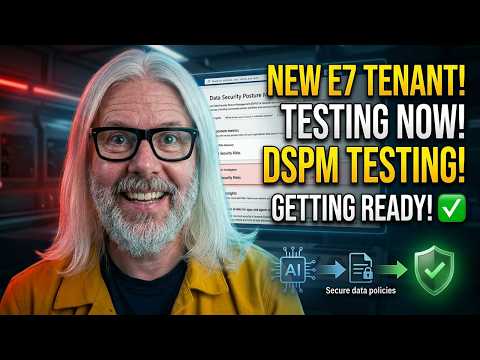
- DSPM and Microsoft Purview explained: The video demonstrates a fresh E7 tenant using Purview as a data security posture management solution.
It shows how DSPM shifts focus from restoring data to preventing risky configuration changes before attackers can exploit them. - Core mechanics: Purview and related tools run continuous baseline scanning and misconfiguration detection to spot configuration drift and risky settings.
They also support rollback and configuration migration to restore secure baselines quickly. - Immediate admin actions to improve posture: enforce universal MFA, apply strong conditional access rules to block legacy protocols, and review OAuth app permissions and external sharing.
Also audit Intune policies and admin roles to reduce exposed privilege paths. - Key platform coverage: posture management links visibility across Entra ID, Intune, Defender, and compliance tools like Secure Score.
This unified view helps find "invisible" attack paths that bypass endpoint-level protections. - Main benefits: DSPM reduces cloud-native attack paths, speeds remediation, and strengthens regulatory compliance for E7 tenants with advanced security and compliance capabilities.
It also lets teams prioritize fixes that lower real risk quickly. - Emerging features and operational advice: expect growing AI observability and automated remediation to surface risky trends and suggest fixes.
Adopt least privilege with scope tags, run regular drift detection, and schedule recurring posture reviews to keep the tenant secure.
In a recent YouTube video, Peter Rising [MVP] explores how a newly created Microsoft tenant with E7 licenses can still be vulnerable without focused tenant-level controls. The video centers on Microsoft Purview as a data security posture management solution and demonstrates how organizations can use posture metrics and AI observability to raise their guard. As the presenter shows practical examples, he stresses that traditional backups alone do not protect the invisible parts of a tenant such as policies and configuration settings. Consequently, the discussion reframes security as the management of configuration drift and identity trust, not only data recovery.
Understanding DSPM and Why It Matters
Peter Rising frames DSPM — data security posture management — as a distinct discipline that goes beyond file and mailbox protection to cover tenant configuration and policy hygiene. He explains that attackers increasingly exploit misconfigurations and weak identity controls, so detecting those gaps proactively reduces attack surface. The video highlights how Purview surfaces posture metrics and helps teams prioritize fixes, which shifts security from reactive to preventative measures. Therefore, organizations with enterprise licenses should evaluate DSPM alongside endpoint and identity defenses.
Key Capabilities Demonstrated
The demo focuses on several core capabilities: posture scoring, automated detection of misconfigurations, and AI-assisted observability that points to risky trends. For example, Purview can flag disabled multifactor authentication and unsafe OAuth app permissions, while correlating those signals to potential attack paths. Rising shows how built-in dashboards produce action lists that map to remediation steps, helping admins understand impact and urgency. These features together provide a clearer picture of tenant health, which supports better compliance and faster incident response.
How Baseline Scanning and Drift Detection Work
Rising walks through baseline scanning that compares a tenant’s settings to Microsoft-recommended baselines and Zero Trust principles, making configuration drift visible over time. He also demonstrates how continuous scans identify subtle, high-risk changes — such as new global admins or legacy authentication re-enabled — that might otherwise go unnoticed. The video makes the case that regular automated assessments reduce human error and highlight the most pressing weaknesses. However, he warns that scan results require contextual review before applying automated fixes.
Tradeoffs and Operational Challenges
While Purview and DSPM tools add value, Rising candidly addresses tradeoffs: automation can generate false positives, and aggressive remediation risks disrupting business processes if not staged carefully. In addition, the advanced telemetry and correlation features demand both time and skill to interpret, which can strain smaller teams. Cost is another factor since E7 licensing includes many features but integrating third-party tools or hiring specialists adds expense. Therefore, organizations must balance speed of remediation with reliable validation and change control.
Integration, Recovery, and Human Factors
The presenter emphasizes that DSPM complements rather than replaces existing security tools like Secure Score, Defender, and Intune, so integration planning is essential to avoid duplicated effort. He also notes that rollback and recovery capabilities are improving but are not a panacea: some configuration changes leave residual effects that require manual cleanup. Moreover, human factors such as administrative practices, role design, and delegated access play a central role in long-term posture. Thus, technical solutions must pair with training and governance to be effective.
Practical Recommendations for Administrators
Rising offers concrete steps: ensure broad multifactor authentication coverage, tighten OAuth consent, reduce the number of global administrators, and apply scope tags and least privilege models in Intune. He recommends starting with high-confidence fixes first, then using phased automation for lower-confidence changes to limit business disruption. Additionally, he suggests ongoing monitoring and scheduled posture reviews so teams can spot regressions early. Taken together, these practices form a pragmatic roadmap from discovery to measurable improvement.
Balancing Security, Usability, and Cost
The video makes clear that striking the right balance between security and ease of use remains a central challenge for IT leaders. Stronger controls often create user friction, which can drive shadow IT or risky workarounds, so teams must design policies that are both secure and practical. Budget constraints also force prioritization, meaning teams should focus first on controls that reduce the most risk per dollar. Consequently, a phased approach that measures impact and adapts policies over time tends to work better than one-time overhauls.
Final Takeaways and Next Steps
In summary, Peter Rising’s demonstration of Purview and tenant-level posture management provides a timely reminder that E7 licensing alone does not guarantee a secure tenant. The video encourages administrators to treat configuration and identity hygiene as core security functions and to combine automated tooling with governance and training. As a next step, teams should assess their tenant for common blind spots, schedule recurring posture reviews, and pilot DSPM features in a controlled manner. By doing so, organizations can reduce invisible risks and build stronger defenses over time.

Keywords
E7 tenant security, Microsoft 365 E7 security, tenant security posture fix, secure E7 configuration, Zero Trust E7 tenant, Microsoft Entra ID security, E7 tenant hardening, Conditional Access for E7