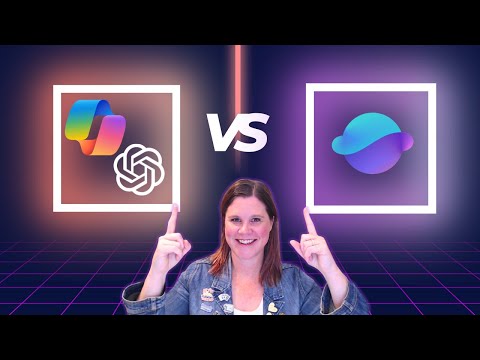
Microsoft 365 Copilot: Use Researcher?
Evangelist at Barhead Solutions | Microsoft Business Applications MVP | Content Creator
Microsoft expert: GPT five in Microsoft three sixty five Copilot vs Researcher Agent, speed and depth for productivity
Key insights
- GPT-5 in Microsoft 365 Copilot — a new model that delivers fast, accurate answers and handles complex prompts quickly by adjusting its approach to the task.
- Researcher Agent — a specialist tool for deep, academic-level research that gathers many sources, provides detailed citations, and accepts longer run times for comprehensive results.
- Chain-of-thought reasoning — GPT-5 uses advanced internal reasoning to break down complex problems and produce clearer, more reliable explanations in one pass.
- Real-time model router — an internal system that routes each query to the best submodel, using faster models for simple tasks and deeper models for harder ones without manual switching.
- Speed vs. depth — use GPT-5 for rapid drafting, summarization, and decision support; choose the Researcher Agent when exhaustive data collection, rigorous sourcing, or academic depth matter more than speed.
- Dual-agent workflow — combine both: start with GPT-5 for quick insights, then use the Researcher Agent for detailed follow-up to ensure thoroughness and strong sourcing.
Video at a glance
In a recent YouTube video, Lisa Crosbie [MVP] tests side-by-side how GPT-5 in Microsoft 365 Copilot compares with the Researcher Agent. The demo uses a complex, real-world prompt to show differences in speed, depth, and output style. Consequently, viewers get a clear, practical comparison rather than abstract claims. Overall, the video aims to help users decide which tool fits their immediate needs.
Speed and everyday productivity
The video demonstrates that GPT-5 delivers fast, useful answers for many tasks, including drafting and summarizing. Furthermore, its responses often include coherent reasoning thanks to advanced chain-of-thought reasoning, so users see polished results quickly. For routine workflows and tight deadlines, the speed advantage is compelling and reduces time spent on manual editing. Therefore, teams focused on productivity will likely favor GPT-5 for most day-to-day work.
Depth and academic research
By contrast, the Researcher Agent emphasizes exhaustive sourcing, detailed citations, and methodical investigation. In the video, it produced more comprehensive, academic-style outputs, although it required noticeably more time to complete the task. Thus, when work demands rigorous evidence or traceable references, the agent’s slower pace can be the better tradeoff. However, the extra wait can challenge tight schedules and requires users to plan for longer research cycles.
Tradeoffs and practical challenges
Choosing between speed and depth involves clear tradeoffs, as the video explains with practical examples. On one hand, faster answers mean quicker decisions but potentially less exhaustive coverage; on the other hand, deeper research reduces the risk of missed details but increases latency. Additionally, the video highlights challenges such as verifying sources, managing conflicting results, and integrating longer reports into brief deliverables. Consequently, organizations must balance accuracy, time, and resource costs when picking an approach.
Technical innovations highlighted
The presenter outlines key innovations, such as the real-time model router, which helps GPT-5 adapt its internal processing to task complexity. This router can favor high-throughput models for simple prompts and switch to deeper reasoning when needed, improving both speed and quality. Moreover, the integration within Microsoft 365 Copilot allows these capabilities to appear seamless to end users, reducing the need for manual model selection. As a result, the platform can cover a broad range of use cases without forcing users to learn multiple tools.
When to use each tool
The video concludes with clear guidance: use GPT-5 for rapid drafting, summarization, and complex reasoning when time matters, and turn to the Researcher Agent for projects that need exhaustive, source-rich research. In particular, teams should consider the cost of waiting versus the benefit of deeper insights, and plan workflows that combine both tools when appropriate. Finally, the presenter notes that using both in tandem often yields the best outcomes, with GPT-5 producing quick drafts and the Researcher Agent validating and expanding key findings.

Keywords
GPT-5 Microsoft 365 Copilot, Researcher Agent vs GPT-5, When to use Researcher Agent Copilot, Copilot Researcher Agent benefits, GPT-5 Copilot capabilities, Microsoft 365 Copilot research workflows, AI research assistant Microsoft Copilot, Enterprise research automation Copilot