Dynamics 365 Finance: Legal Entity Guide
Learn how to take advantage of your business data with Microsoft Dynamics 365 & Power Platform & Cross Technologies. My name is Sanjaya Prakash Pradhan and I am a Microsoft Certified Trainer (MCT) and
Microsoft guide to Legal Entity in Dynamics Three Sixty Five Finance and Operations: setup, localization, taxes, Azure
Key insights
- Legal Entity: A legally registered organization or company modeled inside Dynamics 365 Finance & Operations. It must be created before you enter transactions or configure financial processes.
- Why it matters: Each legal entity keeps separate tax registrations, currencies, bank accounts, and financial statements, so the system enforces local compliance and clear financial separation across countries.
- Where to set it up: Create and manage legal entities under Organization administration > Organizations > Legal entities. Define the company name, company code, country/region, addresses, contacts, and localization settings during setup.
- Identifiers and system keys: Each legal entity has a Legal Entity ID and is linked to a Company ID (DataAreaId). These IDs control data separation, configuration scope, and reporting boundaries.
- Practical example: A group can run separate legal entities such as Softchief India Private Limited and Softchief USA, Inc., letting each entity follow its country tax rules, bank setup, and accounting books while belonging to the same parent business.
- Who benefits and tip: ERP beginners, functional consultants, developers, and finance teams should master legal-entity design early. Plan legal entities as a foundational step to avoid data and compliance rework later.
Introduction: Video Overview and Context
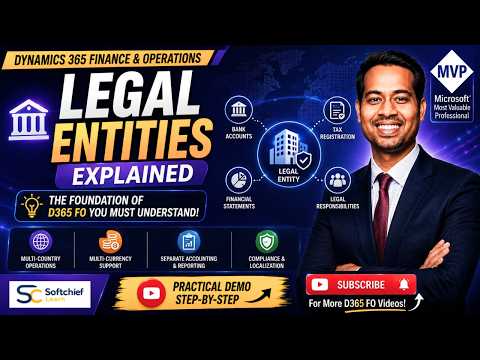
The YouTube video by Softchief Learn explains the foundational concept of a Legal Entity within Dynamics 365 Finance & Operations. It frames the legal entity as the system’s representation of a registered organization that must prepare financial statements and can enter into legal agreements. Consequently, the video positions legal entities as a required starting point for configuration, transactions, and reporting in D365 Finance. Therefore, this explanation is aimed at learners and professionals who need to model real-world companies inside an ERP system.
What the Video Covers
First, the presenter defines a Legal Entity and explains why it matters for accounting, tax, and compliance. Then, the tutorial shows where to find legal entities in the application by navigating to Organization administration → Organizations → Legal entities, and it demonstrates creating a new entry. Furthermore, the video clarifies terms such as Company, Company Account, and Legal Entity ID, while also highlighting localization settings and country-specific requirements. As a result, viewers see both conceptual guidance and a practical walkthrough of common setup tasks in the application.
Real-World Example and Practical Implications
To illustrate the concept, the video uses a multi-country business example, such as separate entities named Softchief India Private Limited and Softchief USA, Inc. This contrast shows that although entities may belong to the same corporate group, each one can have different tax registrations, bank accounts, currencies, and accounting books. Moreover, the example underscores why organizations separate legal entities when local law demands independent financial statements and regulatory compliance. Consequently, the video helps learners understand how legal structure drives system configuration and operational boundaries.
However, the tradeoffs are clear: splitting operations into many legal entities simplifies local compliance but increases administration and integration work. For instance, multiple entities require separate chart of accounts, intercompany processes, and reconciliations, which adds technical complexity. On the other hand, consolidating too much into a single legal entity can hide tax and reporting obligations, and it may violate local rules. Therefore, planning and governance become essential when deciding how many legal entities to model in D365 Finance & Operations.
How to Create and Manage Legal Entities in D365 FO
The tutorial walks users through creating a legal entity and configuring basic attributes such as company name, company code, country or region, addresses, and contact information. Next, the presenter shows how localization and country-specific parameters influence tax setups, currency choices, and statutory reports, which are critical for accurate compliance. Furthermore, viewers are shown how each legal entity is tied to a DataAreaId or company ID that separates transactional data inside the system. As a result, the video gives practical steps while reminding users that the setup must align with broader organizational design and finance processes.
At the same time, the video notes challenges developers and functional consultants often face, including configuring intercompany transactions, adapting global charts of accounts, and ensuring consistent master data across entities. Moreover, localization packages and legal reporting requirements vary by country, which may require extra development or third-party solutions. Therefore, teams must weigh implementation speed against the need for accurate, auditable financial records when setting up legal entities. In practice, testing and staging become important parts of managing these tradeoffs before go-live.
Audience and Learning Value
The video targets beginners to intermediate learners, including Dynamics 365 Finance students, functional consultants, developers, and ERP professionals preparing for certification. It presents material clearly and uses real examples to make abstract concepts more tangible, so newcomers can quickly grasp why legal entities are central to ERP design. Furthermore, the step-by-step demonstration helps viewers see how configuration choices translate into system behavior during transactions and reporting. Consequently, it serves both as an introduction and a practical reference for early-stage implementations.
Nevertheless, advanced teams might find the tutorial’s high-level guidance insufficient for complex scenarios such as multi-ledger reporting, cross-border tax engines, or advanced intercompany accounting. Therefore, organizations with complex structures should supplement this foundational training with deeper architectural planning and specialized technical workshops. Meanwhile, the video remains a useful starting point that signals which topics require more detailed attention as projects mature.
Conclusion: Practical Takeaways and Next Steps
Overall, the Softchief Learn video provides a concise and actionable overview of Legal Entities in Dynamics 365 Finance & Operations, blending conceptual clarity with a hands-on demo. It emphasizes that legal entities are not just configuration items but core elements that shape compliance, reporting, and financial controls across an organization. Therefore, teams should plan legal entity structure early and consider tradeoffs between local compliance needs and the operational burden of multiple entities. Finally, viewers are encouraged to practice in a test environment and to coordinate finance, legal, and IT stakeholders when designing the final organizational model in D365 Finance & Operations.
Related resources

Keywords
Legal entity Dynamics 365, D365 FO legal entity, Dynamics 365 Finance legal entity, What is a legal entity D365, configure legal entity D365 FO, legal entity setup Dynamics 365, D365 Finance and Operations tutorial, company vs legal entity Dynamics 365