Copilot Studio: Escalate by Sentiment
Software Development Redmond, Washington
Copilot Studio sentiment analysis in Power Platform detects frustrated users, auto‑escalating to live agents in Dynamics.
Key insights
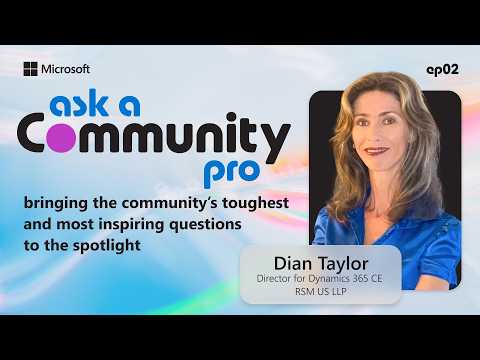
- Overview: Episode 2 of "Ask a Community Pro" (hosted by Dian Taylor) shows how to use Copilot Studio to detect user frustration with sentiment analysis and automatically route those chats to a live agent for faster resolution.
- Core steps to implement: create a topic that triggers on every message, add a prompt tool to evaluate sentiment, apply a condition that catches negative results, and route those messages to a live-agent escalation topic with high priority so the check runs first.
- Sentiment handling: classify incoming text as positive, neutral, or negative and only escalate when sentiment is negative to avoid unnecessary handoffs and keep automation effective.
- Testing and tuning: run a live demo and test with realistic negative messages to confirm routing works, then refine prompts and conditions to reduce false positives and improve accuracy.
- Customer impact: automated escalation helps preserve customer trust by connecting frustrated users to human support quickly, improving overall customer experience and lowering the risk of satisfaction loss.
- Measure and improve: use Copilot Studio analytics to track escalation rate and topic drivers, learn why escalations happen, and apply continuous improvements to topics and prompts for better outcomes.
Overview: A Practical Demo from Microsoft
The YouTube video, published by Microsoft as Episode 2 of the Ask a Community Pro series, spotlights community expert Dian Taylor, also known as D365Goddess. In the short presentation she demonstrates how to use Copilot Studio to detect user frustration through sentiment analysis and then automatically escalate those conversations to a live agent. The segment frames this technique as a practical step toward improving customer experience, and it includes a live demo that shows the flow working end to end. Overall, the video targets builders and admins who manage AI-driven customer interactions and want to reduce friction for frustrated users.
How the Sentiment-Based Escalation Works
First, the demonstration explains creating a topic that triggers on every incoming message so the system evaluates every interaction. Next, a prompt tool within Copilot Studio classifies messages as positive, neutral, or negative, which serves as the key decision point for routing. Then, the author shows how to assign a high priority to the sentiment-check topic to ensure it runs before other logic, preventing missed escalations. Finally, messages identified as negative are routed to a dedicated live-agent escalation topic so human representatives can step in.
Step-by-Step Setup and Live Demo
The presenter walks through concrete steps: create a universal trigger topic, add the sentiment prompt tool, apply a condition that detects negative sentiment, and then link that condition to a live-agent escalation topic. During the live demo, Dian inputs a negative message to show how the detection fires and the session transfers to a human agent, illustrating the flow with clear timestamps and actions. This hands-on segment helps viewers see the configuration in context, while also revealing the interactions between topic priority, prompt design, and routing. As a result, the approach feels actionable for teams already using the Power Platform and Copilot Studio.
Benefits for Customer Experience and Operations
Automating escalation based on sentiment can reduce customer frustration by connecting users to human support when the automated agent is no longer meeting needs. Moreover, teams can use this routing to protect customer satisfaction metrics and to reduce repeated negative interactions that harm brand perception. The method also feeds into analytics, allowing organizations to measure escalation rates and to identify hot spots where virtual agents need improvement. Consequently, the combination of real-time sentiment detection and topic-level analytics supports continuous improvement of conversational agents.
Tradeoffs and Operational Challenges
However, the technique involves tradeoffs that organizations must weigh carefully. For example, setting a sensitive threshold for negative sentiment can increase unnecessary escalations and overload human agents, while a lenient threshold can miss frustrated users and harm satisfaction. Additionally, sentiment models can misread sarcasm, multilingual inputs, or short terse replies, which introduces false positives and negatives that require ongoing calibration.
Technical and Organizational Hurdles
From a technical standpoint, teams must integrate the escalation topic with existing routing systems and ensure real-time performance so users do not experience delays. Furthermore, maintaining topic priority and prompt accuracy demands regular testing and version control to prevent conflicts with other automation rules. Organizationally, this approach requires coordination between AI builders, support teams, and analysts to balance agent workload, training needs, and SLAs. Therefore, governance and monitoring practices become essential parts of a successful rollout.
Measuring Success and Continuous Improvement
To evaluate effectiveness, teams should track metrics such as escalation rate, time to resolution, customer satisfaction after escalation, and the proportion of false escalations. Copilot Studio’s topic-level analytics can reveal which conversational paths drive escalations and where prompt adjustments or knowledge updates would reduce handoffs. Over time, combining quantitative analytics with agent feedback helps refine both the sentiment prompts and the escalation thresholds to strike a better balance between automation and human intervention.
Best Practices and Recommendations
Practitioners should begin with conservative thresholds and gradually tune the sentiment classifier as they gather data and feedback, which limits early disruption and agent overload. In addition, include multilingual testing and edge-case scenarios such as sarcasm, emojis, and short messages to improve robustness. Finally, document escalation workflows and maintain transparent SLAs so agents understand context when they receive a transferred session, which improves handoff quality and customer outcomes.
Conclusion: Practical, but Not Plug-and-Play
The video from Microsoft offers a concise and practical blueprint for using sentiment analysis in Copilot Studio to escalate frustrated users to live agents, and it demonstrates the real-world steps to implement the flow. Yet, success depends on careful calibration, continuous monitoring, and collaboration across teams to manage tradeoffs between automation efficiency and human responsiveness. Ultimately, when integrated thoughtfully, this technique can materially improve customer experience while also surfacing targeted opportunities to strengthen automated agents.
Related resources

Keywords
Copilot Studio sentiment analysis, escalate to live agent Copilot, sentiment-based routing, Copilot Studio tutorial, Microsoft Copilot contact center, automated live agent escalation, AI customer support escalation, Ask a Community Pro Copilot