Video at a glance
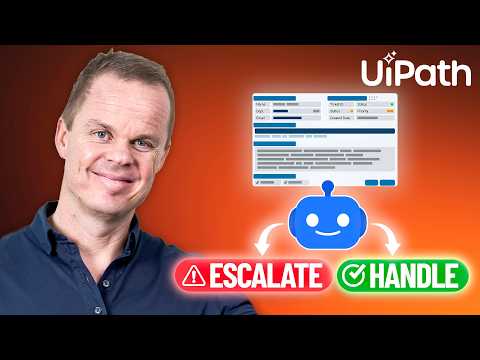
The YouTube tutorial by Anders Jensen walks viewers through how UiPath Maestro connects an AI agent to a real business workflow. In the short video, Jensen demonstrates a support-case scenario where an agent reviews a ticket, returns structured outputs like priority and reason, and then drives the next workflow step. He frames the lesson as moving beyond text generation so that an agent becomes part of an automated decision process. This approach shows how orchestration can route work and trigger API flows when required.
Jensen’s tutorial targets practitioners who want to embed reasoning agents into end-to-end processes while keeping control and visibility. He keeps the demo practical and focused on mapping inputs, using structured agent results, and creating routing logic. Importantly, the video also explains how Maestro can include multiple agents, robots, APIs, and human review in one governed process. Therefore, the piece serves as both a how-to and a proof of concept for enterprise use.
How Maestro turns agents into workflows
At a technical level, Jensen shows that you create a flow in UiPath Maestro, add an Agent node, and supply prompts and expected outputs. The agent can return a variable such as decision with values like approved or rejected, and designers can use a Decision node to route execution. Moreover, Maestro models the process with BPMN and handles decision logic with DMN, allowing structured orchestration rather than ad-hoc scripting. This combination makes reasoning and execution visible and auditable within the same workflow.
Jensen also notes that Maestro can work alongside other systems, enabling orchestration across bots, APIs, and people. For example, you can trigger an API-based workflow when an agent marks a ticket as high priority, or pause for human review when uncertainty is detected. The platform supports connectors and external agents, so models from different vendors can participate in a unified flow. Consequently, enterprises can blend deterministic robots with agentic reasoning in one controlled environment.
Demonstration highlights
In the demo, an AI agent reads a support case and returns structured outputs such as priority and the reason for that priority, which then drive routing rules. Jensen maps those outputs to downstream actions: low-priority items can be queued for automatic handling, while high-priority cases trigger an API call or human escalation. He emphasizes how the structured outputs allow deterministic workflow logic to take over after the agent makes a reasoning decision. Thus, the agent’s role is deliberate and bounded, reducing the need for manual interpretation of free text.
The video also points out the role of human review in exception-heavy flows, showing a hybrid pattern where machines execute repetitive tasks and people handle judgment calls. Jensen demonstrates that Maestro treats a case as a dynamic business entity with its own data and timeline, which is useful for long-running processes. Additionally, he highlights a developer-focused experience for microflows and API-driven orchestration that supports hybrid agent-plus-robot patterns. Overall, the demo connects a clear example to a repeatable design pattern for real systems.
Trade-offs and practical challenges
While the pattern is compelling, Jensen’s material implicitly shows trade-offs that teams must manage. Mapping unstructured agent outputs to structured decision fields improves automation but requires robust prompt design and validation; otherwise, workflows risk misrouting or errors. Moreover, integrating third-party agents and external models can increase flexibility but also adds complexity around security, latency, and version control. Therefore, teams must balance openness with strict governance to keep processes reliable.
Another challenge concerns long-running workflows and human-in-the-loop steps, which introduce timing and state management issues. If an agent’s decision triggers a pause for manual review, designers must manage timeouts, retries, and audit trails so the system remains predictable. Model drift and changes in agent behavior also demand monitoring and testing, or else business rules will gradually fail. Finally, enterprises must weigh the benefits of faster automated decisions against the overhead of building the connectors, controls, and audits that make those decisions trustworthy.
Why this matters for organizations
Jensen’s video emphasizes that UiPath Maestro offers a way to turn scattered automation efforts into outcome-driven workflows. By combining agents, robots, APIs, and people under one orchestration layer, organizations can maintain visibility and compliance while using AI for reasoning tasks. This approach works particularly well for complex, exception-heavy processes where simple chatbots or isolated automations fail. Consequently, Maestro aims to help enterprises scale automation with governance intact.
At the same time, Jensen clarifies that Maestro is not a Microsoft product, though it can orchestrate Microsoft Copilot alongside other agents and systems. For teams considering this pattern, the key takeaway is that orchestration unlocks value but requires investment in design, testing, and monitoring. If organizations plan for these trade-offs, they can leverage agentic workflows to speed decisions, reduce manual work, and keep control over critical business processes.