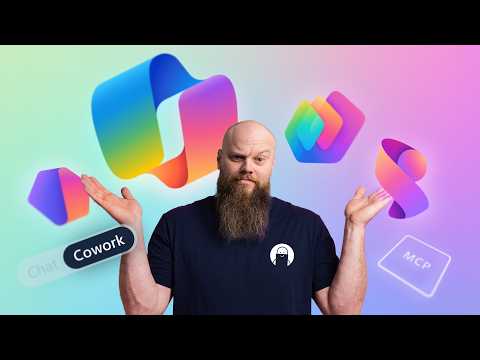
Microsoft AI: Copilot/Cowork/Scout/MCP
No-Faffing Managed IT Support & Cyber Security Support. Made in Yorkshire, built for the UK.
Microsoft decodes Copilot Cowork Scout MCP Agent Builder and Copilot Studio to clarify AI roles security and usage
Key insights
- Ladder Framework decodes Microsoft’s confusing AI names into one clear model for decision-making.
It maps six similar-sounding products so you know which tool fits each real-world task. - Microsoft Scout is an always-on Autopilot agent that runs on Windows 11 and can access local files, run code, and execute shell commands under admin guardrails.
It works proactively (not just by prompt) and supports human review for high-risk actions. - Copilot Cowork is a cloud-only agent for multi-step workflows across Microsoft 365 apps like Teams, Outlook, and SharePoint.
It handles scheduled or orchestrated tasks but cannot modify local files or run local commands. - Copilot remains the interactive assistant for immediate needs—drafting emails, summarizing docs, and searching across work content.
Use it when you need quick, on-demand help inside apps. - Copilot Studio (low-code) and Agent Builder (no-code) let teams create custom agents and workflows without starting from scratch.
Studio targets developers with more control; Agent Builder targets non-developers for fast agent creation. - MCP (Model Context Protocol) connects Copilot and agents to external data sources (APIs, databases, file systems) so agents work with live data.
Agents use human-in-the-loop controls and GitHub Copilot Business or Enterprise credits for licensing, which helps manage cost and security.
Overview of the Decoder Video
Jonathan Edwards presents a focused video that aims to demystify Microsoft's recent AI offerings and their confusing names. He frames the discussion around a simple framework he calls the Ladder Framework, and then walks viewers through six distinct tools that often get mixed up: Copilot, Cowork, Scout, Agent Builder, Copilot Studio, and MCP. As a result, the video promises to tell IT teams which tool to use, which to build, and which to merely monitor. Consequently, the piece serves as a practical decoder rather than a technical deep dive.
Edwards organizes the talk into short chapters, so viewers can jump to the exact part they need. He repeatedly highlights real-world use cases and contrasts each tool’s capabilities, making it easier to compare them at a glance. This structure helps non-experts grasp the differences quickly while providing enough context for technical readers to evaluate tradeoffs. Therefore, the video functions as both an orientation and a decision guide for Microsoft 365 environments.
Core Products Explained
First, Edwards describes Copilot as the in-the-moment assistant that helps with drafting, summarizing and searching across a user’s work. Next, he explains that Cowork is a cloud-only agent meant for scheduled or multi-step workflows across Microsoft 365 apps. In contrast, Scout is presented as an always-on, local agent for Windows that can access files, run code, and perform actions on the device under administrator controls. Thus, each product is positioned by scope: immediate assistance, cloud orchestration, and local autonomy respectively.
Edwards then turns to the tools that enable creation and extension. He frames Agent Builder as a no-code option for assembling agent behaviors quickly, while Copilot Studio offers a low-code environment to design richer, custom experiences. Finally, he introduces MCP and MCP servers as the connector layer that allows agents to reach external data, APIs, and enterprise systems. Collectively, these components form a spectrum from simple assistants to domain-specific automation engines.
Tradeoffs: Cloud vs Local and Autonomy vs Control
Edwards emphasizes tradeoffs repeatedly, starting with the tension between cloud-only and local capabilities. For example, Cowork provides safe, centralized cloud automation but cannot touch local files or run shell commands; thus it limits risk but also limits what can be automated. Conversely, Scout unlocks powerful local automation and code execution, which increases productivity but also raises security and governance questions. Therefore, organizations must weigh the value of deeper automation against the added operational and security burden.
Similarly, the video highlights the tradeoff between agent autonomy and human oversight. While always-on agents can reduce repetitive work, they may also perform actions that require review, creating the need for robust approval and monitoring workflows. Edwards points out that human-in-the-loop designs mitigate risk but add latency and complexity to automation. Consequently, teams must balance speed with safeguards when deploying agentic systems.
Security, Governance, and Cost Challenges
Security and governance form a central theme in Edwards’ analysis, because agents that access data or run code change the threat model. He notes that administrators must plan conditional access, data loss prevention and least-privilege controls to prevent data exposure, especially when agents can reach external systems via MCP. Additionally, the ability for Scout to run code locally requires careful endpoint controls and auditing to prevent unintended actions. Ultimately, governance is not optional; it is a necessary complement to autonomous features.
Cost and licensing are another area of practical concern. Edwards explains that some agents consume credits differently—for instance, Scout may use GitHub Copilot credits rather than a Microsoft 365 Copilot license—so budgeting must reflect usage patterns. Moreover, operational costs rise as agents scale and integrate with more systems, creating tradeoffs between feature richness and predictable spending. Therefore, IT leaders should pilot cautiously and measure consumption before broad rollouts.
Practical Guidance for IT Teams
Edwards closes with actionable guidance that helps teams decide which tools to adopt now and which to watch. He recommends using Copilot for immediate productivity gains, piloting cloud orchestration with Cowork, and adopting Scout only after strong endpoint and policy controls exist. For teams that want to extend capabilities, he suggests starting with Agent Builder for quick wins and moving to Copilot Studio when low-code customization becomes necessary.
In addition, Edwards urges teams to plan for interoperability and long-term maintainability when building custom agents with MCP servers. He underscores that the easiest path is not always the safest path, and that balancing automation benefits against governance, cost, and operational complexity will determine success. Finally, his clear, example-driven approach offers a pragmatic roadmap for organizations navigating Microsoft’s evolving AI landscape.

Keywords
Microsoft AI Decoder, Microsoft Copilot, Copilot for Microsoft 365, Windows Copilot features, Microsoft Cowork explained, Microsoft Scout AI, MCP explained, Microsoft AI tools