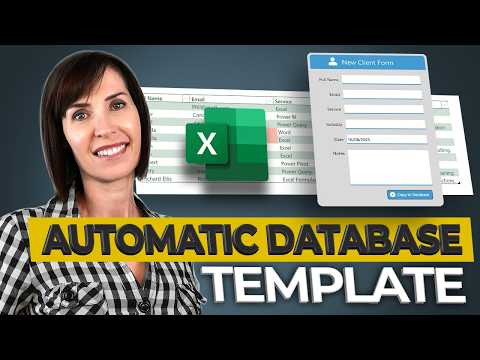
Excel Automated Database — Free Template
Microsoft Excel automated database template turns form into a searchable, reportable database with Power Automate
Key insights
- Automated Excel database: A free, ready-made Excel template turns a simple data entry form into a searchable database; you fill fields (name, email, service, date, notes) and click a button to add a structured row for easy sorting and reporting.
- Use cases: Apply the system for client lists, inventory, expense tracking, employee records, project management, or order logs — any task that needs organized, repeatable data capture.
- How it works: Build a user form in Excel, store submissions in a structured database table, and use VBA/macros to automate transfers so each form entry becomes a new row instantly.
- Key advantages: No external database required, fewer manual errors, faster data entry, and flexible customization for reports and filters inside Excel.
- Practical tips: Add checks to avoid duplicates, lock or protect input areas to keep structure intact, and design a clearer interface for nontechnical users; prefer desktop Excel for reliable template saving.
- Limits and next steps: The template is free and tutorial-ready but may need you to enable macros; online Excel can be limited, while future features like AI assistants (e.g., Copilot) may simplify queries and formulas further.
Overview: A Practical Excel System from Mynda Treacy
The newsroom reviewed a recent YouTube video by Mynda Treacy (MyOnlineTrainingHub) [MVP] that demonstrates a free, ready-to-use template called the Automated Database in Excel. In clear, step-by-step footage, the presenter shows how a simple form feeds entries into a structured, searchable table, and then how that table connects to filters and reports. Consequently, the solution aims to give users who cannot or do not want a full SQL system a practical alternative that lives entirely in Excel. Importantly, the video balances instruction with real-world examples, so viewers can adapt the approach to client lists, inventory, expenses, or project trackers.
How the Automated System Works
First, the video explains building a friendly data entry form inside Excel with fields such as name, email, service, industry, date, and notes, and then wiring a button to submit entries into a table. Next, Mynda demonstrates how a macro or VBA routine copies each submission into a structured table so every entry becomes a searchable row that supports sorting and filtering. Therefore, users get the feel of a database without leaving the spreadsheet environment, and they retain the flexibility to connect the table to pivot reports or charts for quick insights. Additionally, the tutorial walks through interface improvements, duplicate prevention checks, and protection settings to keep the system robust for non-expert users.
Practical Uses and Flexibility
The video stresses that the same framework works beyond client lists: it can adapt to inventory management, expense tracking, employee records, and project management, offering versatility for small businesses and solo operators. Moreover, because everything runs inside Excel, users can customize columns, add validation rules, and change report layouts without needing a developer or additional tools. However, the creator also notes compatibility limits: the template performs best in desktop Excel since some online versions cannot reliably save template changes or run certain macros. As a result, the approach is ideal for desktop-centric workflows but less suitable for purely cloud-based teams unless they add complementary cloud services.
Tradeoffs and Technical Challenges
While the tutorial highlights many benefits, it also candidly addresses tradeoffs between simplicity and scalability. For example, using VBA macros makes automation straightforward, yet it reduces portability because macros may not run in all environments or could be blocked by strict IT policies. Furthermore, although the system avoids the cost and complexity of a full SQL back end, it can become slower or harder to maintain as data volume and concurrent users grow. Therefore, teams must weigh the immediate productivity gains against long-term needs, and consider migrating to a dedicated database or integrating with the Power Platform if usage expands significantly.
Integration Opportunities and Future Directions
The video also touches on emerging integrations that could extend this approach, notably synchronization options with the Power Platform and the potential of AI-driven helpers like Copilot to simplify querying and formula creation. Consequently, organizations that start with the Automated Database might later export or sync data to cloud services for multi-user scenarios, reporting at scale, or automated workflows across systems. Nevertheless, the tutorial cautions that these integrations bring new administrative and security considerations, such as access control, data governance, and compatibility testing. Ultimately, the choice between staying within Excel and moving to an integrated cloud stack depends on the balance of convenience, control, and future growth expectations.
Conclusion: A Useful Tool with Clear Limits
In summary, Mynda Treacy’s video provides a hands-on, accessible guide to building an automated, structured database inside Excel, and it supplies a free template that viewers can adapt immediately. The tutorial is practical for individuals and small teams who need organized data capture without investing in a traditional database, yet it also responsibly explains the constraints regarding macros, desktop dependency, and scalability. For decision-makers, the key tradeoff is between quick deployment and long-term manageability, so organizations should start small, monitor usage, and plan upgrades when demands grow. Overall, the video offers a balanced, user-friendly path that many readers will find valuable as a low-cost step toward better data organization.

Keywords
Excel automated database, free Excel database template, automated Excel template, Excel database tutorial, Excel data management template, Excel data entry automation, dynamic Excel database, Excel workflow automation