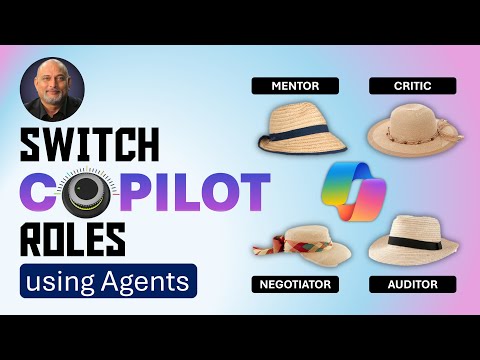
Copilot: Switch Roles with Agents
Copilot, Microsoft 365, Power BI, Excel, Video Indexer, Adobe Premiere
Key insights
- The concept of "Switch Copilot Roles using Agents" is a new feature in the Microsoft 365 Copilot ecosystem, allowing organizations to use multiple AI agents with specific roles to complete complex tasks by dynamically delegating responsibilities.
- Key enhancement includes multi-agent orchestration, where different Copilot agents collaborate by switching roles and tasks among themselves, optimizing workflow efficiency and enabling end-to-end business processes.
- The update includes a centralized management interface called the Agents & Connectors page within the Microsoft 365 Admin Center, simplifying governance and scalability as organizations expand their agent-based workflows.
- Advantages of this system include enhanced productivity through automation, improved accuracy and consistency, and personalized assistance that integrates workflows across different business systems.
- This feature signifies a shift from isolated AI assistants to coordinated agent ecosystems designed to handle sophisticated scenarios efficiently. It is currently in private preview with public previews forthcoming.
Efficiency 365 by Dr Nitin has published a detailed blog post exploring Microsoft’s new feature within the Copilot Studio ecosystem, labelled “Switch Copilot Roles using Agents.” The accompanying YouTube video demonstrates how organizations can benefit from assigning specific roles to multiple AI agents and dynamically switching between them to complete complex tasks. According to the blog, this approach marks a shift from single, isolated AI assistants toward coordinated, role-based agent ecosystems capable of executing end-to-end business processes efficiently.
Understanding Multi-Agent Orchestration
The concept of multi-agent orchestration lies at the heart of this update. Instead of relying on one AI to handle diverse tasks, multiple Copilot agents—built using services such as Microsoft 365 Agent Builder, Azure AI Agents Service, or Microsoft Fabric—collaborate. Each agent takes on a specialized role, such as Critic, Mentor, Auditor, or Negotiator, and dynamically switches as needed. For instance, one might process sales data, while another drafts customer reports and a third manages scheduling, ensuring each role is executed by the most suitable agent.
This orchestration increases efficiency, yet also introduces tradeoffs. While specialization improves accuracy and scalability, it requires careful planning to avoid misalignment or duplication of work among agents. Additionally, optimal performance depends on the seamless communication and coordination between these specialized AI components.
Centralized Management in Copilot Studio
The July 2025 update introduced the Agents & Connectors page in the Microsoft 365 Admin Center. This unified dashboard allows administrators to monitor all agents, manage their roles, control access levels, and implement sensitivity labels for better data protection. It also provides audit tools to track performance and compliance, reducing the governance burden for organizations experimenting with AI-driven workflows.
However, centralizing control comes with its own challenges. While it simplifies oversight and policy enforcement, it also concentrates responsibilities in fewer hands. Therefore, companies must balance the benefits of administrative efficiency with the need for decentralized decision-making to respond quickly to changing operational needs.
Practical Advantages for Businesses
Switching Copilot roles dynamically offers businesses enhanced productivity by automating segmented or repetitive processes. Specialized agents can ensure greater accuracy and maintain consistent outputs across different operations. Furthermore, the ability for agents to integrate workflows across various tools and teams can help dissolve departmental silos and encourage smoother collaboration between business units.
Nonetheless, results depend heavily on the design of the agent roles and their integration. Poorly assigned responsibilities or inadequate training data could lead to output inconsistencies, requiring human oversight and corrections, and thus reducing the expected efficiency gains.
Evolving Toward Coordinated AI Ecosystems
Dr Nitin’s coverage emphasizes that this transition to multi-agent role switching is more than just a technical upgrade—it signals an evolution toward coordinated AI ecosystems. These systems can manage sophisticated, multi-step scenarios in a secure and scalable way, moving enterprises closer to deeply integrated, AI-driven operations. Current availability remains in private preview, but public previews are expected to follow soon, reflecting Microsoft’s commitment to advancing enterprise AI orchestration.
Yet, as promising as the system is, organizations must weigh the upfront investment in configuring and testing multiple agents against the long-term productivity benefits. Balancing innovation with operational reliability will be key to reaping the full potential of these new capabilities.
Looking Ahead
The “Switch Copilot Roles using Agents” feature represents a significant milestone for AI in productivity software. By enabling AI agents to adopt different roles and collaborate seamlessly, Microsoft is providing tools for businesses to tackle complex workflows with greater precision and speed. As the technology matures from private to public preview, the newsroom—and industries at large—will be watching closely to see how effectively these capabilities can transform daily operations without introducing new vulnerabilities or oversight gaps.
For now, Dr Nitin’s exploration of this update serves as both an introduction and a roadmap for organizations eager to experiment with role-based AI orchestration in Microsoft 365’s evolving ecosystem.

Keywords
switch copilot roles agents, copilot agents tutorial, microsoft copilot role switch, manage copilot roles with agents, copilot role automation, azure copilot agents setup, copilot agent role management, copilot agents best practices