M365 Copilot: Standardize Org Prompts
Microsoft MVPs, YouTube Creator youtube.com/giulianodeluca, International Speaker, Technical Architect
Org Prompts via admin center surface in Copilot Chat Edge and Teams to unify work, enable governance and boost adoption
Key insights
-
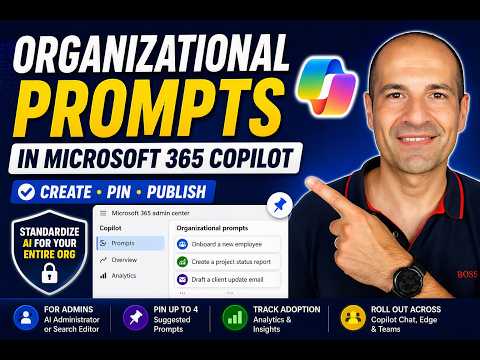
Video summary: The walkthrough explains Organizational Prompts — admin-created prompt templates that appear inside Copilot Chat, Microsoft Edge, and Microsoft Teams so users start with trusted, consistent instructions.
-
Admin roles and rollout: People with the AI Administrator or Search Editor role manage prompts in the Microsoft 365 admin center. The feature reached General Availability (July 2026) and is enabled by default for organizations.
-
Creation and publishing: Admins can create prompts manually or use bulk import via CSV, publish them for the whole org, and pin up to four as Suggested for priority visibility in the Copilot interface.
-
Prompt structure and fields: Effective prompts include Title, Display prompt, Task type, Department, clear Context or data Source, and Constraints or persona instructions to guide tone and scope.
- User experience and discovery: Prompts surface via autosuggest, a Prompt Lab, and a Suggested
- Analytics and governance: Built-in analytics show active users and submissions so admins measure adoption. Central control supports consistency, governance, faster rollout, and lets admins edit/delete
Giuliano De Luca [MVP] published a detailed YouTube walkthrough that examines Microsoft’s new Organizational Prompts feature for M365 Copilot. In the video, he explains what the capability does, who can manage it, and how organizations can publish curated prompts to improve consistency across tools like Copilot Chat, Microsoft Edge, and Microsoft Teams. Consequently, the walkthrough serves as a practical guide for IT and AI admins looking to accelerate Copilot adoption while keeping control of corporate language and workflows.
What the Feature Is and Why It Matters
Organizational Prompts lets administrators create, import, pin, and publish a set of approved prompts that appear natively inside Copilot experiences. As De Luca shows, these prompts aim to reduce guesswork by giving employees a trusted starting point tailored to company terminology and tasks. Therefore, instead of relying on informal knowledge sharing, users can select tested prompts that reflect business priorities and data sources.
How Admins Create and Publish Prompts
The video walks through the admin operations available in the Microsoft 365 admin center, where people with the AI Administrator or Search Editor roles can manage prompts. Administrators can author prompts manually or use a CSV bulk import to add many entries at once, and they can publish up to 1,000 curated prompts for the organization. Furthermore, up to four prompts can be pinned as Suggested so they surface more prominently when users open Copilot.
User Experience and Integration
De Luca demonstrates how prompts appear to end users: they show as suggestions while typing, live in a Prompt Lab, and appear on the Copilot home page under a Suggested section. As a result, users get contextual guidance without leaving their workflow, which helps speed up common tasks and reduces the need for formal training sessions. Moreover, prompts can reference specific sources and roles, so Copilot can shape responses with appropriate tone and data context.
Analytics, Governance, and Management
The walkthrough highlights built-in analytics that track adoption through metrics such as active users and submissions, enabling admins to measure which prompts deliver value. Consequently, change managers can iterate on the library using real usage signals rather than guesses, and admins can edit or remove prompts as policies or needs change. In addition, the rollout that began in July 2026 makes the feature available by default, so organizations can start testing governance and change processes immediately.
Tradeoffs and Practical Challenges
While standardized prompts improve consistency, De Luca points out tradeoffs that organizations must consider. For example, central control reduces variability, but it can also limit creativity if prompts become too rigid or fail to cover niche scenarios; therefore, teams must balance governance with flexibility. Additionally, bulk importing up to 1,000 prompts speeds scale but creates a curation challenge, because administrators must invest time to keep prompts current and aligned with evolving workflows.
Recommendations and Final Takeaways
De Luca recommends that organizations start small, publish a focused set of high-impact prompts, and rely on analytics to expand the library over time. Meanwhile, administrators should define clear roles for prompt ownership, use pinning for mission-critical guidance, and provide channels for users to suggest improvements. Overall, the video provides a practical, step-by-step approach to adopt Organizational Prompts, and it highlights how careful curation and ongoing measurement can drive faster, more reliable Copilot use across the enterprise.

Keywords
Organizational prompts M365 Copilot, M365 Copilot prompt templates, Copilot prompt governance, Standardized prompts for Copilot, Prompt engineering Microsoft 365, Enterprise Copilot best practices, M365 Copilot admin walkthrough, Organizational prompt deployment Copilot