Copilot Frontier: Agent Builder Skills
Consultant at Bright Ideas Agency | Digital Transformation | Microsoft 365 | Modern Workplace
Microsoft expert guide to Agent Builder in Copilot Frontier, add AI skills to amplify Copilot and PowerPoint workflows
Key insights
- What a Skill Is
In Agent Builder a skill is a reusable, instruction-based capability defined by a name, description and Markdown instructions. The agent chooses when to run a skill based on the user request. - How Skills Work
Skills use progressive on-demand loading: the agent sees lightweight metadata and loads the full skill only when needed. You build skills from the Build → Skills → Create from blank flow and they appear in the agent components panel. - Packaging and Resources
Skills can include extra files or scripts and may be uploaded as packages (ZIP). Community reports note limits such as up to 8 skills per agent and ZIPs up to 50 MB, but treat those numbers as unofficial until Microsoft confirms them. - Access and Eligibility
The Skills preview is available to organizations enrolled in Microsoft Frontier, which is Microsoft’s early-access program, and it requires an eligible Microsoft 365 Copilot license or metered access. - Main Advantages
Skills bring reusability, consistency and modularity to agents by encoding repeatable procedures once instead of duplicating prompts. Practical demos show use cases like reviewing or scripting PowerPoint tasks. - Best Practices and Cautions
Write clear, concise Markdown instructions, test skills in demo accounts, and rely on official Microsoft docs for final limits and setup. Treat community findings as useful but not authoritative.
Overview of the Video and Its Context
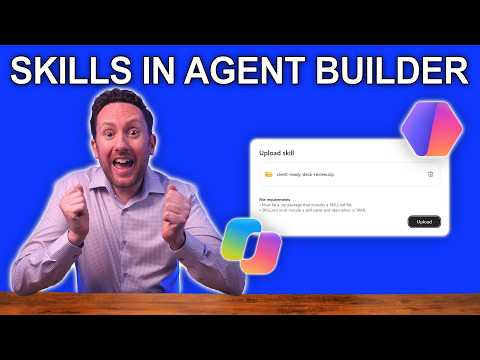
In a recent YouTube video, Nick DeCourcy (Bright Ideas Agency) reviews how Skills in Agent Builder integrate with Microsoft 365 Copilot Frontier to expand what declarative agents can do. He frames the feature as a meaningful upgrade for organizations that want to encode repeatable tasks as reusable capabilities, and he walks viewers through real demonstrations that show the potential and limitations. Consequently, the video serves both as a practical demo and as commentary on where the feature fits within Microsoft’s broader Copilot extensibility story. The presentation is aimed at technical adopters and business users who are evaluating Copilot customizations.
How Skills Work in Agent Builder
DeCourcy explains that a skill is a self-contained set of instructions and metadata—typically a name, description, and Markdown guidance—that an agent can call when a user request matches the skill’s purpose. He emphasizes the idea of progressive, on-demand capability loading, where lightweight metadata advertises a skill and the full content loads only when relevant. As a result, agents can avoid monolithic prompts and instead use focused modules that encode specific behaviors or workflows. This approach aims to make agent behavior more modular and maintainable over time.
Demonstrations Shown in the Video
Nick runs three demonstrations that illustrate common business scenarios: reviewing a PowerPoint, running scripts within a skill, and taking a skill into PowerPoint for presentation tasks. The hands-on examples highlight how agents select skills automatically, how packaged resources can augment a skill, and how a skill’s instructions guide consistent outputs. Moreover, the demos show the practical steps involved in creating skills inside Agent Builder, including packaging files and writing Markdown instructions. Viewers get a concrete sense of how to move from concept to a working skill that the agent can invoke.
Tradeoffs in Using Skills
While modular skills offer clear advantages like reusability and consistency, DeCourcy points out tradeoffs that organizations must weigh when adopting them. For instance, modularity reduces prompt complexity but can increase the number of artifacts to manage, so teams must invest in version control, documentation, and testing. Additionally, progressive loading can cut down prompt size, but it may introduce small runtime delays when the agent fetches skill content on demand. Therefore, organizations face a balance between cleaner architecture and the operational overhead of maintaining many small components.
Challenges and Preview Limits
The video notes several practical challenges and preview-era limits that affect early adopters, particularly those in the Frontier program. Community reporting suggests constraints such as a limited number of skills per agent and size limits on uploads, and DeCourcy cautions that these items may change as Microsoft matures the feature. He also discusses governance and security concerns: packaged skills may include scripts or files, so teams must control what is allowed, validate inputs, and ensure compliance. Consequently, organizations should treat preview features as experimental and plan safeguards before widespread deployment.
Recommendations for Adoption and Next Steps
DeCourcy recommends that teams begin with a small set of high-value skills that codify repeatable tasks, and then iterate as they learn how agents choose and use those skills. He also advises aligning skills with clear ownership, testing procedures, and documentation so the benefits of reusability are not lost to maintenance costs. Finally, he suggests that organizations consider licensing and program eligibility—such as being part of Microsoft 365 Copilot Frontier—because access and capabilities can differ between preview and general availability. By starting conservatively and building governance, teams can capture value while managing risks.
Conclusion: Practical Value with Caution
Overall, the video paints a practical but cautious picture: Skills in Agent Builder can amplify AI-driven processes by packaging repeatable expertise into agents, yet they introduce management and governance demands. DeCourcy’s demonstrations make the feature tangible, while his commentary highlights the tradeoffs between modularity and operational complexity. Therefore, organizations should pilot skills for clear, repeatable workflows and use those pilots to develop best practices before scaling up. In this way, businesses can benefit from the feature while minimizing unintended costs or risks.

Keywords
Copilot Frontier Agent Builder skills, Microsoft Copilot Agent Builder tutorial, Build skills in Agent Builder Copilot, Copilot custom skills development, Agent Builder best practices for Copilot, Copilot Frontier skill creation guide, Developing agents with Microsoft Copilot Frontier, Copilot Agent Builder examples and tips