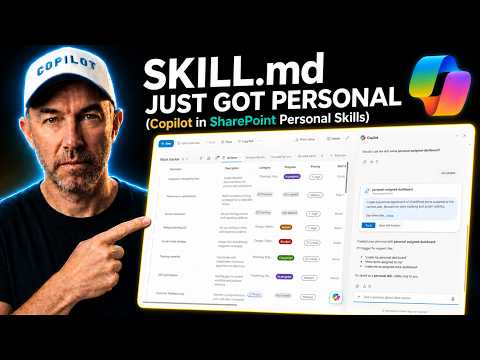
SKILL.md Personalizes Learning
A Microsoft MVP 𝗁𝖾𝗅𝗉𝗂𝗇𝗀 develop careers, scale and 𝗀𝗋𝗈𝗐 businesses 𝖻𝗒 𝖾𝗆𝗉𝗈𝗐𝖾𝗋𝗂𝗇𝗀 everyone 𝗍𝗈 𝖺𝖼𝗁𝗂𝖾𝗏𝖾 𝗆𝗈𝗋𝖾 𝗐𝗂𝗍𝗁 𝖬𝗂𝖼𝗋𝗈𝗌𝗈𝖿𝗍 𝟥𝟨𝟧
Portable contract compare using SKILL.md Personal Skills in OneDrive for Copilot in SharePoint and Microsoft cloud
Key insights
- Personal Skills: Personal Skills let you create and run skills scoped to your OneDrive so your workflow travels across Microsoft 365.
They live at Documents/Copilot/Agent Assets/Skills and share the same file structure as site skills. - SKILL.md: SKILL.md is the core markdown file that defines a skill with metadata and step-by-step instructions.
Agents read this file to know when and how to run a skill. - Directory-based packaging: A skill is a folder that contains SKILL.md plus optional assets like scripts, examples, and references.
Keep the main SKILL.md concise and place detailed resources in subfolders. - YAML frontmatter: SKILL.md begins with YAML metadata such as name and description, followed by usage guidance and examples.
Clear metadata helps agents match the skill to relevant tasks. - On-demand loading: Agents load a skill only when the task context matches the description, making behavior predictable and repeatable.
Skills also support versioning and update flows so teams can maintain them over time. - Contract comparison demo: The walkthrough builds a personal skill that compares a base contract and a returned contract, then writes a clean HTML change register into OneDrive Reports.
You can run the same skill from Copilot in SharePoint or from Copilot in OneDrive without rebuilding, showing portable workflows across M365.
Quick summary
In a recent YouTube video, Daniel Anderson [MVP] demonstrates a new way to create personal AI skills for Microsoft 365 users. He shows how SKILL.md files can now live in OneDrive so that Copilot in SharePoint and OneDrive can run the same skill without rebuilding. As a result, users can build one skill and use it across different parts of the Microsoft 365 canvas.
The video focuses on a practical example: a contract comparison skill that turns two documents into a clean HTML change register. Anderson walks viewers through authoring the personal skill in chat, locating the file in the OneDrive folder structure, and running the skill from both SharePoint and OneDrive. In short, the piece highlights portability and a familiar file structure for people who already use site-level skills.
What Daniel demonstrates
First, Anderson explains that the personal skill uses the same directory and SKILL.md structure as site skills, but stores the package under Documents / Copilot / Agent Assets / Skills in OneDrive. Then he builds the contract comparison skill live, showing how it accepts a base contract and a returned contract and outputs a report to a Reports folder in OneDrive. He also runs the skill from Copilot in SharePoint and later from Copilot in OneDrive to show that nothing needs to be rebuilt.
Moreover, the video contains a short chaptered walkthrough so viewers can jump to specific steps, such as creating the skill, seeing where it lives, and running it from different entry points. Anderson discusses which generated report he prefers and explains why that format works better for his workflow. Overall, the demonstration emphasizes ease of reuse and consistent behavior across Microsoft 365 apps.
Technical anatomy of the personal skill
Anderson reinforces Microsoft’s guidance that a skill is more than a single prompt; it is a directory-centered package organized around a core SKILL.md file with YAML frontmatter and markdown instructions. He shows that supporting files such as scripts and examples can remain in subfolders, while the primary instructions stay concise so the agent can decide when to load the skill. In practice, the personal skill mirrors the site skill layout but simply changes the storage scope to the user’s OneDrive.
The video also touches on the typical elements Microsoft recommends in SKILL.md, such as name, description, and body instructions with examples and edge cases. Anderson points out that keeping the main file under recommended size limits and moving heavier references to a separate directory improves maintainability. Consequently, the skill behaves more deterministically and remains easier to update and test over time.
Tradeoffs: portability versus governance
Storing skills in OneDrive introduces clear benefits, notably portability and quick personal iteration, but the approach carries tradeoffs that organizations must consider. On one hand, personal skills let users prototype and run tailored automations without site-level approvals, which speeds up individual productivity. On the other hand, this freedom raises questions about discoverability, version control, and centralized governance when teams need consistent, auditable behavior.
Therefore, teams must balance flexibility with control. For example, personal skills are excellent for private or experimental tasks, while site skills remain better for vetted, shared processes. In practice, organizations may need policies or tools to track which skills people run and to migrate mature personal skills into site-level packages to ensure broader compliance and consistency.
Challenges and operational considerations
Anderson also highlights practical challenges, including permission boundaries and data security when skills run against sensitive contracts stored in OneDrive or SharePoint. Because personal skills live in a user’s storage, administrators must consider how to audit usage and prevent unintentional data exposure. Additionally, skill authors should test edge cases thoroughly to avoid incorrect comparisons or incomplete reports when documents vary widely in format.
Beyond security, there are engineering tradeoffs such as latency from on-demand loading, compatibility across different Copilot surfaces, and managing supporting assets that may reference shared resources. The video suggests that careful metadata in the YAML frontmatter and clear examples in the SKILL.md body can reduce unpredictable loads, but testing remains essential to ensure the agent selects and executes the right skill in real scenarios.
Takeaways for users and teams
In closing, the video by Daniel Anderson [MVP] makes a pragmatic case for personal skills as a way to extend Copilot workflows across Microsoft 365 without rebuilding for each app. He demonstrates a concrete use case that many legal and contract teams will find useful, and he shows how the same asset can run from different UI entry points with no changes. Thus, users gain a portable workflow that matches how they already store and manage personal documents.
However, the broader implication is that organizations should plan how to govern and promote mature personal skills into shared catalogs. While personal skills accelerate individual work, meaningful governance, testing, and migration paths will be necessary to avoid sprawl and ensure consistent outcomes. Overall, the video offers a clear, balanced look at a small but important shift in Microsoft’s agent skill model and shows how practical gains come with operational responsibilities.
Keywords
SKILL.md personal, SKILL.md update, SKILL.md features, personal knowledge manager, skill tracking app, SKILL.md tutorial, digital resume SKILL.md, skill management tool