Azure AI Foundry: Power Automate REST
Currently I am sharing my knowledge with the Power Platform, with PowerApps and Power Automate. With over 8 years of experience, I have been learning SharePoint and SharePoint Online
Microsoft expert: call Azure AI Foundry LLM via HTTP REST in Power Automate, integrate Copilot and Power Platform AI in flows
Key insights
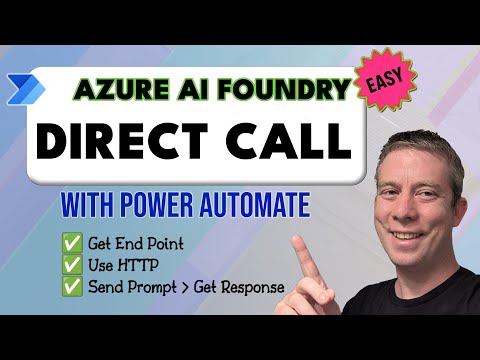
- Quick overview: The video shows how to call Azure AI Foundry directly from Power Automate using an HTTP REST request — get the endpoint and API key, send a prompt, and receive the model response.
- Setup steps: Create an Azure AI Foundry resource, deploy your model, and record the deployment name and endpoint for use in the flow.
- Power Automate flow: Use the built-in HTTP action with proper headers and a JSON body that contains your prompt and parameters, then parse the returned JSON to use the result in subsequent steps.
- Common issues: Watch model limits like Max Comp Tokens and adjust parameters if you get errors; test responses to confirm formatting and token usage.
- Benefits: Using customized models in flows gives more accurate, domain-specific results, while Azure provides enterprise-grade security and control over models and data.
- Practical tips: Try the new prompt builder integration and explore agentic AI scenarios, ensure proper authentication and permissions, and verify licensing needs for production use.
In a recent how-to video, Andrew Hess - MySPQuestions walks viewers through calling an Azure AI Foundry model directly from Power Automate using a simple HTTP REST request. The clip aims to demystify the integration for both makers and IT pros by showing each step from provisioning to a successful response. Consequently, the piece stresses that the process is straightforward while also pointing out a few practical limits and errors you may encounter. Readers get a practical demo that balances hands-on guidance with notes about configuration and troubleshooting.
Video overview and demonstration flow
The video opens by explaining the purpose of Azure AI Foundry and why developers might prefer a direct REST call instead of built-in connectors. Andrew then creates a Foundry resource, lists available models, and deploys a model ready for REST interaction, so viewers can follow along with their own subscription. Throughout the clip he emphasizes simple prerequisites: a Foundry endpoint, an API key, and a named deployment to send requests to. By mapping these pieces to a short Power Automate flow, he shows how the pieces fit together in a real-world automation.
Next, the demo constructs the actual HTTP action in Power Automate, setting headers and a JSON body containing the prompt and parameters, which makes the steps easy to reproduce. The presenter intentionally tests failure modes, including a “Max Comp Tokens” error, and then walks through correcting it to reach a successful response. This troubleshooting sequence helps viewers see common pitfalls and how to fix them without guessing. The video also highlights the option to try different models such as phi-4-mini-instruct, which underlines the flexibility of the REST approach.
Benefits of the REST approach for Power Automate
Calling Azure AI Foundry through a REST action gives organizations clear benefits, starting with model customization and control. Because the approach uses deployed, potentially fine-tuned models, teams can achieve more accurate, domain-specific outputs than with off-the-shelf general models. Moreover, using a standard HTTP action lowers the barrier for makers who already know Power Automate and can paste in endpoint details rather than learning new connectors or SDKs. As a result, teams can embed AI responses into flows for document generation, classification, or automated decision paths with relatively low setup time.
Furthermore, the REST route supports tighter governance because teams keep control of the endpoint, keys, and deployment names, which helps meet security and compliance needs. It also allows precise control over prompt payloads, response parsing, and parameter settings to manage costs and performance. In short, the method blends accessibility with the control enterprises expect from managed cloud services. However, those benefits do not come without tradeoffs, which the video explores next.
Tradeoffs and operational challenges
While the demo highlights simplicity, several tradeoffs deserve attention, beginning with authentication and licensing. Secure key management and proper permissions are essential because embedding keys in flows can expose credentials if teams do not apply best practices such as secure stores or environment variables. In addition, using deployed models can reduce costs by targeting precise workloads, but fine-tuning and deployment management introduce overhead compared with using a managed generic model. Thus teams must weigh the benefits of tailored responses against the operational cost of managing model versions and deployments.
Technical limits also surface, like token size constraints that can trigger errors during runtime, as the presenter demonstrates with the Max Comp Tokens problem. Error handling, retry logic, and parsing unpredictable model output add complexity to flows that otherwise remain simple. Moreover, model choice affects latency and cost: smaller distilled models may respond faster and cheaper but deliver less nuanced results than larger, more capable models. Organizations should therefore balance accuracy, speed, and budget when choosing a deployment strategy.
Best practices and implications for adoption
Andrew’s video concludes with practical recommendations for teams that want to adopt this pattern: test with non-production keys, log responses, and build clear error-handling paths in flows. He also suggests trying different parameter values and model variants to find the right tradeoff between cost and output quality, which reinforces the need for iterative tuning. By promoting a disciplined approach—version control for deployments, monitoring usage, and limiting keys exposure—teams can move faster while staying secure.
Looking ahead, the integration signals a broader trend: enterprises want direct, programmable access to their custom AI models inside low-code automation tools. As this pattern matures, organizations will need to invest in governance, observability, and developer training so they can scale safely. For readers and makers, Andrew Hess’s demonstration offers a clear entry point and practical checklist to start experimenting today with Azure AI Foundry in Power Automate.

Keywords
Azure AI Foundry Power Automate, Azure AI Foundry REST API, Power Automate HTTP REST, Azure AI Foundry tutorial, Power Automate AI integration, Automate AI workflows Azure, Azure OpenAI Power Automate, HTTP connector Power Automate Azure