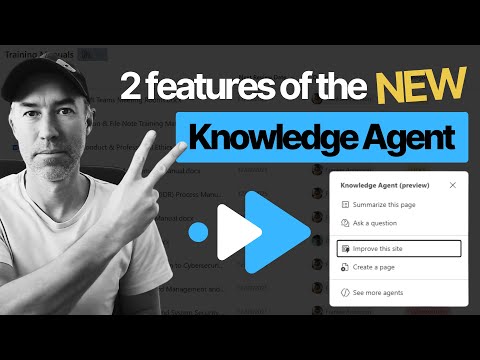
SharePoint Knowledge Agent: 2 Quick Wins
A Microsoft MVP 𝗁𝖾𝗅𝗉𝗂𝗇𝗀 develop careers, scale and 𝗀𝗋𝗈𝗐 businesses 𝖻𝗒 𝖾𝗆𝗉𝗈𝗐𝖾𝗋𝗂𝗇𝗀 everyone 𝗍𝗈 𝖺𝖼𝗁𝗂𝖾𝗏𝖾 𝗆𝗈𝗋𝖾 𝗐𝗂𝗍𝗁 𝖬𝗂𝖼𝗋𝗈𝗌𝗈𝖿𝗍 𝟥𝟨𝟧
SharePoint Knowledge Agent and Power Automate simplify views and business rules to drive adoption in Microsoft cloud
Key insights
- Natural Language Views — Create grouped or filtered library views by typing plain English (for example, "group documents by category") and save the view with one click, no admin skills needed.
- Automated Business Rules — Build notifications and workflow rules with simple commands (for example, "notify owner 30 days before review"); the agent creates the rule and handles email triggers automatically.
- Automatic Metadata Reading — The agent reads document metadata (owner, review date, category) to set grouping logic and rule conditions accurately without manual mapping.
- AI Content Enrichment — Knowledge Agent analyzes pages and files to flag stale content, fix broken links, suggest improvements, and prepare content for better AI answers and Copilot use.
- Role-Based Integration — A floating button appears across SharePoint surfaces so site managers, creators, and consumers get contextual suggestions; currently in Public Preview and requires Microsoft 365 Copilot and tenant opt-in.
- User Adoption Impact — By removing technical barriers, the agent speeds setup, raises content trust, and boosts usage and ROI across teams with minimal training.
Video Overview
The short YouTube demo, presented by Daniel Anderson [MVP], showcases the SharePoint Knowledge Agent and focuses on two practical features that aim to simplify document library management. In roughly three minutes, the presenter walks viewers through creating a grouped view and setting up an automated review notification, all driven by plain English commands. As a result, the clip is geared toward everyday SharePoint users rather than administrators and emphasizes how the agent reduces configuration friction.
The video opens with a quick tour of the agent's interface inside a document library and highlights how it reads existing file metadata to inform its actions. Daniel timestamps each step for quick navigation, and he demonstrates that non-technical staff can accomplish tasks that once required specialist tools. Consequently, the clip positions the agent as a practical tool for increasing adoption rather than a deep technical walkthrough.
Creating Views Using Natural Language
One of the most striking demonstrations shows the presenter typing a simple request like, "Can you please create a view that groups documents by category," and then watching the agent assemble a proper view automatically. The natural language interaction removes the need to navigate multiple screens and manually map metadata fields, which historically discouraged casual users from customizing libraries. Therefore, this approach lowers the barrier to personalization and makes it easier for teams to organize content quickly.
Behind the scenes, the agent inspects metadata and proposes grouping logic based on existing document properties, and the demo highlights a one-click save that applies the new view immediately. While this speeds up basic configuration, it also means users depend on accurate metadata to get the intended result. Thus, administrators should balance convenience with efforts to keep metadata consistent and well-structured.
Automating Business Rules and Notifications
The second core feature demonstrated is automated rule creation using conversational commands. For example, the presenter instructs the agent to "Notify the owner 30 days prior to next review date," and the agent configures an email notification workflow that reads document properties like owner and review date. This capability imitates typical Power Automate scenarios but hides the complexity behind an accessible interface.
By automating notifications and approvals, the agent can reduce manual oversight and help teams enforce document governance policies. However, this ease of use brings tradeoffs: organizations must consider governance, auditability, and how automated actions interact with existing workflows. In some environments, delegating rule creation to end users may require guardrails or role-based approvals to avoid unintended consequences.
Implications for User Adoption
The video frames the Knowledge Agent as a solution to the long-standing problem of low SharePoint adoption. Because the agent removes many technical steps, it can reduce training overhead and make everyday tasks more approachable for a wider audience. Consequently, teams that struggled with manual processes may see faster uptake and greater use of repository features.
At the same time, increasing ease of use does not eliminate the need for governance and user education. Organizations will still need to define metadata standards, retention policies, and notification rules to ensure consistent behavior across sites. Therefore, while the agent accelerates adoption, it also shifts the balance toward operational oversight to maintain content quality.
Trade-offs and Practical Challenges
The demo highlights several practical trade-offs that organizations must weigh. On one hand, the agent democratizes configuration and reduces reliance on specialists, which speeds deployments and increases staff autonomy. On the other hand, it introduces potential risks related to metadata quality, rule overlap, and the need for transparent change logs so administrators can track what automated rules were created and by whom.
Moreover, the approach depends heavily on accurate document metadata and consistent naming conventions; without those, the agent's suggestions may be less reliable. For complex enterprise policies or multi-step automations, traditional tools like Power Automate may still be necessary, so the agent should be seen as a complement rather than a complete replacement. Balancing user empowerment with centralized governance will be critical to successful rollout.
Conclusion
Daniel Anderson's demo makes a concise and practical case for how the SharePoint Knowledge Agent can lower barriers to adoption by enabling natural language view creation and rule automation. The video presents clear, repeatable examples that show time savings and improved accessibility for non-technical users, while also hinting at the governance and metadata challenges that organizations must address. In short, the agent promises efficiency gains but requires thoughtful operational controls to deliver reliable long-term value.

Keywords
SharePoint knowledge agent, SharePoint user adoption, SharePoint adoption features, SharePoint knowledge management, SharePoint AI assistant, boost SharePoint adoption, SharePoint adoption best practices, knowledge base in SharePoint