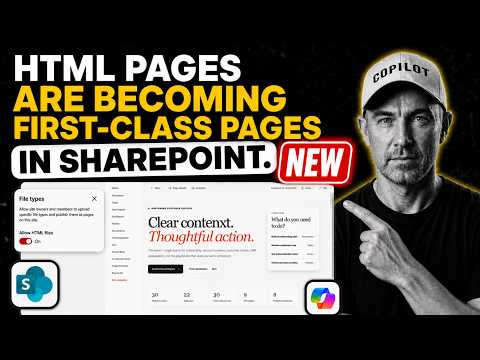
SharePoint: HTML Pages Now First-Class
A Microsoft MVP 𝗁𝖾𝗅𝗉𝗂𝗇𝗀 develop careers, scale and 𝗀𝗋𝗈𝗐 businesses 𝖻𝗒 𝖾𝗆𝗉𝗈𝗐𝖾𝗋𝗂𝗇𝗀 everyone 𝗍𝗈 𝖺𝖼𝗁𝗂𝖾𝗏𝖾 𝗆𝗈𝗋𝖾 𝗐𝗂𝗍𝗁 𝖬𝗂𝖼𝗋𝗈𝗌𝗈𝖿𝗍 𝟥𝟨𝟧
SharePoint makes HTML pages first class use Copilot to generate edit on canvas and publish dashboards with Microsoft
Key insights
- SharePoint HTML pages now render as native pages in SharePoint Online, so HTML files can appear and behave like other site pages.
They open inside the site with the site header and navigation, not as separate hosted sites. - Pages library stores the HTML files you create or upload, making them manageable alongside ASPX pages and other site content.
Copilot-created HTML and uploaded files both live in that library for publishing and sharing. - File types setting lets admins enable HTML in the Pages library; the typical workflow is enable the setting, generate or upload HTML, open the page, edit on the canvas, and publish.
Editing supports canvas edits and basic font and style controls. - Simpler content creation describes the main benefit: you can build landing pages, dashboards, or lightweight microsites without classic ASPX workarounds.
This brings HTML and similar file types closer to native SharePoint and OneDrive experiences. - Limitations and governance remain unclear: Microsoft has not released a full technical spec, so it’s unknown if custom JavaScript works, what security sandboxing exists, and how admin controls will operate.
Treat community interpretations about JavaScript or data access as unconfirmed. - General availability: October 2026 is the targeted rollout timeframe from Microsoft’s roadmap; this feature is not a replacement for the SharePoint Framework (SPFx) when you need deep customization.
Plan pilots now, and wait for Microsoft documentation for final security and governance details.
Quick summary of the video
In a recent YouTube walkthrough, Daniel Anderson [MVP] demonstrates how SharePoint HTML pages can now behave like native pages inside SharePoint Online. He uses a Project Portfolio Command Centre as a practical example, showing how a packaged skill and Copilot generate an HTML dashboard and place it in the Pages library. Consequently, the generated page opens inside the SharePoint site and can be edited and published from the site canvas.
Daniel highlights four key steps: enabling HTML files via the new File types setting, generating HTML with a Copilot skill, opening the HTML page in the site context, and editing plus publishing changes on the canvas. These sections are presented as short chapters in the video, which makes it easy to follow the workflow. The demo is concise and targeted at content authors and administrators who manage dashboards or project pages in SharePoint.
What the demo shows and how it works
First, the video walks viewers through enabling HTML files in the Pages library by adjusting the new File types setting, which allows HTML files to be stored and treated like other page types. Next, Daniel demonstrates invoking a packaged Copilot skill to generate an HTML dashboard from a project portfolio list, showing the content placed directly into the Pages library. After generation, the page opens within the SharePoint site structure, including the site header and navigation, giving a consistent user experience.
Then, the demo moves on to editing: Daniel edits text, tweaks styles, and asks Copilot to update the page title before publishing the changes. The canvas editing tools include font and style controls similar to other page editing experiences, which keeps the workflow familiar to editors. As a result, the HTML file behaves like a native page rather than an external artifact or embedded frame.
Why this matters for organizations
Importantly, this change can simplify how teams build visually rich landing pages, dashboards, and lightweight microsites inside SharePoint without relying on older ASPX workarounds. For many content authors, that means faster creation and fewer steps to present project data in a polished layout. In addition, integrating generated HTML into the page lifecycle—edit, share, and publish—aligns it with existing governance and collaboration patterns in SharePoint.
Moreover, Microsoft is positioning this as a content format rather than a hosting platform for full-fledged web apps, which keeps it aligned with SharePoint’s role as a content and collaboration service. Consequently, organizations can expect easier authoring for design-focused pages while continuing to use the SharePoint Framework for deeper customizations and developer-centric scenarios. This balance aims to serve both editors and developers without replacing established customization tools.
Tradeoffs and technical challenges
However, the demo raises important tradeoffs and questions that organizations must weigh. For instance, while HTML pages offer more flexibility for presentation, the available documentation does not yet confirm whether arbitrary JavaScript will be allowed or whether scripts will run in a restricted sandbox. Therefore, teams must plan for limitations around interactivity, data access, and security until Microsoft provides a full technical specification.
Governance is another key concern: admins will need clear controls over which file types and scripts can be published, how assets are stored, and how pages are scanned for vulnerabilities. Meanwhile, developers who require advanced behavior will still rely on the SharePoint Framework, which remains the recommended approach for complex solutions. Consequently, organizations should weigh the tradeoff between fast content creation for authors and the need for controlled, maintainable custom code for developers.
Practical implications and next steps
Practically speaking, content teams should pilot this feature on non-critical sites to learn how the File types setting and canvas editing behave in their environment. Administrators, on the other hand, should prepare governance plans that specify allowed assets, review processes, and monitoring for HTML pages so that the feature can be adopted safely. Meanwhile, developers should assess which scenarios are still best served by SPFx and which can move to the simpler HTML-based approach.
Finally, because public information points to general availability in October 2026, organizations have time to test and update policies. In the short term, watch for official documentation to confirm sandboxing, script allowances, and security controls. Until then, the video from Daniel Anderson [MVP] provides a useful hands-on look that helps teams understand both the promise and the remaining unknowns of SharePoint HTML pages.
Video chapters and quick reference
- 0:00 New SharePoint HTML pages and the File types setting
- 1:00 Project portfolio list and Copilot skill
- 2:00 Opening the HTML page and editing with Copilot
- 3:00 Editing page content and publishing changes
Related links
.jpeg?w=700&output=webp)
Keywords
sharepoint html pages, sharepoint first-class citizens, host html in sharepoint, sharepoint static html pages, sharepoint modern html pages, sharepoint page publishing, sharepoint custom html, sharepoint developer pages