Enhance SharePoint Sites with Custom Fonts & Themes
M365 Adoption Lead | 2X Microsoft MVP |Copilot | SharePoint Online | Microsoft Teams |Microsoft 365| at CloudEdge
Unlock New SharePoint Customization: Tailor Sites with Unique Fonts & Themes
Key insights
- SharePoint will soon enable site owners to customize their sites with personal themes and fonts.
- Site owners can choose between organization-provided branding and their own custom themes.
- The video provides a step-by-step guide on setting up and applying these customizations to a specific site.
Learn More About SharePoint Customizations
SharePoint is enhancing the user experience by permitting site owners to personalize their digital workspace. This new feature signifies a significant shift towards more individual and engaging site designs, moving beyond the standard corporate branding. It grants administrators and site owners the flexibility to apply unique fonts and themes that reflect their personal or departmental style and ethos.
The ability to modify site aesthetics not only enhances user engagement but also gives a touch of personality to each department's digital presence. This customization feature is particularly useful for large organizations, where different departments might want to distinguish their sites visually while maintaining an overarching corporate identity.
With these upcoming features, SharePoint is set to offer a more tailored and intuitive user interface. This will likely increase user satisfaction and productivity by making each site more relevant and visually appealing to its specific audience.
Overall, SharePoint's move to allow greater customization highlights its commitment to user-centric design and functionality. As these features roll out, users can look forward to a more personalized and dynamic experience within their SharePoint environments.
Introduction to Site Customization
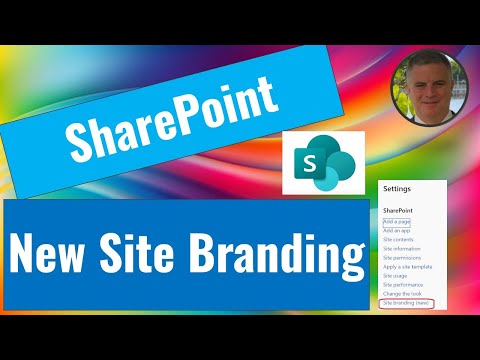
Ami Diamond, a recognized MVP, explores the capabilities of SharePoint Online for enhancing site aesthetics in his latest YouTube video. He emphasizes the new features that allow site owners to personalize their spaces beyond the basic organizational themes. This includes adding unique fonts and themes to individual sites.
Diamond walks viewers through the process of setting up these customizations. He demonstrates how to seamlessly integrate personal touches into SharePoint sites, ensuring that the user experience is both intuitive and engaging.
Detailed Tutorial on Implementation
The video provides a detailed, step-by-step tutorial on how to apply custom themes and fonts. Diamond explains the importance of maintaining a site's functionality while enhancing its visual appeal. His approach helps even novices understand the process of site customization.
Moreover, by customizing their sites, SharePoint Online users can ensure that their digital workspace reflects their brand identity. This personalization can make the digital workspace more enjoyable and aligned with company aesthetics.
This adaptation goes a long way in boosting user engagement and satisfaction, as Diamond illustrates with examples of transformed sites.
Impacts of Customization
Ami Diamond discusses the broader implications of these customization options in SharePoint Online. He suggests that such flexibility can significantly impact user adoption rates, as users are more likely to engage with a platform that caters to their preferences.
The ability to personalize sites also helps in maintaining a coherent brand identity across all levels of an organization. This consistency is crucial for larger organizations seeking to preserve a unified look and feel despite vast operational scales.
Diamond concludes by encouraging site owners to experiment with the available tools to discover the potential of their SharePoint sites fully. He highlights that these enhancements are easy to implement and can substantially enrich the user experience.
Expanding on SharePoint Online Customizations
In a digital age where user interface and experience are paramount, SharePoint Online's advancing customization tools present a significant asset for businesses and individual site owners alike. With the ability to integrate unique themes and fonts, each SharePoint site can be tailored to meet specific aesthetic and functional needs. This flexibility ensures that every user's interaction is both pleasant and productive.
Ami Diamond's tutorial demystifies the technical processes behind customization, making it accessible to a broader audience. His expertise and clear methodology encourage users to personalize their digital environment, leading to increased comfort and efficiency.
The options for customization not only boost user engagement but also foster a sense of ownership and pride among site owners. By enabling a deeper connection with the digital workspace, SharePoint Online is setting a new standard for user-centric design in enterprise solutions.
As businesses continue to evolve, the demand for more personalized digital experiences will likely increase. SharePoint Online’s enhancements are timely, as they address this growing need while ensuring the platform remains scalable and secure. This balance between customization and security is crucial for maintaining trust and reliability within the digital workspace.
Moving forward, it will be interesting to see how these customization options develop and how they will shape the future of SharePoint Online. Ami Diamond’s insights provide a valuable foundation for understanding and utilizing these enhancements effectively.
Ultimately, the continuous improvement of SharePoint Online customization capabilities reflects Microsoft's commitment to user satisfaction and engagement, reinforcing its position as a leader in collaborative solutions.
People also ask
"How do I customize my SharePoint site design?"
For additional options to customize your site, refer to the guide on how to Customize your SharePoint site.
"How to make SharePoint more visually appealing?"
Here are our best practices to help you design SharePoint pages that are not only visually appealing but also user-friendly and aesthetically pleasing:
"How do I personalize a SharePoint page?"
To personalize your SharePoint site, consider adjusting its layout and design features.
"How do I change SharePoint experience?"
To modify your SharePoint experience, you will need to explore the settings and customization options available within SharePoint.
Keywords
SharePoint customization, SharePoint themes, custom SharePoint sites, SharePoint design, SharePoint fonts, SharePoint user experience, personalize SharePoint, SharePoint branding