Microsoft Copilot Studio
30. Sept 2026 13:20
SharePoint Copilot: No-Code Skills
von HubSite 365 über Giuliano De Luca [MVP]
Microsoft MVPs, YouTube Creator youtube.com/giulianodeluca, International Speaker, Technical Architect
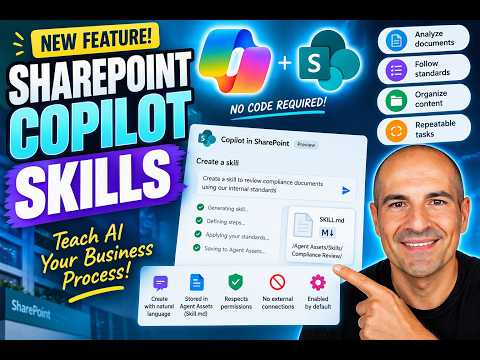
Microsoft expert: SharePoint Copilot Skills teach Copilot no code business processes via Agent Assets, Assets, governance
Key insights
- Skills: Reusable AI instructions that teach Copilot to run repeatable, multi-step business tasks like document reviews or checklist-driven approvals.
They make outcomes consistent by encoding your team's standards and steps into a single asset. - No-code creation and Agent Assets: Users create skills in chat using natural language and save them as Markdown files in the site library at /Agent Assets/Skills/{skill-name}/SKILL.md.
This keeps skill content editable and versioned inside SharePoint or OneDrive without writing code. - Personal skills and reuse: Personal skills can travel across SharePoint sites and OneDrive so you create once and reuse across locations.
Copilot can auto-select or invoke a matching skill when a prompt aligns with the skill’s purpose. - Capabilities and Limitations: Skills use native SharePoint features like content understanding, list updates, and folder organization to perform tasks.
They cannot connect to external systems or execute custom code, so they focus on in-platform automation and formatting. - Governance and permissions: Skills respect existing SharePoint permissions and inherit site sharing rules, so admins and owners keep control over access.
Microsoft is adding testing and evaluation tools to help teams improve skills with measurable changes. - Rollout and availability: Copilot Skills moved from public preview toward general availability on September 30, 2026, and they come enabled by default in tenants.
Organizations should plan governance and adoption steps because skills simplify scaling consistent processes across teams.

Keywords
SharePoint Copilot Skills, Build Copilot Skills No Code, Teach AI Business Process SharePoint, No-Code Copilot Workflows, Microsoft 365 Copilot SharePoint, SharePoint AI Automation 2026, Copilot Skills Tutorial, Copilot Skills Examples Business
HubSite 365 Apps