Power Pages: Top 2025 Wave 2 Features
Microsoft MVP | User Adoption, Dynamics 365 + Power Platform Expert at Reenhanced
Microsoft expert: Power Pages Wave Two adds Monitor Hub, nonproduction governance and Security Agent for Power Platform
Key insights
- Power Pages 2025 Release Wave 2: major update rolling out Oct 2025–Mar 2026 that focuses on AI, security, governance, and faster site delivery.
It aims to help both low-code makers and professional developers build smarter, secure websites. - Power Pages Copilot and Smart Suggestions: use natural language to generate content, suggest layouts, and automate routine site tasks.
Copilot speeds site creation and reduces the need for deep technical skills. - Code Security Scan and Dataverse security roles: built-in scans find vulnerabilities early, and user authorization is unified with Dataverse roles to simplify access control.
New data loss prevention settings limit anonymous access to table data for stronger protection. - Design Studio: new simplified no-code/low-code workspace with Pages, Styling, Data, and Set up tabs to manage the full site experience.
Makers can design, style, and connect data from one central interface. - Power Platform CLI and CI/CD support: CLI now creates and deletes sites, and the platform supports Visual Studio Code, Azure DevOps, and GitHub Actions for end-to-end ALM.
Developers get better tooling for customization, testing, and deployment. - Unified Governance Hub and Website Inventory: central admin tools provide tenant-wide monitoring, audits, and analytics views.
New Monitor Hub and Security Agent features improve oversight for non-production environments and security operations.
Video Summary and Context
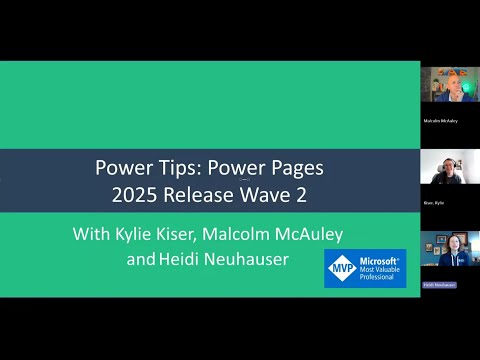
The YouTube video by Heidi Neuhauser [MVP] provides a clear walkthrough of the 2025 Power Pages Release Wave 2 update, which Microsoft will roll out from October 2025 through March 2026. In it, Neuhauser highlights practical demos and timestamps for key topics including the Monitor Hub, governance for non-production environments, and a new Security Agent. Consequently, the video aims to help makers and developers understand how the platform’s new AI, security, and governance features will affect daily work and project planning.
Moreover, the presenter frames the update as a major shift toward AI-driven site creation and tighter integration across the Power Platform ecosystem, including closer alignment with Dataverse. Therefore, organizations should pay particular attention to areas where automation and governance intersect, because those choices will influence security posture and developer workflows. Overall, the video acts as both a high-level overview and a practical guide for teams preparing to adopt the new capabilities.
AI-Driven Site Building
Neuhauser demonstrates the new Power Pages Copilot features that let makers create and refine site content with natural language prompts, and the video shows how Copilot offers real-time layout and content suggestions. As a result, users can accelerate site creation without deep coding skills, while also getting automated recommendations for design and functionality. Furthermore, the integration reduces repetitive tasks, which improves productivity for small teams and rapid prototyping efforts.
However, the video also notes tradeoffs: while AI speeds up work, it may produce generic or imperfect content that requires human review and editing. Thus, reliance on Copilot demands processes for quality control and accessibility checks to avoid inconsistent branding or content errors. In addition, teams must weigh faster delivery against the need for governance and oversight to ensure outputs meet legal and compliance standards.
Security and Governance Enhancements
Neuhauser highlights several security improvements including a built-in code security scan, more actionable Security and Analytics views, and the unification of user authorization with Dataverse security roles. Consequently, administrators gain a more consistent access-control model that reduces duplicated role management and simplifies audits. The video also underscores new data loss prevention settings that restrict anonymous access to table data from Power Pages sites, which strengthens data protection for sensitive scenarios.
Nevertheless, these enhancements bring tradeoffs that the video calls out: tighter controls may limit flexibility for public-facing sites that previously relied on anonymous access, and centralizing governance can add administrative overhead. Therefore, organizations should balance security gains with usability, planning policies that allow safe public interactions while protecting internal data. Ultimately, the update aims to improve compliance and operational monitoring, but it pushes teams to standardize their governance strategies.
Developer Tools and Application Lifecycle Improvements
The video introduces the new Design Studio for no-code and low-code customization and shows how professional developers can still use advanced tools like Visual Studio Code with extensions. In addition, Neuhauser walks through the expanded support for continuous integration and deployment using Azure DevOps and GitHub Actions, while the Power Platform CLI now supports creating and deleting websites to streamline ALM workflows. Therefore, both makers and developers can work more consistently across environments and toolchains.
Moreover, the presenter explains that these improvements help bridge the gap between rapid prototyping and production-ready development, enabling teams to move faster without sacrificing control. Yet, tradeoffs exist: integrating CI/CD and developer tooling raises the bar for governance and testing, which may require additional training and process changes. Consequently, organizations should invest in automated testing, environment governance, and documentation to get the full benefit of these capabilities.
Finally, Neuhauser points out that extensibility patterns and end-to-end ALM support enable complex business scenarios, but they also increase the surface area for mistakes if deployment pipelines are not properly managed. Thus, teams must balance the advantages of automation against the need for rigorous review and rollback processes to reduce operational risk. The video encourages teams to pilot ALM changes in non-production tenants before full-scale rollouts to mitigate those risks.
Operational Visibility and Practical Next Steps
Throughout the video, the Monitor Hub and enhanced website inventory features are presented as central tools for administrators who need better visibility into tenant sites, usage, and compliance. Consequently, these tools allow faster audits and clearer tracking of where content and agents are deployed, which simplifies governance and incident response. Additionally, the unified governance hub brings agent-driven apps and automated workflows under a single management surface, making cross-team coordination easier.
Yet, Neuhauser warns that centralized visibility requires strong governance processes, because a single pane of glass can amplify misconfigurations if policies are not enforced. Therefore, teams should define clear roles, testing standards, and deployment gates to take advantage of the new monitoring and governance features safely. In closing, the video by Heidi Neuhauser [MVP] offers a practical roadmap to adopt the 2025 Wave 2 update while emphasizing careful planning, pilot testing, and a balanced approach between automation and control.

Keywords
Power Pages 2025 Wave 2, Power Pages new features 2025, Power Pages update Wave 2, Microsoft Power Pages 2025 improvements, Power Pages security updates 2025, Power Pages templates and components 2025, Power Pages maker portal updates 2025, Power Pages performance enhancements 2025