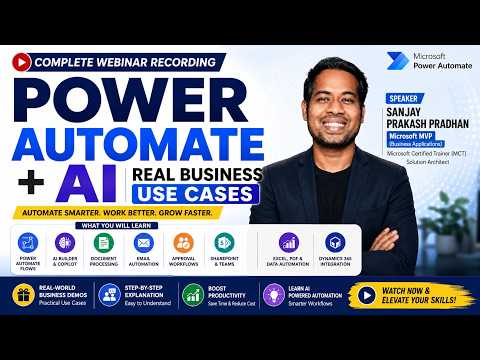
Power Automate + AI: Business Use Cases
Learn how to take advantage of your business data with Microsoft Dynamics 365 & Power Platform & Cross Technologies. My name is Sanjaya Prakash Pradhan and I am a Microsoft Certified Trainer (MCT) and
Microsoft expert guide: Power Automate with AI Builder and Copilot automates approvals, invoices, SharePoint Power Apps
Key insights
- Overview
Recording of a complete Power Automate + AI webinar showing how organizations combine Power Automate, AI Builder, and Microsoft Copilot to automate real business work.
Presenter: Sanjay Prakash Pradhan; session includes demos, practical scenarios, and career guidance. - Key Capabilities
Highlights cloud flows, automated workflows, AI Builder models, Copilot integration, OCR and generative AI for document tasks, plus connectors for SharePoint, Dataverse, Dynamics 365, Teams, Outlook, Excel, and Power Apps. - Real-World Use Cases
Practical scenarios covered: employee onboarding, leave and invoice approvals, purchase requests, AI-based document and invoice processing, customer support automation, sales notifications, contract reviews, and report automation. - Business Benefits
Shows how automation reduces manual work, speeds processes, cuts errors, scales OCR and document handling, and enables non-technical staff to build solutions as citizen developers. - Best Practices & Governance
Emphasizes error handling, secure design, monitoring, reusable templates, and governance to keep autonomous agents reliable and compliant in production. - Career & Skill Roadmap
Target audience: Power Platform developers, Dynamics consultants, business analysts, IT pros, students, and citizen developers; recommended skills include Power Automate, AI Builder, Copilot use, Dataverse, Power Apps, and hands-on labs or certification paths to grow professionally.
Overview of the Webinar
The recent YouTube webinar from Softchief Learn, presented by Sanjay Prakash Pradhan, offers a full-length walkthrough of how organizations pair Power Automate with AI to streamline real business processes. Furthermore, the session combines conceptual overviews with live demonstrations, making it useful for both technical and non-technical audiences. In addition, the recording highlights common scenarios such as invoice processing, onboarding, and approval workflows, while showing how tools like AI Builder and Microsoft Copilot fit into practical automation pipelines.
The webinar also positions the technology as a bridge between low-code citizen development and professional solutions engineering, and it emphasizes governance and error handling. Consequently, viewers see not only what is possible but also which controls and practices help keep automations reliable. As a result, the video serves as both an educational resource and a practical guide for teams planning rollouts in 2026.
Demonstrations and Real-World Use Cases
Throughout the recording, Pradhan demonstrates a variety of real-world use cases such as employee onboarding, leave approvals, and purchase request automation. Moreover, he walks through live flows that integrate SharePoint, Excel, Outlook, and Dataverse to show how data moves end-to-end in everyday processes. As the demos progress, the webinar illustrates how AI document processing and OCR reduce manual data entry for invoices and contracts, which in turn speeds approvals and cuts errors.
In addition, the session covers customer support automation and sales notification workflows that push messages into Teams and Outlook, demonstrating how automation enhances collaboration. The presenter also shows how Power Apps and Dynamics 365 integrate with flows to close the loop between user interfaces and backend automation. Consequently, the examples clarify where automation delivers immediate ROI and where organizations should plan integration effort and testing.
Finally, the webinar presents error handling patterns and best practices during the demonstrations, suggesting retries, logging, and alerting strategies. Therefore, viewers gain practical tips to make flows resilient and maintainable in production environments. This part of the recording is especially helpful for teams that need to move from pilot projects to scaled operations.
Integration, Architecture, and Technical Highlights
Technically, the webinar emphasizes a hybrid approach that combines deterministic flows with AI-driven decision steps, which helps balance predictability and intelligence. For example, pre-built models in AI Builder handle classification, text extraction, and object detection, while custom connectors and Dataverse models preserve data consistency. Moreover, the session explains how Microsoft Copilot and Copilot Studio can orchestrate workflows, surface context to users, and reduce manual steps where appropriate.
However, the presenter also points out tradeoffs in architecture: using pre-built models accelerates deployment but may limit customization, while custom models offer precision at the cost of ongoing management. Likewise, integrating many systems increases capability but raises maintenance complexity and security surface area. Therefore, teams must weigh speed-to-value against long-term operability when designing automations.
Tradeoffs, Challenges, and Governance
The webinar does not shy away from challenges; in contrast, it highlights governance, data privacy, and model quality as recurring concerns when applying AI to enterprise processes. Furthermore, Pradhan underscores the importance of role-based access, logging, and human-in-the-loop checkpoints to prevent automation errors from propagating. In addition, he explains that model drift, complex edge cases, and unexpected input formats require ongoing monitoring and retraining strategies.
Moreover, the session lays out organizational tradeoffs between empowering citizen developers and enforcing centralized controls. On one hand, democratizing automation speeds innovation and reduces backlog; on the other hand, loosely governed development risks compliance gaps or duplicated effort. As a result, the webinar recommends a balanced program that pairs templates, training, and guardrails with a central center of excellence to scale responsibly.
Career Guidance and Best Practices
Finally, the presenter offers career guidance for developers, analysts, and IT professionals interested in the Power Platform ecosystem, advising hands-on experimentation combined with certification paths. Additionally, he recommends focusing on problem framing, data hygiene, and testing as core skills that matter more than any single tool. Consequently, learners are encouraged to build incremental projects that demonstrate measurable outcomes to stakeholders.
In summary, the Softchief Learn webinar delivers a practical, example-driven view of how Power Automate and AI work together to automate common business scenarios. Therefore, organizations and individual practitioners who watch the recording will find clear demonstrations, realistic discussions of tradeoffs, and actionable best practices to guide their next automation steps.

Keywords
power automate ai use cases, power automate webinar 2026, ai business automation examples, power automate tutorial for enterprises, intelligent automation with power automate, power automate rpa and ai, real world power automate case studies, automating business processes with ai