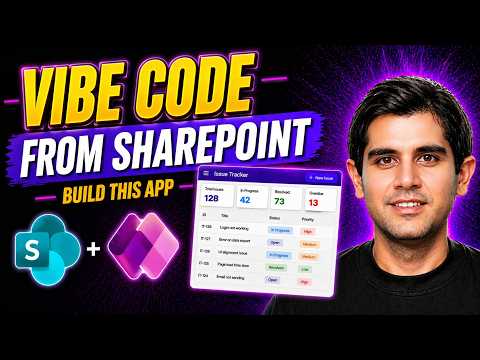
Power Apps Vibe: React + SharePoint Fast
Principal Program Manager at Microsoft Power CAT Team | Power Platform Content Creator
Build a React issue tracker with Microsoft Power Apps Vibe and SharePoint Lists via AI-assisted Power Platform
Key insights
- Power Apps Vibe + SharePoint Lists demo shows how to generate a working React-based app in minutes using AI instead of manual Power Fx formulas.
The video walks through a real-world example (an Issue Tracker) built step-by-step with modern UI patterns. - Use vibe coding by typing a plain-language prompt; AI agents create a plan, data schema, and a React preview so you can iterate fast.
The preview supports pages like Calendar, Kanban, Dashboards, Reports and list views. - Connect existing SharePoint lists as the app data source to avoid data migration and keep SharePoint security and policies intact.
Note: in the current preview, SharePoint list access from Vibe is read-only; edits must happen in SharePoint or via code tools. - For pro developers, Code Apps export the Vibe output to Visual Studio Code where you can use Power Platform CLI, GitHub Copilot, and TypeScript to enable full CRUD operations and source control.
- Key benefits: faster prototyping and lower development cost, preserved governance and compliance with SharePoint, and flexible paths from no-code previews to pro-code apps.
This accelerates time-to-value for document- or list-centric solutions. - Quick start essentials: open the Vibe editor, add an Existing SharePoint list as a data table, grant permissions, then ask Vibe to build the app and preview pages.
Finally, review publishing, sharing, and security settings before releasing the app.
In a recent YouTube video, Reza Dorrani demonstrates how to rapidly build a working application by combining Power Apps Vibe with existing SharePoint lists. The demo shows the platform generating a React-based app in minutes while avoiding traditional formula writing. As a result, the presentation highlights a move toward AI-assisted, code-driven app creation that still relies on familiar Microsoft data sources. Consequently, the video frames this capability as both a productivity boost and a change in how teams design solutions.
Overview of the demo
Reza Dorrani walks viewers through a practical scenario: building an Issue Tracker app that reads from several SharePoint lists and produces multiple pages like Calendar, Kanban, and Dashboard views. He uses the new Vibe coding experience to generate a React preview without hand-coding traditional formulas, and then explores how pages, filters, and status tracking appear in the preview. Importantly, the video focuses on a real-world workflow that demonstrates end-to-end app design rather than a synthetic sample. Thus, the demo aims to show how makers can move from idea to prototype rapidly.
Moreover, Dorrani emphasizes the integration points between the generated app and SharePoint, showing how lists surface as data sources inside the Vibe workspace. He then illustrates page creation and user interface patterns that mirror common enterprise needs like reports and multi-page navigation. By the end of the walkthrough, viewers get a concrete view of both the UI and the generated React structure. This practical framing helps teams evaluate whether the approach fits their needs.
How Vibe connects to SharePoint lists and yields React
The workflow begins by adding an existing SharePoint list as a data source inside the Power Apps Vibe environment, selecting the site and lists to expose read access. Once connected, the platform reads schema and column metadata, which AI agents use to propose a data model and generate a React-based preview app. In addition, the generated app supports multiple pages and UI patterns, giving a realistic sense of the final product without manual code entry. Therefore, developers and business makers can see immediate results while deciding how deep to customize.
For teams that need write capabilities or production-grade code, Dorrani points to a pro-code path using Code Apps and developer tools like Visual Studio Code with assistance from GitHub Copilot and the pac CLI. That workflow allows full CRUD operations and more direct control over deployment and versioning, because the Vibe preview is currently focused on read scenarios in preview. Consequently, organizations should view the Vibe preview as a fast prototyping layer that can hand off to established developer workflows when needed. This separation balances speed with control.
Advantages: speed, governance, and flexibility
First, the major advantage is speed: teams can turn existing SharePoint lists into a functional app within minutes, which reduces time-to-prototype and helps validate ideas quickly. Second, keeping data in SharePoint preserves governance controls, security policies, and collaboration features that organizations already depend on. Third, the platform supports a spectrum from no-code previews to pro-code development, giving teams a clear upgrade path as needs evolve. Together, these strengths lower initial friction while maintaining familiar enterprise safeguards.
Furthermore, the generated React code and connection to developer tools make the approach suitable for mixed teams where citizen developers and professional engineers collaborate. As a result, organizations can prototype with business users and later formalize solutions through version control and deployment pipelines. This combination supports iterative delivery and reduces the risk of building one-off apps that are hard to maintain. Therefore, Vibe serves both as a rapid design tool and a ramp to conventional engineering practices.
Tradeoffs and preview limitations
Despite the benefits, the Vibe integration carries tradeoffs that teams must weigh. At present, SharePoint lists in the Vibe preview are mainly read-only, so updates must occur in SharePoint or via a pro-code route; this limits some interactive scenarios during prototyping. In addition, AI-generated code speeds development, but it can introduce quirks that require human review for correctness, security, and performance. Thus, organizations should treat early outputs as starting points rather than final production code.
Another tradeoff involves customization versus speed: while Vibe accelerates UI generation, highly specialized business logic or integrations may still require manual development. Moreover, relying on AI agents raises governance questions about who reviews generated schemas and how changes map to existing policies. Consequently, teams must plan for review workflows and tests to ensure the generated app meets compliance and reliability requirements. Balancing rapid iteration with disciplined review remains essential.
Challenges, best practices, and next steps
Teams that experiment with Power Apps Vibe should adopt clear handoff practices between makers and developers, documenting schema assumptions and security contexts as they prototype. Additionally, reviewers should validate generated React components and data access patterns before promoting applications to production, so security and performance issues are caught early. Training for citizen developers on when to escalate to pro-code is also helpful, because it keeps prototypes aligned with long-term maintainability goals. These steps reduce rework and ensure consistent deployment practices.
Finally, as the product matures, expect improvements in CRUD support and tighter tooling for version control and CI/CD, which will lessen current limitations. Meanwhile, organizations should pilot the approach on low-risk projects to evaluate speed gains and integration friction. In conclusion, Reza Dorrani’s video presents a compelling pathway to faster app creation using existing SharePoint investments, provided teams plan for the tradeoffs and governance needed to move prototypes into durable solutions.

Keywords
Power Apps Vibe, SharePoint Lists React app, Build React app in minutes, Power Apps React integration, SharePoint and React tutorial, Low-code React app Power Apps, Power Apps SharePoint integration tutorial, Rapid React app with Power Apps