OneDrive: Audio Overviews + Copilot AI
Software Development Redmond, Washington
Copilot in OneDrive turns files into audio overviews and AI summaries, surfacing key insights for Microsoft productivity
Key insights
- Audio overviews: OneDrive can turn documents, PDFs, emails, and transcripts into short spoken summaries played in a floating audio player.
Use it to listen to briefs while commuting or to review long files hands-free. - Copilot summaries: Microsoft Copilot generates instant written synopses, key insights, and suggested next steps directly inside OneDrive.
Ask questions about a file and get clear answers without opening separate tools. - AI-powered search: Search now understands intent, not just keywords, and can extract text from images or identify objects.
This helps you find relevant files faster across shared and older folders. - Time savings & accessibility: Summaries and audio reduce reading time and lower mental load, while audio playback improves access for users with visual impairments or busy schedules.
These features help you focus on decisions, not detail-sifting. - Multi-device & offline: Features work across Windows, web, and mobile, and selected folders can be edited offline with changes that sync later.
Your files and summaries stay consistent across devices. - Smart sharing & control: OneDrive can create always-current links with auto-generated sharing summaries to explain content to recipients.
Admins and users retain control over sharing and privacy settings when distributing AI-generated summaries.
Quick overview of the event video
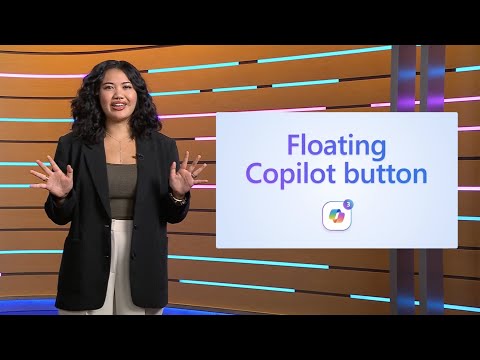
The YouTube video, published by Microsoft, reports on the Copilot + OneDrive digital event held on October 8, 2025. It highlights new features that turn cloud storage into an intelligent workspace, with a focus on Copilot summaries and audio overviews. Moreover, the presentation shows how generative AI integrates directly into file interactions to surface key facts and suggested next steps. Consequently, the video frames these tools as time-savers that aim to reduce repetitive work and improve accessibility.
How the features work in practice
The video demonstrates that audio overviews convert documents, emails, transcripts, and PDFs into short spoken summaries accessed through a floating player inside OneDrive. In addition, Copilot summaries generate written synopses and answer direct questions about content, without forcing users to open multiple apps. These features rely on large language models and text-to-speech systems running inside Microsoft 365, so processing happens in the cloud and appears integrated where files live. Therefore, users can ask natural-language queries and get answers, whether they work on Windows, in a browser, or on mobile devices.
Key benefits highlighted
The video emphasizes accessibility gains, noting that audio playback helps people who prefer listening or who have visual impairments to engage with content more easily. It also stresses time savings, as users can avoid skimming long reports and can listen while commuting or multitasking. Furthermore, the demonstration shows improved recall and faster decision-making because Copilot pulls out figures, action items, and short summaries that help teams act. As a result, OneDrive is positioned not only as storage but as a productivity assistant that supports both personal and professional use.
Technical basics and new integrations
According to the presentation, the new capabilities combine generative AI, advanced search filters, and continuous learning across a user’s files to deliver context-aware suggestions. For example, the system can extract text from images, recognize objects, and create shareable summaries via a single, always-current link known as a “Hero Link.” In addition, the video notes an offline mode that lets users edit select folders without internet access and then sync changes later. These integrations aim to make search intent-based and to reduce the friction of finding and sharing critical information.
Tradeoffs to consider
While the video frames these tools as helpful, it also implies tradeoffs between convenience and control. For instance, automatic summaries and audio versions speed up work, but they can omit nuance that experts may need to verify manually. In addition, cloud-based AI processing introduces questions about latency, bandwidth, and potential costs for organizations that handle large volumes of data. Therefore, teams must balance the productivity gains with oversight to ensure the automated outputs meet quality and compliance standards.
Challenges around accuracy and trust
The video briefly acknowledges the limits of generative models and the risk of inaccuracies or incomplete summaries, which can mislead users if unchecked. Moreover, implementing reliable text-to-speech in multiple languages and dialects remains a technical hurdle, especially for teams with global workforces. Security and privacy challenges are also prominent, because organizations must ensure that sensitive files processed by AI follow internal policies and regulations. Thus, companies will need clear governance, audit logs, and human review workflows to build trust in automated summaries.
Balancing automation with human review
Presenters in the video suggest a hybrid approach where AI handles routine extraction and users validate important decisions, which helps reduce errors without slowing teams down. In practice, this balance requires configurable settings so organizations can set sensitivity levels for automatic summaries, choose what content can be processed, and decide when to require manual checks. Additionally, training and user guidance will determine how well teams adopt the tools and avoid overreliance on AI outputs. Consequently, administrators and power users play a key role in shaping safe and effective workflows.
Enterprise and personal use cases
The video paints examples across use cases, from summarizing long legal documents to creating audio recaps of family photo captions for memory preservation. It also shows Copilot answering file-specific questions and surfacing figures and next steps from meeting notes, which streamlines follow-up tasks. However, the needs of large enterprises—such as strict compliance and complex record-keeping—differ from individual users who prioritize convenience and accessibility. Thus, Microsoft frames the features as adaptable, but real-world value will depend on careful configuration and testing.
Operational and cost considerations
Scaling AI features across a global user base can increase cloud compute and storage demands, which may affect subscription tiers and organizational budgets. Moreover, organizations will need to consider how often files are processed automatically and whether to limit certain content types to reduce costs. At the same time, the potential productivity gains could offset those expenses if teams reclaim hours previously spent on manual review. Therefore, IT leaders should measure both quantitative savings and qualitative improvements when evaluating adoption.
What viewers should watch for next
The video invites viewers to explore the features in their Microsoft 365 environments and to monitor rollout details for availability and language support. Importantly, users should test the tools on representative datasets to understand how summaries behave with their content and to tune settings accordingly. Finally, organizations must prepare governance policies that address privacy, auditability, and human oversight to ensure these AI assistants enhance work without introducing new risks. Overall, the YouTube presentation positions Copilot and OneDrive as tools that can streamline work, provided teams manage the tradeoffs responsibly.

Keywords
OneDrive audio overviews, Copilot summaries, Copilot OneDrive integration, OneDrive AI summaries, Microsoft Copilot OneDrive, OneDrive meeting transcription, audio-to-text OneDrive, Copilot digital event highlights