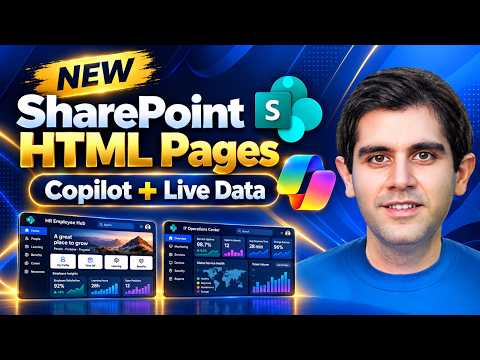
SharePoint HTML Pages get Copilot creation
Principal Program Manager at Microsoft Power CAT Team | Power Platform Content Creator
Reza Dorrani shows SharePoint HTML Pages with Copilot, letting users create and edit HTML pages that can connect to live SharePoint and Excel data.
Key insights
- Copilot can generate SharePoint HTML pages from prompts.
- Users can upload their own HTML files without a Copilot license.
- Pages can connect to live SharePoint Lists and Excel data.
- The demo covers editing, publishing, and multi-page experiences.
- The material also flags licensing details and limitations.
Reza Dorrani recently published a walkthrough of new SharePoint HTML Pages and showed how they can be created with Microsoft 365 Copilot, HTML, CSS, and JavaScript. His demo focuses on turning SharePoint into a place where people can build richer pages, not just standard site content. The takeaway is simple: SharePoint HTML Pages can be used to create custom, data-driven pages that can be edited and published inside SharePoint.
The post describes several use cases, including employee portals, interactive dashboards, multi-page sites, and other data-driven experiences. It also says the walkthrough covers licensing, creation, customization, upload, and publication. The examples include live connections to SharePoint Lists and Excel data, which makes the feature relevant for both content creators and people who need business data on a page.
What's new
The key change is the addition of SharePoint HTML Pages. According to the material, users can create HTML pages directly in SharePoint, upload their own HTML files, and edit content and styling in place. Copilot can help generate the starting page from a prompt, and the resulting page can be refined inside SharePoint.
The demo also shows that pages are not limited to static content. Reza highlights pages that connect to live SharePoint Lists, pages built from SharePoint sales data, and a retail operations command center assembled from four Excel workbooks. The material also points to support for interactive JavaScript, charts, Mermaid, and modern UI experiences.
Why it matters
For makers and site authors, this reduces the gap between a rough idea and a usable SharePoint page. Instead of starting from a blank HTML file in an external editor and then trying to move it into the site, the workflow begins in SharePoint and continues there. That matters for internal portals, reports, and pages that need a custom layout beyond standard web parts.
For admins and decision-makers, the licensing angle is important. The material says the video explains when Microsoft 365 Copilot is actually needed, and it also states that users can upload their own HTML files without requiring a Microsoft 365 Copilot license. That makes the feature relevant even in environments where not every author has Copilot access. Readers evaluating rollout should still check Microsoft documentation because the source material does not spell out tenant, region, or policy details.
If you work with internal communications, dashboards, or team sites, the feature may matter because it brings more control over presentation while keeping the page in SharePoint. If you prefer to follow the wider Microsoft 365 context around this kind of content creation, see our coverage of Microsoft 365.
How it works
The material shows a simple workflow for creating an HTML page with Copilot in SharePoint. The page can be started from SharePoint itself, then refined through prompt-based edits and direct editing. The page can also be published once the author is happy with the result.
- Select + New in a SharePoint site.
- Choose HTML page.
- Describe the page you want, such as audience, layout, content sections, or style.
- Optionally attach files for context.
- Submit the prompt and review the generated draft.
- Edit the HTML content and styling directly in SharePoint.
- Save and publish the page.
The source also says HTML pages can be created from the floating Copilot button or from the Publish landing page by choosing + Create and then HTML page. Reza’s examples include an HR Employee Hub, a live SharePoint List announcements page, an annual report page connected to sales data, and a retail operations dashboard built from Excel workbooks.
Limitations and open questions
The material says the feature has important limitations, but it does not list all of them in the excerpt provided. It does make one clear point: uploading your own HTML file does not require a Microsoft 365 Copilot license, while the Copilot-assisted creation path is covered separately in the walkthrough.
What we could not verify from the provided source alone is the full licensing model, rollout scope, tenant availability, and whether there are restrictions on scripts, embedded content, or governance controls. The documentation link is included in the source material, but the excerpt does not reproduce its detailed guidance. Because the source is a short video description plus partial research notes, some implementation details remain open.
Sources
- Reza Dorrani video: NEW SharePoint HTML Pages! Create Stunning Pages with Copilot
- Microsoft support documentation for SharePoint HTML pages
Frequently asked questions
What are SharePoint HTML Pages?
They are HTML-based pages that can be created, uploaded, edited, published, and shared inside SharePoint. The material says they can sit alongside existing SharePoint page types.
Do you need Microsoft 365 Copilot to use them?
The material says the licensing question depends on the scenario. It specifically states that uploading your own HTML files does not require a Microsoft 365 Copilot license.
What kind of content can these pages use?
The examples include live SharePoint Lists, SharePoint sales data, and four Excel workbooks. The source also mentions JavaScript, charts, Mermaid, and modern UI experiences.
Can you edit the page after Copilot generates it?
Yes. The material says you can edit HTML content and styling directly in SharePoint after the draft is created.