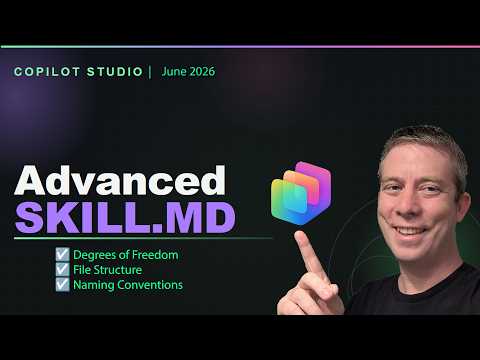
Copilot Studio: Advanced Scripting Tips
Currently I am sharing my knowledge with the Power Platform, with PowerApps and Power Automate. With over 8 years of experience, I have been learning SharePoint and SharePoint Online
Microsoft expert on Copilot Studio skills, file structure, naming, error handling, agents, Word and PowerPoint demos
Key insights
- Degrees of Freedom
Choose how much control your skill needs by balancing flexibility and safety; more freedom lets agents perform complex tasks but requires stricter validation and testing. - File Structure
Organize scripts, pseudocode, and assets into clear folders so you can find and update pieces quickly; a consistent layout speeds debugging and team handoffs. - Naming Convention
Use predictable, descriptive names for files, actions, and variables to keep agents maintainable and reduce mistakes during development and review. - Error Handling
Design explicit checks, clear error messages, and retry logic so failures surface immediately instead of silently breaking workflows; validate inputs early. - Anti-Patterns
Avoid tight coupling, hidden state, long monolithic scripts, and relying only on prompts; these patterns hide bugs and make agents hard to update or scale. - Live Demo & Tests
Test with real files (Word, PowerPoint) and compare pseudocode vs full scripts; extract scripts from agents to iterate faster and confirm end-to-end behavior.
Introduction
In a recent YouTube walkthrough, Andrew Hess - MySPQuestions presents an in-depth look at building advanced skills in Copilot Studio. The video aims to move makers beyond simple prompts and toward robust, script-driven skills that scale in production. Consequently, the presentation emphasizes structure, error management, and avoidance of silent anti-patterns that often break complex agents in the field.
Hess organizes the session into clear chapters, and he balances conceptual explanation with a live demo. Viewers can follow his guidance from high-level design choices down to a completed PowerPoint demo. Overall, the video serves both as a practical guide and a warning about common pitfalls that teams encounter when they try to rush deployments.
Degrees of Freedom and File Structure
Early in the video Hess discusses the degrees of freedom designers have when creating skills in Copilot Studio, explaining how flexibility can both empower and complicate projects. He notes that giving makers many options fosters innovation, but without guardrails it can lead to fragmented implementations that are hard to maintain. Therefore, he recommends thoughtful limits on freedom, such as standardized file layouts and clear ownership rules, to reduce long-term operational costs.
Following that, Hess walks through recommended file structures and how to organize SKILL.MD and script resources. He argues that a consistent layout speeds onboarding and troubleshooting, since teams can find key logic, tests, and assets predictably. Moreover, this structure supports automated testing and version control, which become critical as skills grow in complexity and number.
Naming Conventions and Error Handling
Next, Hess covers naming conventions, stressing that readable names keep multiple agents sane when they interact. He suggests conventions for agents, scripts, and assets that clearly express purpose and scope, which helps avoid accidental duplication and confusing dependencies. In addition, he points out that clear names make telemetry and logs far more actionable when diagnosing issues in production.
He then turns to error handling, showing patterns for surfacing problems rather than letting them fail silently. Hess demonstrates approaches that capture context, log relevant state, and provide actionable messages to users and developers. As a result, teams can detect and resolve regressions faster, although this requires investment in logging, monitoring, and a culture that treats errors as signals to improve design rather than as nuisances to suppress.
Anti-Patterns and Best Practices
Hess identifies several anti-patterns that commonly undermine advanced skills, such as brittle hard-coded paths, excessive reliance on undocumented prompts, and tokenized shortcuts that bypass validation. He explains that these shortcuts often manifest as intermittent failures that are hard to reproduce. Therefore, he urges makers to replace quick fixes with explicit contracts and testable scripts, which may slow initial development but greatly improve reliability over time.
Conversely, he highlights best practices that balance pragmatism and rigor, including modular script design and using pseudocode as a bridge between idea and implementation. This method enables iterative improvement: teams can test high-level logic before committing to a full script, thereby reducing rework. However, it also requires discipline to keep pseudocode synchronized with the final implementation to avoid drift.
Live Demonstration and Testing
The video’s practical core is a live demo where Hess tests skills against real artifacts like Word documents and a final PowerPoint presentation. He contrasts behavior without a script, with pseudocode, and then with full scripts pulled from an agent, showing measurable differences in accuracy and predictability. These examples make clear how scripts reduce ambiguity for the agent and deliver more reliable outputs for end users.
During testing, Hess also shows how to extract scripts from an agent for reuse, illustrating a workflow that supports scaling across multiple skills. He demonstrates that while extracting and reusing scripts accelerates development, teams must still validate assumptions about input formats and edge cases. Consequently, automated tests and sample fixtures become essential to ensure that reuse does not propagate subtle bugs.
Tradeoffs, Challenges, and Path Forward
Ultimately, Hess frames advanced scripting as a set of tradeoffs between speed, flexibility, and maintainability. He acknowledges that a code-first approach increases initial engineering cost but yields greater control, traceability, and the ability to handle complex tasks. On the other hand, low-code or prompt-only approaches deliver speed and accessibility, yet they often struggle with consistency and error resilience at scale.
He concludes by urging teams to adopt incremental practices: start with clear structure and naming, add error handling early, and evolve scripts through iterative testing and demos. This balanced path acknowledges the real-world constraints teams face while offering a pragmatic roadmap for maturing skills in Copilot Studio. For organizations aiming to deploy reliable agentic workflows, the video provides both guidance and a realistic view of the effort required to succeed.

Keywords
Copilot Studio advanced scripts, Microsoft Copilot Studio, Copilot Studio scripting tutorial, Copilot Studio automation, Copilot Studio templates, Copilot Studio SDK, Copilot Studio best practices, Copilot Studio examples