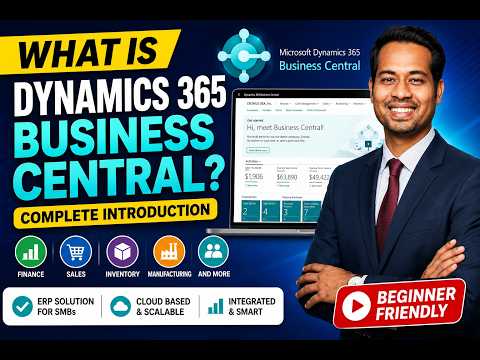
Dynamics 365 Business Central Guide
Learn how to take advantage of your business data with Microsoft Dynamics 365 & Power Platform & Cross Technologies. My name is Sanjaya Prakash Pradhan and I am a Microsoft Certified Trainer (MCT) and
Microsoft expert guide to Dynamics ThreeSixtyFive Business Central essentials, ERP modules, Power BI, Copilot, careers
Key insights
- Microsoft Dynamics 365 Business Central is a cloud-based ERP that helps small and mid-size businesses manage finance, sales, purchasing, inventory, and projects in one place.
It offers a single system to reduce manual work and improve visibility across departments. - The video outlines core modules: Finance, Sales, Purchasing, Inventory, Manufacturing, and Project Management.
Each module links data to give real-time insights and simplify daily operations. - It explains Copilot and agentic automation, which let AI agents handle tasks like invoice matching, price suggestions, and data lookups.
Users can chat with Copilot and build simple agents with the Agent Builder. - Key 2026 updates include a mandatory Sales Pricing Engine, built-in Quality Management, and support for the Model Context Protocol (MCP) to connect agents securely to external tools.
These changes standardize pricing, enforce quality checks, and improve AI integrations. - Business Central integrates tightly with Microsoft 365, Power BI, and the Power Platform to deliver unified workflows and live dashboards.
That integration reduces training needs and powers semantic searches and KPI reporting. - The video is practical for beginners and professionals, covering Career Opportunities and recommended Certifications and learning paths to become a functional consultant or developer.
It highlights skills and study steps to prepare for Dynamics 365 roles.
Video Overview and Purpose
The YouTube video by Softchief Learn offers a comprehensive introduction to Microsoft Dynamics 365 Business Central, aimed at beginners and professionals exploring ERP careers. It frames the product as a unified cloud solution for small and mid-sized organizations, while also highlighting recent updates from the 2025 and 2026 release waves. Furthermore, the presenter emphasizes how automation and AI reshape everyday business tasks, which helps viewers understand the practical stakes of the platform. Consequently, the video functions as both a primer and a roadmap for next steps in learning.
Moreover, the video targets a broad audience that includes ERP consultants, developers, analysts, and students, and it recommends certification paths for those pursuing formal credentials. It breaks down modules, architecture, and integration points in a clear way, using real-world examples to show how features apply to everyday operations. In this regard, the presentation balances conceptual explanations with hands-on guidance to make the material approachable. Therefore, viewers can decide if deeper technical study or functional training fits their goals.
Core Modules and Functional Coverage
The presenter methodically covers the core modules such as finance, sales, purchasing, inventory, manufacturing, warehouse, projects, and service management. Each module receives a focused explanation that links typical business processes with corresponding capabilities in Business Central, and the video points out how unified data flows reduce duplication. For example, the finance section discusses general ledger and budgeting alongside newer features like excise tax calculations and subscription billing updates. As a result, the overview makes it easier to see how different modules interact to support end-to-end business processes.
In addition, the video outlines reporting and analytics options, including native integration with Power BI for real-time insights and semantic searches that improve data discovery. The host explains how item KPIs and dashboards give stakeholders faster access to critical metrics like sales growth and inventory value. However, the presenter also notes tradeoffs: while centralized reporting simplifies decision making, configuring meaningful dashboards requires careful data governance and initial setup. Thus, organizations must balance the benefit of integrated analytics with the resources needed to maintain data quality.
AI, Agents, and New 2026 Capabilities
A major focus of the video is the shift toward agentic automation, where AI agents and Copilot handle multi-step tasks such as invoice processing and sales pricing suggestions. The presenter outlines new mandatory features from the 2026 Release Wave 1 (v28), including the native Quality Management module and a compulsory Sales Pricing Engine, which aim to standardize processes across deployments. Moreover, enhancements like Model Context Protocol support enable agents to interact more securely with external tools and data sources. Consequently, the platform moves from a manual ERP toward one that delegates routine work to intelligent automation.
Nevertheless, the video is careful to discuss challenges associated with this change: adopting agentic features raises governance questions, and organizations must decide what tasks to automate without losing necessary human oversight. The host also highlights potential integration pains, such as training agents on specific business rules and ensuring audit trails for AI actions. Therefore, while AI can increase productivity, teams should plan for oversight, change management, and compliance to mitigate risk.
Architecture, Integrations, and Tradeoffs
The video explains Business Central architecture as cloud-first, with tight integration across Office 365, Power Platform, and Azure services, which simplifies user experience and collaboration. Furthermore, it describes how connectors to Power Apps and Power BI create a unified environment for custom apps and analytics, reducing the need for separate tools. However, the presenter also stresses tradeoffs: deeper cloud integration may limit on-premise customization options and requires dependence on Microsoft update cycles. As a result, organizations must weigh agility and low maintenance against constraints on bespoke modifications.
In addition, the tutorial covers extensibility through AL language and the Agent Builder, enabling developers to create custom logic and automation. The video points out that while extensibility supports tailored solutions, it introduces complexity in upgrades and testing. Consequently, teams should adopt disciplined development and testing practices to preserve long-term maintainability. Ultimately, the architecture offers strong benefits for standardization but demands disciplined governance when customizing or extending the platform.
Careers, Learning Path, and Final Takeaways
Finally, the video highlights career opportunities around functional consulting, development, and Power Platform roles, and it recommends certification as a structured route to proficiency. The presenter maps out learning paths and practical next steps, such as hands-on labs and exam preparations, to help viewers transition from theory to job-ready skills. Moreover, the video encourages combining functional knowledge with technical skills to stay competitive in the evolving market. Consequently, aspiring professionals should balance breadth across modules with depth in a chosen specialty.
In summary, the Softchief Learn video offers a clear, practical guide to Microsoft Dynamics 365 Business Central that addresses both features and real-world tradeoffs. It explains new AI-driven capabilities while honestly discussing governance, integration, and customization challenges. Therefore, the presentation serves as a useful starting point for beginners and a refresher for practitioners who want to evaluate the platform’s evolving role in enterprise automation. Overall, viewers gain a balanced understanding of what it takes to implement and work with this modern ERP.

Keywords
Dynamics 365 Business Central tutorial, Business Central ERP for beginners, Microsoft Business Central basics, Business Central setup guide, Business Central features and benefits, Dynamics 365 Business Central demo, Business Central implementation tips, Business Central accounting tutorial