Microsoft Copilot: Transcripts to Tasks
SharePoint & PowerApps MVP - SharePoint, O365, Flow, Power Apps consulting & Training
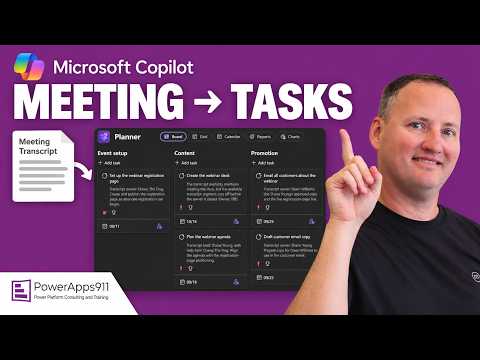
Microsoft Copilot turns Teams transcripts into Planner plans with buckets tasks and due dates via Planner Agent
Key insights
- Copilot and Planner: The video demonstrates turning a Teams meeting transcript into a Planner board to skip manual note copying.
Copilot can extract action items and suggest tasks, while Planner stores them as organized work items. - Facilitator: New Teams integration that captures tasks during meetings and syncs them automatically to the meeting's Planner plan.
You can @mention Facilitator to create, update, or query tasks in real time. - Workflow: Enable transcription in Teams, run Copilot or call on Facilitator during or after the meeting, review the generated recap, and sync tasks to Planner.
If automation stops short, manually adjust dates and assignees before work begins. - Limits: Copilot alone does not always produce fully populated Planner tasks; some steps remain manual.
Key gaps include assignment automation and guaranteed due-date accuracy, so expect to confirm owners and timelines. - Admin controls and licensing: Teams admin can set transcript policies (for example, require saved transcripts) to make task generation consistent.
The demo used a Microsoft 365 Copilot license; no extra paid Planner license was required in that example. - Practical advice: For the most reliable automation use Facilitator when available; otherwise use Copilot summaries and then create or sync tasks manually.
Review suggested due dates and assign owners to ensure follow-through and reduce missed actions.
Introduction
Shane Young [MVP] walks viewers through a practical demo showing how to turn meeting transcripts into actionable work items using Microsoft tools. In the video, he compares using Copilot chat and a newer meeting assistant called Facilitator to create or suggest tasks that live in Planner. Importantly, the demo emphasizes what automates cleanly and what still needs human review, and it notes that a Microsoft 365 Copilot license is required to follow along. As a result, the presentation aims to help teams decide whether to rely on machine suggestions or keep a manual checkpoint in their workflow.
Demo Overview and Key Features
First, Shane shows how Copilot chat can scan a meeting transcript and produce a list of action items, which you can ask to mark as complete or to expand into tasks. Then, he introduces the Planner Agent, which moves beyond suggestions by transforming a Teams meeting into a structured Planner plan with buckets, tasks, and recommended due dates. Consequently, viewers get a clear look at both conversational extraction and the more structured plan-generation approach, with examples that highlight where each tool succeeds.
Moreover, the video demonstrates that the newer Facilitator capability in Teams can capture tasks during a live meeting and sync them to the meeting plan automatically. This represents a shift toward tighter meeting-to-task automation compared with earlier workflows that needed more manual transfers. However, Shane points out that these options are not identical in scope or result, and he walks through each step to show the differences plainly.
How It Works in Practice
The basic workflow begins with enabling meeting transcription in Teams, because the transcript provides the source text that Copilot or Facilitator analyzes. After the meeting, you can ask Copilot to summarize the discussion and extract action items, or you can let Facilitator capture and sync tasks during the session itself. Then, the demo shows how the Planner Agent assembles those items into a plan with buckets and dates, which reduces the need to copy notes into Planner by hand.
Nevertheless, Shane emphasizes that even when the system suggests tasks, teams should review the results for accuracy and context. For instance, a suggested due date may be reasonable but still require adjustment for competing priorities, and task assignments often need human confirmation. Therefore, the practical workflow usually combines automated extraction with a quick human review to ensure assignments, timing, and priorities align with reality.
Limitations and Tradeoffs
Despite useful automation, the video highlights several limitations that matter in real use. One common shortcoming is that the system may detect an owner in the transcript but not reliably populate the assignee field in Planner, which forces manual assignment. In addition, transcription quality and meeting noise affect how well action items are identified, so accuracy can vary by speaker clarity and meeting format.
Balancing automation against control creates tradeoffs for teams. On one hand, more automation reduces tedious copying and speeds follow-up; on the other hand, over-automation can misassign responsibility or set inappropriate deadlines that require time to fix. Furthermore, administrators need to weigh policy settings for saved transcripts and privacy, since enabling automatic transcript-based task generation affects data retention and compliance choices.
Practical Guidance and Outlook
For organizations ready to try this approach, Shane recommends enabling transcript policies that match your governance and training staff to skim and confirm suggested tasks after meetings. If your tenant includes Facilitator, that path typically gives the most reliable meeting-to-plan sync, yet teams should still verify assignments and dates before work begins. Meanwhile, if Facilitator is not available, using Copilot summaries with a simple review step remains a useful fallback.
Looking forward, the video suggests that improvements will focus on tighter assignment automation and smarter date suggestions, but those gains will require careful testing in real workflows. Overall, Shane’s demo offers a clear, balanced view: these tools cut repetitive work and speed follow-through, yet they do not eliminate the need for human judgment and governance. Consequently, teams should pilot the features, measure the time saved against the review overhead, and adjust policies to strike the right balance between speed and accuracy.

Keywords
microsoft copilot, copilot planner integration, meeting transcripts to tasks, convert meeting notes to planner, automate meeting notes to tasks, copilot for microsoft 365 meetings, transcribe meetings into planner tasks, microsoft planner automation