Microsoft Copilot: Free Complete Guide
Content Creator & former Microsoft Product Manager
Microsoft Copilot free guide for web: master chat and voice prompts, verify answers and analyze Word Excel PowerPoint
Key insights
- Copilot (Free) access and versions
Video shows you sign in on the web to use the free Copilot at copilot.microsoft.com, while Microsoft 365 work accounts get Copilot inside apps like Word, Excel, Teams and Outlook. - Chat and interaction modes
The tutorial covers typed chat, voice input, and saved conversations so you can ask follow-ups, continue later, and use natural speech for hands-free work. - File analysis and content generation
Copilot can read uploaded Word, Excel, PowerPoint and PDF files to summarize, compare, or extract data, and it can draft text and create simple images on request. - Citations and fact-checking
The video explains how Copilot adds source citations and shows ways to verify answers so you can confirm accuracy before publishing or sharing results. - GCSE prompting framework and tips
Use the four-step prompt method—Goal, Context, Specify, Examples—to get clearer, more focused responses; the tutorial also highlights ready-made prompts inside apps like Excel. - How to start and known limitations
Sign in, upload files, use the mic, and save chats to begin; note the free version runs in the browser and lacks some paid enterprise features, so check feature availability for your account type.
Overview
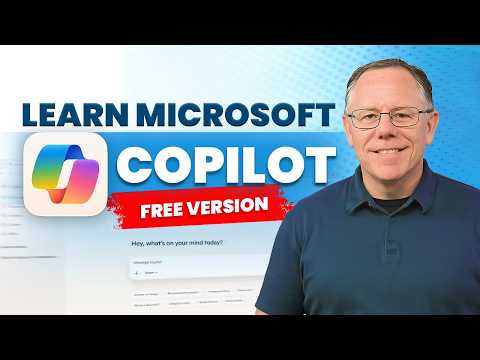
The YouTube tutorial by Kevin Stratvert walks viewers through the free version of Microsoft Copilot, focusing on practical steps to use the web-based assistant at copilot.microsoft.com. The video presents core capabilities such as chat, voice interaction, content generation, and basic file analysis, while emphasizing that some advanced features remain behind paid Microsoft 365 tiers. In addition, the tutorial highlights how Copilot returns citations to support answers and shows how to save chat history for later reference.
Getting started with the free Copilot
Stratvert demonstrates a clear sign-in flow and explains that free users access Copilot primarily through the web interface, noting differences for users with work accounts who may see Copilot inside Office apps. He encourages using a modern browser for the best experience and shows how to start a conversation, toggle voice mode, and upload documents for review. Consequently, new users can quickly move from experimentation to real tasks by following straightforward examples and on-screen prompts.
Core features demonstrated
The tutorial explains several practical features, beginning with the chat experience and the option to save and return to conversations later, which helps maintain context across sessions. Moreover, Stratvert walks through voice interaction, illustrating how spoken prompts can speed up common tasks such as drafting emails or creating outlines. He also covers content generation, including text drafts and AI-assisted image creation, and shows how Copilot uses file uploads to analyze documents like Word, Excel, and PowerPoint files.
Importantly, the video stresses fact-checking and grounding: Copilot often supplies citations, and Stratvert advises users to verify key claims by reviewing those sources. He also highlights the assistant’s ability to extract data from spreadsheets and summarize long documents, which can save time for routine analysis and reporting. Thus, viewers learn both how to ask Copilot for help and how to validate its outputs.
Tradeoffs and practical limitations
While the free version provides substantial value, the tutorial balances enthusiasm with caution by describing tradeoffs between free and paid tiers, where advanced integrations, larger context windows, or enterprise features may be restricted. For example, free users can rely on web-grounded responses, but they may not get the same depth or app-level context as paid subscribers who use Copilot inside Microsoft 365 apps. Consequently, teams must weigh immediate cost savings against the potential productivity gains of tighter integration and expanded capabilities.
Another challenge is accuracy: even with citations, AI responses can be incomplete or occasionally misleading, so Stratvert recommends cross-checking critical information and keeping human oversight in workflows. Privacy and data sensitivity also pose tradeoffs; uploading internal documents helps Copilot provide tailored answers, but organizations should assess compliance implications before sharing confidential files. Therefore, users must balance convenience, accuracy, and security when adopting Copilot in professional settings.
Tips for more effective use
Stratvert offers practical prompt-writing advice to improve responses: specify the goal, provide context, and ask for examples or formats for the output. He suggests a simple four-step approach that helps Copilot deliver focused results, and he demonstrates editing prompts when the first answer needs refinement. As a result, users can reduce back-and-forth and get more useful drafts or analyses on the first try.
Additionally, the tutorial recommends relying on citations to fact-check answers and saving important chats for continuity. For voice users, Stratvert notes that speaking naturally works well, but clear prompts and explicit requests for citations or structured outputs improve reliability. These habits reduce the friction of working with an AI assistant and help users build trust in its suggestions over time.
Conclusion
Overall, the video by Kevin Stratvert presents a balanced, hands-on introduction to the free Microsoft Copilot, making it accessible for both casual users and professionals looking for quick productivity gains. It highlights strengths such as ease of use, file analysis, and citation-backed answers, while also addressing limits around integration, accuracy, and data handling. Therefore, the tutorial serves as a solid starting point for readers who want to explore Copilot thoughtfully, and it encourages ongoing verification and careful prompt design to get the best results.

Keywords
Microsoft Copilot free, Microsoft Copilot tutorial, Copilot free version tutorial, How to use Microsoft Copilot, Microsoft Copilot setup guide, Copilot features free version, Microsoft Copilot tips and tricks, Copilot walkthrough for beginners