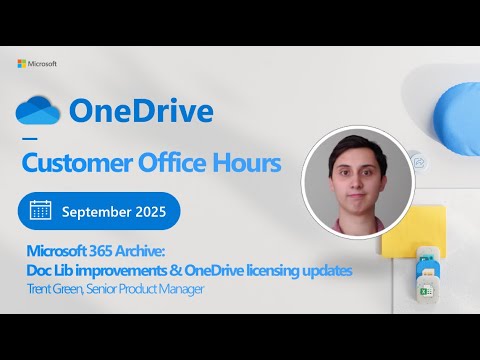
OneDrive: Doc Lib Updates & License News
Software Development Redmond, Washington
Microsoft expert preview: Microsoft three sixty five Archive, Doc Library upgrades and OneDrive licensing at Office Hours
Key insights
- Microsoft 365 Archive now moves inactive files faster and at lower cost, preserving original metadata and permissions for intact access control.
Admins see archived sites separately to reduce clutter and simplify storage management. - Document Libraries (Doc Libs) get easier file creation and access, improving daily productivity.
Updates focus on clearer file organization and faster information retrieval. - OneDrive licensing now emphasizes flexible storage tiers that align with Microsoft 365 plans to help organizations lower costs based on actual usage.
Licensing updates aim to make storage allocation more predictable and scalable. - OneDrive Customer Office Hours run monthly with the product team and include live Q&A so customers can ask product and roadmap questions directly.
Sessions are recorded and shared on demand for teams that cannot attend live. - Key roadmap dates: the classic Teams retirement is planned for mid‑2025 and Office 2016 and 2019 end of support is October 2025.
Microsoft also plans a long‑term backup retention preview in early 2026 to expand data governance options. - Impact and next steps: organizations gain faster archiving, better library management, and more cost control.
Recommended actions: review storage policies, test Archive on inactive sites, and plan upgrades from older Office versions while joining Office Hours to track new features.
Overview: OneDrive Office Hours covers Archive, Doc Libs, and licensing
The recent YouTube video from Microsoft brought product leaders together for a monthly OneDrive Office Hours session that focused on Microsoft 365 Archive, Document Library improvements and updates to OneDrive licensing. The live show, led by a host and a guest product expert, explained features, answered audience questions, and shared roadmap context for 2024–2026. Overall, the session emphasized practical changes intended to help IT teams manage storage and reduce costs while preserving access and governance. Consequently, the recording is a useful checkpoint for administrators planning next-step migrations and licensing reviews.
What changed in Microsoft 365 Archive
The video described the archive tier as a tool to move inactive SharePoint and OneDrive content into a lower-cost storage layer, and the product team highlighted faster archiving operations as a major improvement. Furthermore, they stressed that archived items keep their original metadata and permissions, which helps maintain compliance and avoids rework when files are restored. However, product makers also acknowledged tradeoffs: while archiving reduces active storage and expense, it can add retrieval latency and requires updated governance rules to avoid surprise access issues. Therefore, organizations should weigh immediate cost savings against potential impacts on search performance and user experience.
Document Library updates and user productivity
The session showcased refinements to Doc Libs that aim to simplify file creation, navigation and access, with the goal of increasing productivity for end users and content managers. In addition, the team described how improved indexing and clearer separation of active and archived libraries make it easier for administrators to find and manage content without cluttering daily workflows. At the same time, these improvements introduce choices for teams about how to structure libraries and where to place automation, which can increase planning overhead during rollout. Thus, the benefits for everyday users are clear, but IT groups must design new governance patterns so that automation and retention rules behave predictably.
OneDrive licensing updates and practical tradeoffs
Licensing updates discussed in the video aim to better align storage tiers with organizational needs, giving firms more flexibility to mix active storage and archive capacity without forcing expensive plan upgrades. Moreover, the product team framed licensing as a balancing act between predictable cost models and the need for scalable, usage-based options that respond to real storage patterns. Nevertheless, shifting to more granular licensing may create short-term administrative complexity, because procurement and billing teams must adjust policies and track different allocations. Consequently, IT leaders should run financial models and pilot projects to understand cost implications before changing large-scale subscriptions.
Operational challenges and governance considerations
The authors were candid about the challenges that come with new storage capabilities, including migration pains, user education and policy alignment across SharePoint and OneDrive. For example, moving older files into an archive tier reduces active storage but may break legacy workflows or integrations unless teams update connectors and automation. In addition, preserving permissions and metadata helps, yet it also requires vigilant governance to prevent orphaned access or overlooked retention holds. Therefore, IT must combine technical testing with clear communication and training to reduce risk during adoption.
Recommendations for IT teams and next steps
Given the changes outlined in the video, IT teams should first run a pilot that pairs a sample of libraries with the archive tier to measure retrieval times and cost impact, since real-world patterns often differ from projections. Next, they should update governance documents and automation scripts to account for archived-state behavior, and then communicate expected changes to business users to avoid surprises. Finally, teams are encouraged to use ongoing Office Hours sessions to ask targeted questions and to track future roadmap items that may affect backup retention, desktop apps and long-term compliance features. In sum, careful testing, clear policies and direct engagement with product teams will make the transition smoother and reduce hidden costs.
Conclusion: measured adoption pays off
The YouTube session from Microsoft made clear that improvements to Microsoft 365 Archive, Doc Libs and OneDrive licensing are designed to help organizations control costs while keeping data accessible and secure. Yet, as the product team noted, the gains come with tradeoffs in governance, retrieval performance and administrative complexity that require planning. Ultimately, teams that plan pilots, model costs and update governance will capture the most value, while those who rush adoption risk confusion and unexpected bills. Therefore, decision‑makers should treat the updates as an opportunity to modernize storage practices, but do so deliberately and with clear milestones.

Keywords
Microsoft 365 archive, document library improvements, OneDrive licensing updates, OneDrive Office Hours, SharePoint document library features, OneDrive storage policy changes, Microsoft 365 compliance and retention, OneDrive admin announcements