Copilot: Build Declarative Agents Fast
Software Development Redmond, Washington
Microsoft expert guide to building declarative MCP agents for Copilot with Three Sixty Five Agents Toolkit and VS Code
Key insights
- Declarative agents demo: Fiza Musthafa shows how to build declarative agents for Microsoft 365 Copilot using the Model Context Protocol and the Microsoft 365 Agents Toolkit in Visual Studio Code.
She demonstrates scaffolding a project, connecting an MCP server, provisioning, and testing the agent directly in Copilot. - Model Context Protocol (MCP): MCP is an open protocol that connects AI models to external tools, data, and prompts.
Using MCP lets Copilot agents interoperate with the same tool ecosystem used by other MCP-compatible platforms, improving flexibility and reuse. - Tools, Resources, and Prompts: MCP servers expose actionable items (Tools), readable context (Resources), and reusable templates (Prompts).
The agent uses these three capability types to call actions, fetch context, and guide interactions. - Microsoft 365 Agents Toolkit features: the toolkit scaffolds a declarative agent project in VS Code, auto-fetches MCP tools, and generates plugin specs.
Use the toolkit’s "Add Action" → "Start with an MCP Server" flow and the one-click Provision and Start debugging to register, authenticate, and test quickly. - Simplified integration and governance: developers avoid building custom connectors, and changes on the MCP server sync automatically into Copilot Studio.
Enterprises keep visibility and control through Microsoft 365 admin policies, helping maintain security and compliance. - Practical build steps & tips: scaffold a new agent in VS Code, add the MCP action with your MCP server URL, configure the declarative manifest, then provision and test in Copilot.
Validate authentication and admin policies early, and iterate quickly using the toolkit’s debug and provisioning features.
Overview of the Video
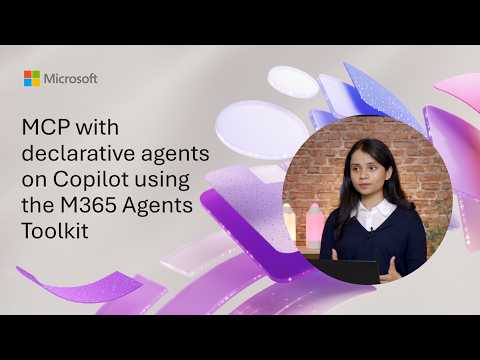
The Microsoft YouTube demo, presented by Fiza Musthafa and published under the author name Microsoft, walks through building declarative agents for Microsoft 365 Copilot. The session comes from a Microsoft 365 & Power Platform community call on February 17 and focuses on integrating the Model Context Protocol with the Microsoft 365 Agents Toolkit. In the video, the presenter explains the architecture of the MCP approach and shows a live demo from Visual Studio Code. Consequently, viewers get both conceptual context and a practical, hands-on example of tooling in action.
MCP and the Agents Toolkit Explained
The presenter starts by defining key concepts, notably declarative agents and the Model Context Protocol, and then maps how they fit into Copilot’s extensibility model. She emphasizes that an MCP server exposes tools, resources, and prompt templates which agents can consume to perform work and retrieve context. Furthermore, the Microsoft 365 Agents Toolkit automates much of the integration by fetching available tools and generating plugin specifications. As a result, developers spend less time on plumbing and more on designing agent behavior.
Live Demonstration and Workflow
During the demo, Musthafa showcases a common developer workflow that begins with scaffolding a new agent in Visual Studio Code using the toolkit. She uses the toolkit’s Add Action workflow to point at an MCP server URL, which in turn pulls back available capabilities automatically. Then, she shows how to configure agent manifests and use the one-click Provision and Start debugging command to test the agent directly in Microsoft 365 Copilot. Therefore, viewers see how the toolkit handles registration, authentication, and immediate validation without manual setup of every piece.
Core Capabilities Demonstrated
The video highlights that an MCP server typically exposes three capability types: tools for actions, resources for context, and prompts for interaction patterns. Musthafa demonstrates how the toolkit reads these capability descriptions and converts them into plugin artifacts that Copilot can use. Moreover, she points out that Copilot Studio automatically reflects changes made on the MCP server, which keeps the agent in sync with updated tools or removed resources. This live feedback loop simplifies maintenance and reduces the gap between intent and implementation.
Benefits and Tradeoffs
Adopting MCP and the toolkit brings clear benefits such as reduced development overhead and cross-platform compatibility with other MCP-aware models. Because the standard is widely supported, agents can interoperate with tools used by multiple AI systems, which increases flexibility for organizations. On the other hand, relying on a standard server protocol introduces tradeoffs: teams must trust the server’s availability and manage versioning carefully. Consequently, organizations should weigh the operational overhead of hosting and securing an MCP server against the integration speed it provides.
Security, Governance, and Administrative Control
Musthafa also touches on enterprise governance, explaining that declarative agents inherit Microsoft 365 Copilot’s security and compliance protections while allowing administrators to control distribution. Administrators retain visibility through standard Microsoft 365 management tools, which helps reduce risk in large deployments. Still, administrators face tradeoffs between agility and control because enabling more agent capabilities can increase the surface area for potential misuse. Therefore, teams need clear policies and testing procedures to balance rapid iteration with prudent risk management.
Challenges and Practical Considerations
Although the demo makes the process look straightforward, the video honestly addresses practical challenges such as designing reliable prompts and handling complex data transformations. Developers must consider latency, error handling for external tools, and the user experience when agents ask for additional input. Integrating legacy systems or proprietary APIs can add extra mapping effort that reduces some of the out-of-the-box speed gains. Thus, planning for robust logging, retries, and fallback behaviors becomes essential to production readiness.
Next Steps for Developers and Teams
For teams interested in experimenting, the presenter recommends starting by scaffolding a minimal agent and incrementally adding capabilities from an MCP server to observe behavior in Copilot. Testing in a controlled environment helps teams refine prompts and tool specifications before broader deployment. Additionally, teams should define governance workflows so administrators can oversee agent registration and access. In this way, they can iterate quickly while keeping enterprise controls in place.
Conclusion
The Microsoft demo offers a practical introduction to building declarative agents with the Model Context Protocol and the Microsoft 365 Agents Toolkit, combining clear architectural explanation with a live, Visual Studio Code–based demonstration. While the approach reduces integration friction and promotes cross-platform interoperability, it also requires teams to manage operational responsibilities and governance tradeoffs. Overall, the video serves as a useful starting point for developers and administrators who want to extend Copilot in a controlled, repeatable manner.

Keywords
MCP declarative agents Copilot, M365 Agents Toolkit tutorial, Microsoft Copilot declarative agents, MCP certification Copilot agents, Build agents M365 Toolkit, Copilot extensibility M365 Agents, Declarative agent development Copilot, M365 Agents Toolkit examples