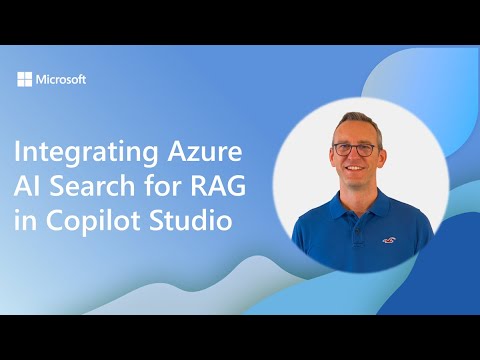
Copilot Studio: RAG with Azure AI Search
Software Development Redmond, Washington
Integrate Azure AI Search with Copilot Studio for RAG using custom vector indexes to power multilingual Copilot agents
Key insights
- Demo summary: The video demo (presented by Paolo Pialorsi) shows how to connect Azure AI Search to Copilot Studio to enable RAG workflows.
It demonstrates building custom vector indexes for scalable, multilingual, and business-specific knowledge retrieval. - RAG (Retrieval-Augmented Generation): RAG grounds LLM responses with your own data by retrieving relevant documents before generation.
This reduces hallucinations and improves answer accuracy and context. - Azure AI Search: Acts as the retrieval backbone by indexing and vectorizing content for semantic search.
It finds relevant information even when user queries don’t match exact keywords. - Vector embeddings: Embeddings capture semantic meaning of text so the system matches intent, not just words.
They support better results across languages and business-specific content. - Two RAG patterns: The agentic retrieval pattern (preview) uses LLM-assisted query planning and parallel subqueries for complex needs.
The classic RAG pattern uses hybrid search plus semantic ranking for simpler scenarios. - Integration choices & agent configuration: In Copilot Studio you can add Azure AI Search as a Knowledge source for quick setup or as a Tool for finer control.
Configure global variables and agent instructions so agents compose, paraphrase, and run parallel queries to deliver faster, more relevant responses.
Microsoft published a demo video showing how to connect Copilot Studio with Azure AI Search to implement Retrieval Augmented Generation, commonly called RAG. Presented by Paolo Pialorsi during a community call, the demo walks viewers through creating custom vector indexes and configuring Copilot agents to retrieve business-specific knowledge at scale. This article summarizes the video’s key points, explains technical choices, and explores tradeoffs and challenges for organizations that consider adopting the approach.
Overview of the Demo and Goals
The video introduces an end-to-end pattern where Azure AI Search acts as the retrieval backbone for agents built in Copilot Studio. In this setup, data is indexed and vectorized so that agents can query semantic embeddings rather than rely on exact keyword matches, which improves relevance for natural language queries. The presenter emphasizes multilingual support and scalability as core goals, aiming to make agents more accurate and context-aware for enterprise scenarios.
Furthermore, the demo highlights two RAG styles: the newer agentic retrieval pipeline and the more established classic RAG pattern. The former uses LLM-assisted query planning to break complex requests into parallel subqueries, while the latter relies on hybrid search and semantic ranking for simpler needs. These options offer different balances of speed, control, and complexity for developers and system architects.
How Integration Works in Practice
At a technical level, the workflow begins by importing organizational content into Azure AI Search, where data is converted into vector embeddings that capture semantic meaning. Copilot agents then call the search service either as a Knowledge source or as a Tool, depending on how much control the developer needs over result handling and formatting. When used as a Knowledge source, configuration is simpler but some response metadata may be omitted; when used as a Tool with a vectorized connector, teams gain fine-grained control at the cost of additional setup work.
Agent configuration plays a key role: global variables and retrieval instructions teach the agent how to compose queries, paraphrase prompts for better matches, and run parallel requests to improve latency. When agents run multiple focused subqueries, they can aggregate results and synthesize a grounded response that references the indexed content. This orchestration delivers more reliable outputs, yet it also requires careful tuning of prompts and retrieval logic to avoid inconsistent behavior.
What’s New and Why It Matters
Microsoft’s demo showcases enhancements that move RAG beyond basic retrieval. In particular, the introduction of the agentic retrieval pattern represents a shift toward LLM-driven retrieval planning that decomposes complex user intents automatically. As a result, agents can handle multi-step queries more efficiently and return structured results tailored for downstream agent actions rather than plain text snippets.
Additionally, the platform now supports a wider array of knowledge sources, including relational databases, which lets teams combine structured and unstructured data in retrieval flows. This diversification enables richer contexts and can shorten the path to producing accurate, actionable answers for business users. Nonetheless, combining multiple sources increases integration complexity and requires tighter governance to maintain consistency across datasets.
Tradeoffs and Operational Challenges
Implementing this architecture entails clear tradeoffs between simplicity, control, cost, and latency. For example, using the Knowledge source path reduces setup time but may remove useful metadata from results, which can limit traceability. Conversely, the Tool approach preserves more context and customization but demands more development time and ongoing maintenance for connectors and indexing pipelines.
Other practical challenges include keeping indexes up to date, tuning vectorization quality, and managing costs tied to storage and search compute. Moreover, teams must address potential hallucinations by ensuring retrievals reliably ground model outputs, and they need clear governance to control data exposure and privacy. Balancing those concerns while preserving agent performance requires iterative testing, careful monitoring, and cross-functional coordination between data, security, and application teams.
Recommendations and Practical Implications
For organizations exploring this approach, start by defining clear retrieval requirements and acceptable latency targets so you can choose between the classic RAG or the agentic retrieval pipeline. Then, prototype with a representative subset of your data and compare the Knowledge source and Tool integration patterns to evaluate the tradeoffs in control and simplicity for your use case. Early experiments should also measure vector quality and relevance to reduce the risk of incorrect or incomplete answers when agents synthesize responses.
Finally, invest in governance, logging, and update mechanisms so that indexes remain current and decisions stay auditable as agents operate in production. With that foundation, teams can gradually expand multilingual coverage and additional data sources while monitoring costs and user satisfaction. In sum, the demo provides a practical blueprint, but successful deployments will depend on careful balancing of technical choices, operational processes, and governance practices.
Keywords
Azure AI Search, RAG with Copilot Studio, Integrating Azure AI Search for RAG, Copilot Studio RAG integration, Azure Cognitive Search RAG, Vector search in Azure, Retrieval augmented generation Azure, Copilot Studio semantic search