Excel
17. Sept 2026 08:50
Copilot: Improve Excel Data Quality
von HubSite 365 über Szymon Bochniak (365 atWork)
Microsoft 365 atWork; Senior Digital Advisor at Predica Group
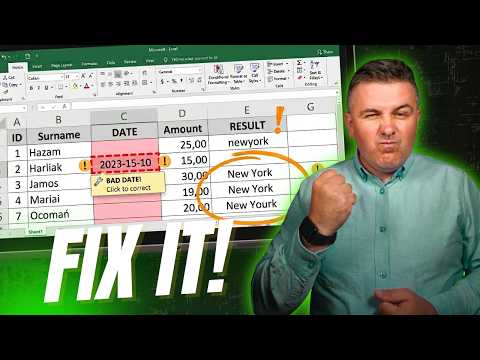
Microsoft tip: boost Excel data quality with Copilot AI, Clean Data, prompts and review first best practices
Key insights
- Two Copilot modes: Microsoft Excel offers a one-click Clean Data scan that flags issues and shows suggestion cards, and a Copilot pane where you give plain-English prompts for precise, targeted cleanup.
- What Copilot catches and fixes: it finds spacing and capitalization errors, number-format problems, spelling inconsistencies, duplicates, currency stored as text, and blanks; it can standardize text, remove duplicates, fill missing values, and add formula or summary rows.
- Prepare data for best results: convert ranges to a table, use clear header names, keep one fact per column, and avoid merged cells or mixed totals to let Copilot work reliably.
- Simple workflow and controls: open Data > Clean Data or call Copilot, review each suggested change, and choose Apply or Ignore; give Copilot column names or context to improve accuracy.
- Practical benefits: Copilot speeds cleanup, enforces consistent formatting, reduces duplicates and obvious errors, and improves analysis quality by letting you describe tasks in natural language instead of writing formulas.
- Limits and one key habit: Copilot works best on well-structured sheets—use Power Query or manual normalization first for very messy workbooks. Always ask Copilot to highlight problems and review suggestions instead of letting it silently change data.

Keywords
Excel data quality, Copilot for Excel, improve data quality Excel, Excel data cleaning with Copilot, Excel data validation Copilot, AI data cleaning Excel, Microsoft Copilot Excel tips, Excel data cleansing automation
HubSite 365 Apps