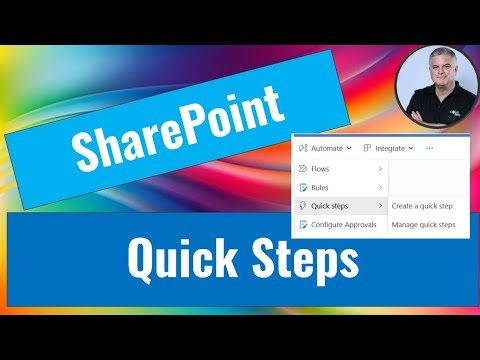
SharePoint Quick Steps: Turbocharge Your Document Library Workflow Today
M365 Adoption Lead | 2X Microsoft MVP |Copilot | SharePoint Online | Microsoft Teams |Microsoft 365| at CloudEdge
SharePoint Microsoft Lists Teams Flow Copilot
Key insights
- Quick Steps in SharePoint Document Libraries help automate repetitive tasks, making daily work faster and more efficient for users.
- This feature is part of a larger group of automation tools in SharePoint, including Power Automate and conditional formatting, which simplify document management by automating actions like organizing files or setting permissions.
- Main benefits include enhanced productivity, fewer human errors, better workflow efficiency, and easier collaboration through centralized file management.
- The basics involve creating a Document Library, organizing files with folders or metadata columns, and managing who can access documents using permissions settings.
- A new approach in SharePoint focuses on using metadata instead of just folders to organize files. Integration with automation tools like Power Automate also improves workflow customization and user experience.
- Although detailed guides on Quick Steps are limited, the overall trend in SharePoint is towards more automation and improved collaboration features. For the latest updates, check official Microsoft documentation or community forums.
Introduction to Quick Steps in SharePoint Document Libraries
Quick Steps in SharePoint Document Libraries are designed to help users automate repetitive tasks, significantly boosting productivity and streamlining document workflows. In a recent YouTube video, Ami Diamond [MVP] explores how these features can be used within SharePoint, Microsoft Lists, and Teams to create custom commands or automate predefined actions. While comprehensive documentation on Quick Steps for SharePoint Document Libraries remains limited, the discussion highlights their role within the broader landscape of Microsoft’s automation and workflow capabilities.
As organizations increasingly seek ways to reduce manual effort, Quick Steps present a compelling option for improving efficiency. However, understanding their exact implementation and best practices can be challenging due to the evolving nature of the platform and the scarcity of detailed guides specific to SharePoint Document Libraries.
Understanding the Technology and Its Purpose
At its core, Quick Steps is part of a suite of automation tools available in SharePoint and related Microsoft platforms. These tools, including Power Automate and conditional formatting, aim to simplify document management by automating routine tasks. For instance, users can set up actions such as sending emails or triggering flows based on selected items in a list or document library.
This approach not only saves time but also helps reduce the risk of errors that can occur during manual operations. By integrating automation into everyday processes, organizations can ensure greater consistency and reliability in handling documents and tasks within their SharePoint environment.
Advantages and Tradeoffs of Automation in SharePoint
The primary advantage of using automation tools like Quick Steps is enhanced productivity. By removing the need to perform repetitive tasks manually, employees are free to focus on higher-value activities. Additionally, improved efficiency results from streamlined workflows, while centralized management ensures all files and actions are organized in one accessible location.
Nevertheless, there are tradeoffs to consider. Automating tasks can sometimes lead to a lack of flexibility if workflows are not carefully designed to accommodate exceptions. Moreover, setting up these automations requires a certain level of technical knowledge, which could pose a challenge for teams without dedicated IT support. Therefore, organizations must balance the benefits of automation with the need for adaptability and ease of use.
Fundamentals of Using SharePoint Document Libraries
Working effectively with SharePoint Document Libraries involves several fundamental steps. First, users need to create a document library by selecting the appropriate type, naming it, and configuring settings such as versioning and permissions. Next, organizing files within the library is crucial. This can be achieved through folders or, increasingly, by leveraging metadata columns for a more flexible, flat structure.
While detailed instructions for Quick Steps are limited, users can often turn to other automation tools like Power Automate to build custom workflows tailored to their needs. This flexibility allows teams to automate not just simple actions, but also more complex processes that span multiple applications within the Microsoft ecosystem.
Modern Approaches and Ongoing Challenges
A notable shift in SharePoint management is the growing emphasis on metadata over traditional folder hierarchies. This change makes it easier to filter, categorize, and retrieve documents, especially as libraries grow in size. Additionally, the integration of automation tools like Power Automate and the modernization of the SharePoint user interface have made collaboration more intuitive and accessible.
Despite these improvements, challenges remain. Developing effective automation requires clear understanding of business processes and careful configuration to avoid unintended outcomes. As SharePoint continues to evolve, keeping up with new features and best practices is essential for organizations aiming to maximize the benefits of automation.
Conclusion
Although detailed resources on Quick Steps in SharePoint Document Libraries are still emerging, the broader landscape of automation and workflow management in SharePoint offers powerful opportunities for enhancing productivity and collaboration. As Microsoft continues to innovate, users can expect even more robust features to support automated document management. For those seeking the latest guidance, consulting official Microsoft documentation and active community forums is recommended.

Keywords
Quick Steps SharePoint Document Library tutorial Quick Steps SharePoint guide SharePoint document management tips Quick Steps automation SharePoint productivity hacks Quick Steps workflow SharePoint library shortcuts