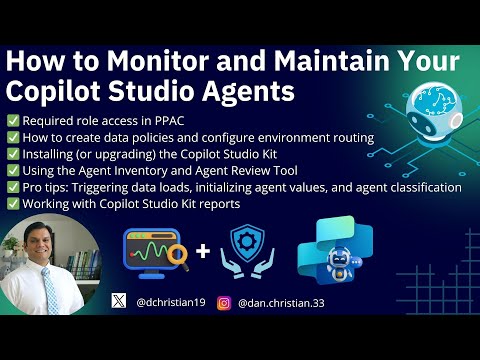
Copilot Studio: Monitor Agent Health
Lead Infrastructure Engineer / Vice President | Microsoft MCT & MVP | Speaker & Blogger
Microsoft expert guide to Copilot Studio and PPAC managing agents data policies environment routing and agent tools
Key insights
- Role access & PPAC
Grant Power Platform Admin Center (PPAC) roles before you start. These roles let admins create policies, manage environments, and review agent inventories. - Data policies, environment groups & routing
Set data policies and group environments to control where agents run. Configure routing so requests go to the right environment and reduce data exposure. - Copilot Studio Kit
Install or upgrade the Copilot Studio Kit to use the Agent Inventory and Agent Review tools. Use the Kit to initialize agent values and classify new agents quickly. - Agent monitoring & security
Use the centralized Agents & Connectors dashboard to view all agents, apply Microsoft Information Protection labels, and export inventories for audits. Enable real-time threat protection and audit logs to stop risky actions and track incidents. - Analytics & reporting
Monitor sessions, resolution and abandonment rates, and common queries to spot gaps. Customize reports by adding columns, filtering (for example by published yes/no), and sorting by last updated; review transcripts where privacy rules allow. - Maintenance, lifecycle & future features
Republish and verify agent updates, and trigger agent data loads when changes don’t appear. Watch for 2025 capabilities like Copilot Tuning for fine-tuning with org data and multi-agent orchestration via the Agent2Agent protocol.
Overview of the Video and Its Purpose
Daniel Christian [MVP] published a practical walkthrough that explains how administrators can monitor and maintain Copilot Studio agents using tools in the Power Platform ecosystem. The video targets Power Platform admins and mixes step-by-step setup with operational tips, making it useful for both new and experienced practitioners. Moreover, the guide emphasizes governance and reporting so organizations can manage agent behavior responsibly. As a result, viewers gain a clear map of the main tasks required to keep agents secure and effective.
Core Features Demonstrated
First, the video covers role requirements and how to use the Power Platform Admin Center (PPAC) to create data policies, environment groups, and routing rules, which together shape where agent data can flow. Then, it walks through installing or upgrading the Copilot Studio Kit, which brings management dashboards and report templates that simplify ongoing oversight. Additionally, Daniel highlights the new Agent Inventory and Agent Review Tool, showing how these tools help locate orphaned agents and review agent metadata. Consequently, admins can rapidly inventory agents and begin remediation or classification work where needed.
Monitoring, Security, and Analytics
The demonstration also explains real-time protections and audit capabilities that safeguard runtime agent behavior and record actions for future review. For instance, integration with threat detection mechanisms can stop agents mid-execution when suspicious actions appear, and detailed logs support forensic analysis afterward. At the same time, analytics dashboards track session volumes, resolution and abandonment rates, and common user intents so teams can spot knowledge gaps and improve agent responses. Therefore, combining security controls with usage analytics creates a feedback loop for continuous improvement.
Operational Tips and Routine Maintenance
Daniel shares practical tips such as triggering data loads to refresh the Agent Inventory, initializing agent value summaries, and applying classification tags to new agents so they are discoverable and compliant. He also demonstrates how to adjust report columns, apply filters, and sort records—skills that speed auditing and troubleshooting when many agents exist. However, he cautions that republishing agents does not always propagate instantly due to caching or security settings, so administrators should validate deployment status after updates. Thus, regular checks and staged rollouts help reduce surprises in production.
Tradeoffs and Challenges to Consider
Balancing centralized control with operational flexibility presents a core tradeoff: tighter policies reduce risk but can slow agent iteration, while looser controls speed innovation but increase exposure. Moreover, real-time threat blocking is valuable for safety, yet it can generate false positives that interrupt valid workflows and frustrate users if not tuned carefully. Another challenge lies in analytics and privacy; richer telemetry helps improve agents but demands careful handling to stay compliant with data protection rules. Consequently, teams must design monitoring that respects privacy while still providing actionable insights.
Future Enhancements and Strategic Choices
Looking ahead, Daniel describes upcoming trends such as fine-tuning agents with organizational data and enabling multi-agent orchestration, which should improve relevance and enable richer workflows. Nonetheless, those capabilities come with higher operational complexity and potential costs for model training and governance, so organizations must weigh benefits against resource needs. Furthermore, integrating agents across multiple platforms increases automation power but also expands the attack surface, which requires stronger identity, access, and audit controls. Therefore, planning for scale involves both technical architecture and governance maturity.
Best Practices and Recommendations
Overall, the video recommends starting with clear role assignments, establishing data policies early, and using the Copilot Studio Kit reports to monitor agent health and compliance. Additionally, admins should automate regular inventory checks, review audit logs systematically, and stage updates to catch propagation issues before they affect end users. Training and classification work, such as initializing value summaries and tagging agents, help teams prioritize remediation and reduce orphaned assets. In short, a disciplined operational routine paired with the right tooling limits risk and increases agent reliability.
Conclusion: Practical Value for Administrators
Daniel Christian’s video provides a concise and actionable playbook for Power Platform admins to monitor and maintain Copilot Studio agents in production environments. It balances how-to guidance with broader governance and security concerns, making clear the tradeoffs administrators must manage when rolling out AI-driven agents. Ultimately, organizations that apply these practices will find it easier to scale agent adoption while maintaining control, although they must remain vigilant about updates, telemetry, and privacy. As Copilot and agent ecosystems evolve, this kind of operational guidance helps teams stay prepared and proactive.
Related resources

Keywords
Copilot Studio agent monitoring, monitor Copilot agents, maintain Copilot Studio agents, Copilot agent performance monitoring, Copilot Studio troubleshooting, Copilot agent logs diagnostics, automate Copilot agent maintenance, best practices Copilot Studio agents