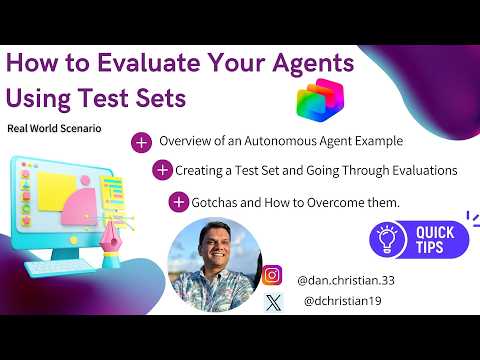
Power Virtual Agents: Test Set Tips
Lead Infrastructure Engineer / Vice President | Microsoft MCT & MVP | Speaker & Blogger
Microsoft expert: use Copilot Studio test sets to evaluate autonomous agents, AI evaluation and Power Platform
Key insights
-
Use Copilot Studio to automate testing by building test sets that simulate real user scenarios.
The video shows how to structure tests so agents run against realistic prompts and expected outcomes. -
Create clear test prompts and a small initial dataset (start with 5–100 cases).
Include both success and failure cases and add references or tags for easy organization. -
Choose appropriate evaluators: use text match for exact answers, similarity for varied phrasing, and a quality grader for open responses.
Combine evaluators to score safety, task adherence, and tool usage. -
Run tests via the UI or SDK, capture full outputs including tool calls, and set clear pass rate thresholds for success.
Automate repeated runs to spot regressions after changes. -
Analyze results by capability and risk, use a multi-grader view, and track a performance baseline over time.
Feed findings into CI/CD to enforce quality gates before deployment. -
Watch for common gotchas: test the actual system state (action taken) not just agent promises, avoid narrow training examples, and include diverse evaluators to prevent blind spots.
Retest after updates and use production or synthetic data to expand coverage.
Introduction
In a recent YouTube video, Daniel Christian [MVP] demonstrates how to evaluate custom agents by building and running test sets inside Copilot Studio. The video walks viewers through creating prompts, assembling test sets, and using built-in evaluation tools to measure agent behavior. Importantly, the presentation mixes practical steps with conceptual guidance, making it useful for both makers and engineers. Consequently, this article summarizes the core methods and the larger tradeoffs shown in the video.
How the Evaluation Workflow Works
First, the video explains the standard workflow: assemble a test dataset, choose evaluators, run tests, and review results. Daniel shows how inputs can be single- or multi-turn prompts and how outputs may include both text and tool calls, which the evaluation captures and scores. Next, he describes several grader types, including exact text matches, similarity measures, and quality judgments performed by models. This layered approach helps teams measure not only correctness but also completeness and adherence to policies.
Practical Demonstration in the Video
Daniel demonstrates building a small test set, importing prompts, and running an initial evaluation to see real pass/fail outcomes. He then updates the tests and runs a second evaluation to illustrate iteration and how results change as the agent evolves. Along the way, he points out common "gotchas" such as differences between a promised action and an actual system state, and how tool calls must be tracked to validate side effects. As a result, viewers get a clear example of test-driven improvement for agents.
Tradeoffs Between Methods
The video highlights several tradeoffs that teams must balance when choosing evaluation strategies. For instance, exact matches give clear pass/fail signals for precise outputs, yet they fail when acceptable phrasing varies, so similarity measures or quality graders can reduce false negatives at the cost of more complex thresholds. Moreover, synthetic or LLM-generated test cases speed coverage but may miss real-world quirks that production logs expose, so mixing sources usually yields better coverage. Therefore, teams must weigh speed and scale against realism and risk when designing their test sets.
Challenges and Practical Limits
Daniel also discusses practical challenges such as flaky tests, multi-turn state management, and grading safety-sensitive behavior reliably. Automated graders can scale but sometimes miss subtle policy violations or misinterpret context, which means human review remains necessary for high-risk scenarios. Additionally, setting thresholds requires careful calibration to avoid masking regressions or creating noisy alerts that waste developer time. In short, automation reduces manual work but introduces new demands for monitoring and governance.
Recommendations and Next Steps
To address these challenges, the video recommends starting small with 5–100 cases that cover clear success and failure paths, then expanding coverage iteratively while integrating evaluations into CI/CD pipelines. It also advises combining grader types—such as similarity plus a quality rubric—to balance strictness and flexibility while adding manual checks for safety-sensitive flows. Finally, makers should track trends across runs, use versioning to compare baselines, and include real production examples to uncover edge cases earlier. Taken together, these steps help teams maintain agent quality as features and data change.
Conclusion
Overall, Daniel Christian [MVP] provides a practical, hands-on guide to evaluating autonomous agents using Copilot Studio test sets, while candidly describing tradeoffs and operational hurdles. His examples show how blended evaluation strategies and iterative testing help reveal both functional issues and subtle policy risks. Consequently, teams that follow this approach can build more reliable agents, provided they invest in careful test design and ongoing monitoring. Therefore, adopting these practices will improve agent quality while exposing the governance and calibration work needed to scale safely.

Keywords
evaluate AI agents with test sets, test set evaluation for AI agents, agent performance testing methods, benchmark AI agents using test sets, creating test sets for agents, agent evaluation metrics and KPIs, automated testing for conversational agents, best practices for agent evaluation