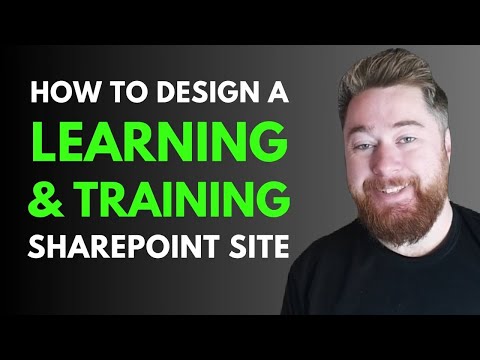
SharePoint: Learning Portal in 30 mins
Microsoft expert: design a SharePoint learning portal quickly with training tracker and certificate management for HR
Key insights
- SharePoint Communication Site
Use a Communication site as the portal foundation to host courses, news, and resources.
Choose a ready layout like "Topic" to build a professional learning hub quickly. - Modern Web Parts
Add web parts such as Hero, Events, News, Document Library, and Learning Pathways to surface key content.
Drag-and-drop web parts to arrange pages without code and keep content up to date. - Training Tracker
Track courses and certificates with a SharePoint list or document library using metadata for expiry dates and status.
Automate reminders with Power Automate and create dashboards with Power BI for easy reporting. - Personalization
Show role-based content and upcoming training using audience targeting and dynamic views so each user sees relevant items.
Apply clear site permissions to protect records and manage who can edit training data. - Design & UX Best Practices
Use concise navigation, accessible layouts, clear imagery, and a consistent color theme to improve engagement and usability.
Test the site on mobile and in Teams to ensure learning is available where employees work. - 30-Minute Setup Checklist
Create the Communication site, add key web parts, build a training list/library, set views and metadata, add an automation for reminders, then test and publish.
Follow this sequence to deploy a functional L&D portal fast and refine it after user feedback.
Dougie Wood [MVP] demonstrates how to build a learning and training portal in SharePoint in a concise YouTube tutorial that aims to deliver a working solution in about 30 minutes. The video targets HR and Learning & Development professionals, and it walks through site creation, navigation, web parts, and a practical training records tracker. Importantly, the presentation mixes hands-on steps with design guidance so viewers can adapt the approach to their own environment. Consequently, the tutorial serves as both a quick start and a foundation for more advanced customizations.
Video Overview
The video begins with a clear scope and timestamps that guide viewers through each phase of the build, from the initial site design to theme adjustments and record views. Therefore, users can jump directly to segments like the training tracker, editing navigation bars, or updating web parts, which saves time when following along. Dougie emphasizes using a Communication site and the Learning Central layout as a starting point, explaining why those choices fit a content-rich portal. Moreover, the tutorial highlights how Microsoft 365 components integrate to make the site functional for both admins and learners.
Building the Portal Step-by-Step
First, the video shows how to set up the site structure and create a landing page that centralizes resources and announcements. Then, Dougie configures libraries and lists to store training materials, certificates, and event records, and he demonstrates how to wire a basic Training Tracker to capture completion dates and expiry details. As a result, teams gain a simple, searchable repository that supports common HR use cases while avoiding heavy development work. However, viewers should plan for initial data cleanup and field design to ensure consistent reporting later.
Next, the tutorial walks through adjusting navigation and placing web parts to improve discoverability, including hero areas, events, and news feeds. Dougie also shows how to present views for training records and an expert competency snapshot, which helps teams see both individual and program-level progress. Therefore, the portal balances static documentation with interactive elements so users can find relevant courses, sign up for sessions, and check certificate status in one place. Meanwhile, the presenter suggests sensible naming and tagging conventions to aid long-term maintenance.
Design, Navigation and Web Parts
Design choices receive focused attention because visual clarity directly affects adoption; for example, Dougie alters the colour theme and imagery to align with a brand and to make navigation intuitive. He recommends prioritizing key web parts such as Document Library, Events, and News for immediate value, while advising careful layout to avoid clutter. In practice, this means keeping calls-to-action visible and limiting the number of web parts per page to reduce cognitive load. Consequently, a clean design helps learners locate mandatory or recommended training more quickly.
Tracking Certifications and Records
The training records view in the tutorial shows how to track certificates, expiry dates, and completion history using lists and views within SharePoint. Dougie configures filters and views so HR can spot expiring certifications and run follow-up actions, which supports compliance needs and audit readiness. Additionally, he demonstrates how to group records by employee or competency to provide both individual and programmatic perspectives. However, organizations should consider integration with HR systems or learning management platforms when they need scalable automation or single-source truth for records.
Tradeoffs and Implementation Challenges
While the 30-minute build is compelling, there are tradeoffs between speed and depth: a rapid setup delivers immediate value, but deeper automation, integrations, and governance take more time and planning. For instance, balancing open contributor access against strict permission controls affects both agility and data security, so teams must define governance early. Moreover, integration with external systems like LMS platforms or HR databases requires mappings, APIs, and ongoing maintenance that go beyond the video’s scope. Therefore, organizations should treat the tutorial as a minimum viable portal and allocate resources for follow-up enhancements if needed.
Practical Takeaways for HR and L&D
Overall, Dougie’s tutorial offers a pragmatic path to a functional learning portal that HR and L&D teams can adapt quickly, and it underscores practical steps like template selection, web part choice, and view configuration. Consequently, teams that favor speed can deploy a working site in a short timeframe, while those requiring stronger controls can extend the design with integrations and governance practices. Finally, the video serves as a useful launchpad: it reduces the barrier to entry, but organizations should plan for ongoing refinement to meet enterprise-level needs and to sustain user engagement.
Keywords
SharePoint learning portal, SharePoint training portal, design learning portal in SharePoint, build a SharePoint training portal, SharePoint LMS, SharePoint site design tutorial, employee training portal in SharePoint, create SharePoint learning portal fast