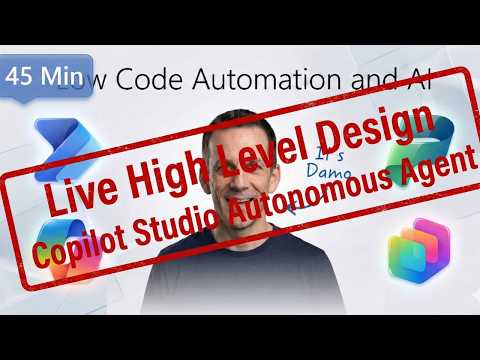
Overview: Damien Bird’s video on assessment agents
In a recent YouTube video, Damien Bird, a Power Platform Cloud Solution Architect at Microsoft, walks viewers through designing assessment agents using Copilot Studio. He frames the topic for both makers and business leaders, explaining how assessment agents can evaluate responses, measure usage, and inform improvements. Moreover, Bird ties the functionality to practical business scenarios such as candidate screening or contract review, which helps viewers see immediate value.
Bird also emphasizes governance and observability, and he highlights integration points with tools that track adoption and impact. Consequently, the video serves as both an introduction and a practical how-to for teams planning to scale agents across an organization. As a result, the presentation balances high-level strategy with concrete design steps that non-technical users can follow.
How assessment agents work in practice
Bird explains that assessment agents transform natural language goals into evaluative workflows by using the visual and conversational tools inside Copilot Studio. For instance, a user can describe an intent like "rank these responses for accuracy and tone" and then map the agent to knowledge sources such as SharePoint or uploaded documents. In addition, agents can run checks automatically and surface metrics that show response quality and escalation patterns.
Furthermore, Bird points out that Microsoft’s agent control surfaces, such as Microsoft Agent 365 and integrated analytics, offer a unified view of agent performance across deployments. This central visibility helps administrators monitor usage, cost, and compliance, while designers iterate on scoring rules and thresholds. Therefore, teams can pilot agents in low-risk scenarios and then expand them once they validate outcomes.
Benefits and the tradeoffs involved
According to Bird, one major advantage is democratization: business users can design assessment agents without writing code, which accelerates time-to-value. Consequently, departments like HR or customer success can prototype solutions independently and reduce IT backlogs. However, this convenience comes with tradeoffs, because decentralizing creation increases the need for robust governance to avoid inconsistent or risky agent behaviors.
Another plus is improved observability: analytics and integration with workplace insights make it possible to tie agent behavior to business outcomes. Yet, Bird cautions that richer telemetry increases complexity, since teams must decide which metrics matter and how to interpret noisy signals. Thus, organizations must balance the desire for granular measurement against the overhead of managing and securing more telemetry data.
Practical challenges and testing considerations
Bird addresses common pitfalls, such as unclear scoring criteria and insufficient user testing, which can produce misleading assessment outcomes. For example, automated grading that lacks context may favor certain phrasing over substantive quality, so designers must refine prompts and sampling strategies. Additionally, the speaker notes that certification exams and practical labs sometimes reveal gaps between expected tool behavior and real-world workflows, underscoring the need for thorough validation.
He also highlights governance challenges: ensuring metadata review, sensitivity labeling, and ownership is non-negotiable when agents access sensitive information. Therefore, teams must structure review gates and approvals to maintain compliance while preserving agility. Finally, Bird recommends staged rollouts that combine pilot feedback and analytics to prevent overcommitment to unproven designs.
Guidance for implementing assessment agents
Bird lays out a pragmatic build cycle: map knowledge sources, define success criteria, test with representative users, and pilot at scale while monitoring key indicators. In this way, organizations can catch design flaws early and iterate quickly based on real usage. Furthermore, he advises documenting decisions about scoring logic and escalation policies so that future maintainers understand tradeoffs and assumptions.
For teams starting now, Bird suggests focusing on one clear use case and keeping models simple at first, then adding complexity as confidence grows. This approach reduces operational risk and keeps governance manageable, which aligns with responsible AI practices. Moreover, the use of centralized controls for publishing and monitoring helps reconcile decentralized creation with enterprise requirements.
Conclusion: balancing speed, quality, and control
Damien Bird’s video offers a clear, practical view of assessment agent design in Copilot Studio, and it highlights the balance every team must strike between speed and oversight. While democratized tools unlock fast innovation, meaningful governance and thoughtful testing remain essential to ensure agents are reliable and compliant. In short, organizations that follow the staged, metrics-driven approach Bird recommends can scale agent use while managing the tradeoffs between agility and control.
Ultimately, the video is a useful primer for both technical and non-technical audiences who want to understand how assessment agents can deliver measurable business value. Therefore, teams should treat the design process as iterative, use analytics to validate choices, and embed governance early to reduce downstream friction.
