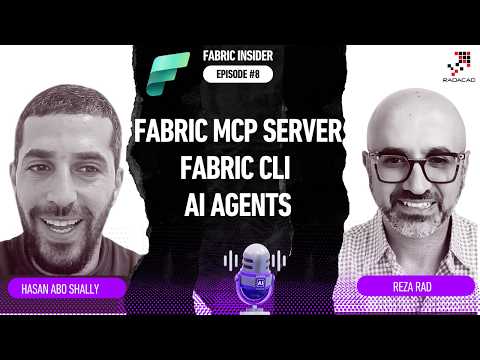
Fabric: MCP Servers, CLI & AI Agents
Founder | CEO @ RADACAD | Coach | Power BI Consultant | Author | Speaker | Regional Director | MVP
Microsoft Fabric MCP Servers and Fabric CLI let GitHub Copilot, ChatGPT and Claude run native AI agents for Power BI
Key insights
- Model Context Protocol (MCP)
Open standard that gives AI agents a typed API to understand and control Microsoft Fabric resources. It turns LLMs from helpers into tools that can read metadata, generate commands, and describe operations in a predictable format. - Local MCP
Open-source, developer-focused server you run locally. It is read-only and ideal for AI-assisted code generation, script drafting, and item authoring while keeping humans in control before any changes are applied. - Remote MCP
Cloud-hosted, authenticated endpoint that lets agents perform real actions inside your tenant after you sign in with Microsoft Entra ID. It supports dry-run modes so teams can simulate agent actions before committing them. - Fabric CLI
Command interface agents use to list workspaces, create lakehouses, run pipelines, and manage resources at scale. Demos show GitHub Copilot using the CLI to build workspaces and automate workflows from plain language prompts. - AI agents
Tools like GitHub Copilot, Claude, and ChatGPT can integrate with MCP to automate Fabric tasks. Agent choice affects interaction style and capabilities, but MCP provides a common bridge so multiple agents can operate natively. - Security & Permissions
Tenant permissions and role-based controls govern what agents can do; administrators can require human approval and use dry-runs to reduce risk. Open-source MCP components and policy controls let teams balance automation with governance.
Reza Rad (RADACAD) [MVP] published a detailed episode that examines how Microsoft is bringing AI agents directly into its data platform. In the video, he interviews Hasan Abo-Shally, Product Manager for Fabric MCP Servers and the Fabric CLI, and walks viewers through live demos that show AI agents performing real operations in Microsoft Fabric. Consequently, the episode reframes how teams might automate data tasks by replacing point-and-click workflows with natural language prompts that call APIs and command-line interfaces.
What the video shows: agentic interaction with Fabric
The episode opens by defining how the Model Context Protocol enables agents to understand and operate on Fabric resources. Then, viewers see practical demos where an agent—using tools like GitHub Copilot—creates lakehouses, provisions workspaces, and automates pipelines purely through prompts without the portal. As a result, the demo highlights both the speed gains and the new interaction model where AI acts as an operational intermediary between users and Fabric services.
Local MCP vs Remote MCP: purpose and tradeoffs
Reza and Hasan explain that Fabric offers two MCP server options with different roles. The Local MCP is open source and read-only, intended for development, code generation, and safe experimentation, while the Remote MCP can authenticate and execute real changes in your tenant. Therefore, teams must weigh convenience against control: Remote MCP streamlines operations without local setup, but it requires stricter governance and permission models, whereas Local MCP offers a safer sandbox for creating and reviewing scripts before any action.
Choosing AI agents and the limits of model selection
The discussion also touches on model choices and whether it matters to use GitHub Copilot, Claude, or ChatGPT with Fabric. Hasan emphasizes that model capability influences prompt interpretation, error handling, and the usefulness of generated CLI scripts, but the underlying protocol standardizes how agents connect to Fabric. Nevertheless, tradeoffs remain: more capable models can produce accurate automation faster, yet they may also enable higher-risk actions if governance is weak, so organizations must evaluate reliability alongside cost and access policies.
Fabric CLI in practice: demonstrations and scenarios
The video’s live demos center on the Fabric CLI as the execution surface for agent outputs, showing how agents can bulk-manage semantic models, update Power BI reports, and access OneLake data programmatically. Hasan demonstrates agent-generated scripts that are ready for review, thereby combining machine speed with human oversight. Consequently, the CLI becomes a fulcrum for automation where designers decide when to accept agent recommendations and when to require manual approval.
Security, governance, and operational challenges
Importantly, the episode does not gloss over challenges: permission management, auditability, and safe defaults are recurring themes in the conversation. Remote execution demands careful identity and access controls, while dry-run modes and simulation features help reduce accidental changes by allowing teams to validate agent plans first. Thus, adopting agentic workflows requires investment in governance, robust logging, and processes that balance autonomy with accountability.
Implications and what to watch next
Finally, the interview sketches the roadmap for broader integration, including tighter tooling and community contributions to open-source MCP servers. While this promises faster developer productivity and cross-platform orchestration, it also raises questions about maintenance, observability, and the human role in a more automated stack. In short, the video is a practical primer: it showcases immediate benefits while encouraging cautious, governance-first adoption as teams integrate AI agents into production Fabric environments.

Keywords
Microsoft Fabric MCP servers, Fabric CLI tutorial, Microsoft Fabric AI agents, Hasan Abo-Shally Fabric, Fabric Insider Episode 8, Fabric MCP setup guide, Microsoft Fabric management CLI, Fabric AI agent deployment