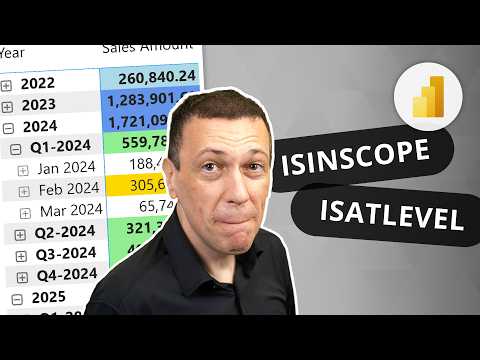
Power BI: ISINSCOPE & ISATLEVEL Tips
Power BI DAX guide on dynamic hierarchy formatting using ISINSCOPE and ISATLEVEL to tailor measures and visuals
Key insights
- Dynamic formatting by hierarchy level: Use two DAX functions—ISINSCOPE and ISATLEVEL—to apply different visual styles depending on which hierarchy level (Year → Quarter → Month → Day) is shown in a Power BI matrix or table.
- Where each function runs: ISINSCOPE runs inside model measures and inspects the query group-by columns, while ISATLEVEL runs in visual calculations and inspects the visual layout, including expanded or collapsed rows.
- Key advantages: This approach gives granular visual control, avoids changing the semantic model when using visual-layer rules (No semantic model changes), and reliably supports hierarchy navigation like expand/collapse (Hierarchy navigation support).
- Implementation pattern: Detect the active level in a visual calculation using ISATLEVEL and map results with a concise SWITCH(TRUE(), ...) pattern to return formatting actions (for example, "Bold" for Year rows, "Italic" for Subcategory, otherwise "Normal").
- Practical steps: Add a visual calculation to your matrix, use ISATLEVEL to check the current level, set conditional formatting rules based on that result, and test drill-down and expand/collapse behavior to confirm visuals update as expected.
- Best practices: Prefer ISATLEVEL for report-layer styling and ISINSCOPE for model-layer logic. Keep level-detection code simple, document whether logic lives in the model or report, and validate behavior during interactive navigation.
Overview: new video from SQLBI highlights dynamic formatting
The newsroom reviewed a recent YouTube video by SQLBI that explains Microsoft’s approach to dynamic formatting by hierarchy level in Power BI. The video focuses on two DAX functions, ISINSCOPE and ISATLEVEL, and shows how they enable conditional styling depending on which hierarchy level is visible. It presents a practical way to change the appearance of cells in matrices or tables when users drill into levels such as Year, Quarter, Month, and Day. As a result, the technique helps authors create clearer reports that adapt visually to user navigation.
How ISINSCOPE and ISATLEVEL differ
The video clarifies that ISINSCOPE runs inside measures in the semantic model while ISATLEVEL is designed for visual calculations at the report layer, so they inspect different “shapes” of the query. Therefore, ISINSCOPE looks at group-by columns returned by the model, whereas ISATLEVEL reads which columns are currently visible in the visual, making it more accurate when rows are expanded or collapsed. The presenters illustrate this distinction with examples showing how each function returns TRUE under different interaction scenarios. Consequently, choosing one over the other depends on whether you want logic to live in the model or remain in the report.
Benefits and tradeoffs of the two approaches
The video highlights clear benefits, including granular visual control and the ability to avoid changing the semantic model when using ISATLEVEL, which streamlines deployment and governance for report authors. However, it also outlines tradeoffs: placing logic in the model with ISINSCOPE can improve reusability across reports but adds maintenance and deployment overhead, whereas keeping logic with ISATLEVEL makes reports easier to tweak but can reduce consistency across a company. Additionally, the presenters note that ISATLEVEL was created to support expand/collapse navigation reliably, yet teams must weigh portability, testing burden, and performance impacts when deciding where to implement rules. Thus, the choice is a balance between central control, flexibility, and operational complexity.
Implementation patterns and common challenges
SQLBI demonstrates practical patterns such as using a SWITCH(TRUE(), ...) structure to apply different styles per level, which simplifies code and avoids nested IF chains. Nevertheless, the video warns of common challenges: visuals that use custom formatting or nonstandard hierarchies may behave unpredictably, and complex models can obscure which layer is responsible for formatting. Moreover, report-level rules can add rendering cost for large visuals, while model-level measures may complicate testing and staging workflows. Consequently, the presenters recommend thorough testing across typical user interactions, especially drill-down and expand/collapse scenarios.
Best practices recommended in the video
To guide practical adoption, SQLBI suggests clear rules: use ISATLEVEL when formatting should stay local to the report and must respond to visual expansion, and use ISINSCOPE when formatting logic belongs to a shared semantic model. They also advise documenting where logic lives and keeping conditional code readable, which helps teams maintain consistent styles and reduces surprises during updates. In addition, the video encourages authors to test both approaches on representative datasets and to consider user expectations for totals and subtotals when designing formats. Ultimately, good governance and a small set of agreed patterns will reduce technical debt.
Practical takeaway and next steps
In summary, the SQLBI video provides a clear, actionable path for applying level-aware formats in Power BI and explains why ISATLEVEL is an important addition to the DAX toolkit for visuals. For teams, the important next steps are to prototype both model- and report-level approaches, measure performance, and document the chosen pattern for consistency. While the video is geared toward practitioners familiar with DAX and Power BI, it also serves as a useful primer for report authors deciding where to put formatting logic. By balancing reuse, performance, and maintainability, organizations can use these techniques to make hierarchical data easier to read and navigate.

Keywords
Power BI dynamic formatting, DAX ISINSCOPE guide, using ISATLEVEL in DAX, conditional formatting by hierarchy level, Power BI hierarchy level formatting, DAX dynamic formatting examples, ISINSCOPE ISATLEVEL tutorial, formatting visuals by hierarchy level