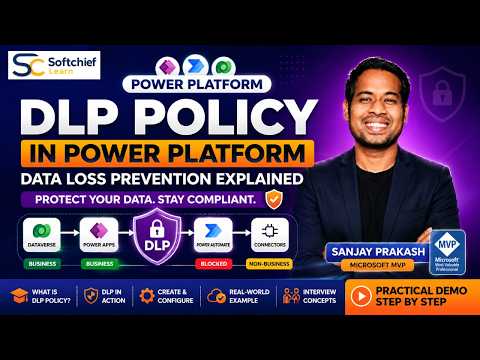
Power Platform DLP: Real-Time Demo
Learn how to take advantage of your business data with Microsoft Dynamics 365 & Power Platform & Cross Technologies. My name is Sanjaya Prakash Pradhan and I am a Microsoft Certified Trainer (MCT) and
Microsoft expert demystifies DLP in Power Platform with Dataverse and Power Automate demo, connectors and controls
Key insights
- DLP Policy: Tenant-level governance that prevents accidental data leaks by restricting which connectors can be used together in Power Apps, Power Automate and related Power Platform experiences.
The video demonstrates these rules in a live Dataverse and Power Automate walkthrough. - Connector Classifications: Microsoft groups connectors as business, non-business and blocked.
Business connectors can combine with other business connectors, non-business connectors must not mix with business ones, and blocked connectors cannot be used. - How Enforcement Works: Policies apply at runtime across regions and block apps or flows that violate connector combinations when makers save or run them.
Environment resources also poll for policy updates, so changes can propagate after publication. - Admin Workflow & Scope: Create a policy by naming it, classifying connectors, choosing scope and target environments, then review and publish.
Scope options include tenant-wide application with selected environment exclusions to support staged rollout. - DLP SDK & Custom Connectors: Microsoft provides a DLP SDK to create, read, update and delete policies programmatically and to manage custom connector classifications.
This helps automate governance and secure custom integrations at scale. - Limitations & Practical Effects: DLP can implicitly block triggers or actions when policies change, and it covers desktop flow action groups too.
Because DLP is a strong tenant-level control, plan policies carefully to avoid unexpected service disruptions.
Summary of the video
The YouTube video by Softchief Learn features Microsoft MVP Sanjay Prakash explaining DLP Policy in the Power Platform with a hands-on demonstration. The session covers core concepts, connector classifications, and a real-world example using Dataverse and Power Automate. In addition, the presenter walks through creating and configuring policies, showing how rules affect apps and flows in real time. Overall, the video aims to help developers, administrators, and consultants understand how to prevent accidental data exposure.
Understanding DLP policies and connector groups
The video emphasizes that a DLP Policy works as a governance guardrail for the Power Platform, defining which connectors can be used and whether they can appear together in the same app or flow. Specifically, Microsoft classifies connectors as business, non-business, or blocked, and the platform enforces these groupings across Power Apps, Power Automate, and desktop flows. Consequently, mixing business and non-business connectors in the same solution is restricted, while blocked connectors are prevented entirely. This model aims to lower the risk of tenants leaking sensitive information to unapproved services.
Moreover, the presenter explains that policies apply at runtime and can be scoped to selected environments, which improves flexibility for large organizations. For example, administrators may apply a strict policy to production environments while allowing more permissive rules in development sandboxes. However, the video also notes that policy changes do not always take effect instantly because environments periodically check for updates. Therefore, teams must plan deployment and expect some delay in policy propagation.
Live demonstration: what the demo shows
In the demo, Prakash builds a simple Power Automate flow that interacts with Dataverse and a third-party connector to illustrate policy enforcement. First, he creates a DLP policy and classifies connectors, then he shows how the platform blocks or allows the flow based on those settings. The live example clearly shows error messages and runtime blocks so viewers can see the immediate impact on makers. As a result, the demo provides practical context that links abstract policy concepts to everyday development tasks.
Additionally, the video highlights new guidance such as the DLP SDK, which allows administrators to create and manage policies programmatically, and the concept of runtime enforcement across regions. These capabilities make automation and large-scale policy management more feasible for enterprise tenants. Still, Prakash points out that some connector action controls can produce unexpected side effects, such as implicitly blocking triggers when actions are blocked. Thus, the demo underscores both the power and the hidden pitfalls of changing DLP settings.
Tradeoffs and operational challenges
Balancing security and productivity presents clear tradeoffs that the video addresses directly. On one hand, tight DLP controls reduce the chance of data leakage and enforce corporate standards; on the other hand, over-restrictive rules can slow development and frustrate makers who rely on certain connectors for legitimate scenarios. Therefore, organizations must weigh the risk of exposure against the cost of reduced agility when setting policy strictness.
Beyond policy design, the video highlights practical challenges such as managing many environments, handling custom connectors, and dealing with delayed policy propagation. For example, classifying a custom connector requires extra governance steps and testing, whereas large tenants may need targeted exclusions for specific environments. In addition, the possibility of unintended side effects means administrators must test changes carefully and communicate with development teams to avoid breaking production flows.
Practical takeaways and recommendations
Prakash recommends planning DLP policies before rollout and using a staged approach to reduce disruption. For instance, teams can pilot rules in a development environment, use the DLP SDK to automate deployments, and then expand scope to production once testing is complete. This staged strategy helps reveal hidden issues such as blocked triggers or connector dependencies before they affect critical processes.
Finally, the video stresses collaboration between security, IT, and maker communities to keep policies effective and practical. Administrators should document policy decisions, provide clear guidelines for connector classification, and offer an approval path for exceptions. By combining thoughtful planning, automated tools, and open communication, organizations can secure their Power Platform estate while preserving developer productivity and minimizing operational pain.

Keywords
Power Platform DLP, Data Loss Prevention Power Platform, DLP policy Power Apps, Power Automate DLP, real-time DLP demo, Microsoft Power Platform security, DLP best practices, configure DLP policies