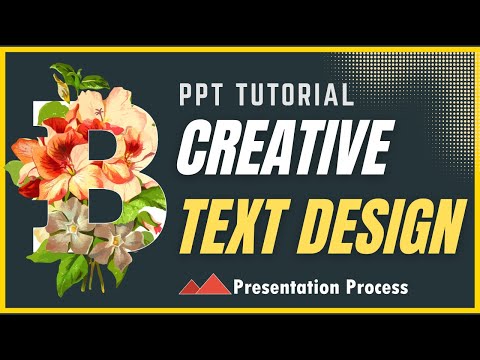
PowerPoint Tricks: How to Create Stunning Bleeding Letter Effects
PowerPoint, Office 365
Key insights
- Bleeding Letters in PowerPoint refer to a creative text effect where the letters appear to blend or "bleed" into the background, making presentations more visually engaging.
- The technique uses Text Manipulation, such as changing font styles, sizes, and colors, to enhance how text interacts with other design elements on the slide.
- Image Integration is key—by inserting and cropping images behind or within text, users can achieve a seamless bleed effect that makes the text stand out while blending with the background.
- Layering is essential for this method; placing text over images or shapes allows presenters to control how much of the image shows through and creates dynamic visual effects.
- This approach increases Customization, letting users match their presentation style or brand identity by experimenting with different fonts, images, and color schemes.
- The use of bleeding letter effects adds Professionalism and creativity to slides, helping presenters capture attention and communicate ideas more effectively during business or academic presentations.
Introduction to Bleeding Letters in PowerPoint
The Presentation Process YouTube channel recently released a video unveiling the "SECRET to Creating STUNNING Bleeding Letters in PowerPoint." This innovative effect allows text to appear as if it is blending or "bleeding" into the background, creating a dynamic and visually compelling presentation. As audiences increasingly expect creative visual elements, techniques like these are becoming essential for anyone aiming to impress in business or academic settings.
While the video provides step-by-step guidance, the broader appeal lies in how this technique leverages PowerPoint's native features to elevate standard slides. The approach involves a mix of text manipulation, image integration, and layering, all of which are accessible to users with basic PowerPoint knowledge.
Understanding the Bleeding Letters Technique
At its core, the bleeding letters effect is about making text interact seamlessly with background images or colors. The method starts with creating an outlined text, then inserting and cropping an image that will serve as the background for the effect. By carefully positioning and layering these elements, presenters can achieve the illusion of text that fades or merges into its surroundings.
This technique stands out because it goes beyond simple formatting. Instead, it encourages users to experiment with different image sources, shapes, and text settings. According to the video, the process is not limited to a single method—alternative approaches can be explored to match the desired aesthetic or message.
Advantages and Tradeoffs of Visual Enhancement
One major advantage of bleeding letters is the immediate improvement in a presentation's visual appeal. Presenters can move away from traditional, static text and instead create a modern, polished look that captures attention. This is especially valuable in professional environments where first impressions can impact outcomes.
However, there are important tradeoffs to consider. While bleeding letters create a striking effect, they require more time and attention to detail than basic text formatting. Additionally, not every topic or audience may benefit from such bold visuals; in some cases, simpler designs might be more effective for conveying information clearly.
Balancing Creativity and Usability
The bleeding letters technique highlights the ongoing challenge of balancing creative ambition with practical considerations. On one hand, presenters are encouraged to push the boundaries of what PowerPoint can do by experimenting with layers, transparency, and custom imagery. On the other hand, such effects must remain readable and not distract from the core message.
Furthermore, accessibility is a factor. Overly intricate designs can pose challenges for viewers with visual impairments or those accessing presentations on smaller screens. Thus, finding the right balance between creativity and usability is key to ensuring that presentations remain effective and inclusive.
Embracing New Presentation Trends
The bleeding letters effect is part of a broader movement toward visual storytelling in presentations. As tools like PowerPoint evolve, users are empowered to communicate ideas in more engaging and memorable ways. The Presentation Process YouTube video demonstrates how even standard office software can be used in innovative ways, encouraging presenters to rethink their approach.
Ultimately, mastering techniques like bleeding letters can set a presenter apart, demonstrating both technical skill and creative vision. However, it's important to remember that design choices should always serve the main purpose: delivering information clearly and effectively while keeping the audience engaged.

Keywords
bleeding letters PowerPoint tutorial stunning text effects PowerPoint secret text design create bleeding text PowerPoint tips and tricks