Copilot Studio: Create AI Assistants
Software Development Redmond, Washington
Microsoft expert unveils building automation and agent flows in Copilot Studio with Microsoft Copilot and Power Platform
Key insights
- Copilot Studio lets teams build and control AI agents that assist with tasks across Microsoft 365 and other systems.
It connects AI to your data and workflows so agents act on real context instead of guessing. - Custom AI Agents let you create domain-specific Copilots tailored to business needs or personal workflows.
You can use low-code/no-code tools or advanced developer options to fine-tune behavior and responses. - Human-in-the-loop features keep people in control by letting users review, guide, or override agent actions.
This oversight improves trust and reduces risky or incorrect automation outcomes. - Power Platform integration enables Copilot Studio to link data, apps, and services into multi-step automated workflows.
That connection helps teams automate complex processes while keeping data and logic consistent. - Agent Creators Community offers a place to share templates, best practices, and real-world examples for building better agents.
Community exchange speeds adoption and helps builders avoid common mistakes. - Automation and Productivity gains include faster task completion, smarter document and email handling, and more consistent business processes.
Microsoft continues to expand on-device AI and deeper product embedding to improve speed, privacy, and reliability.
Overview
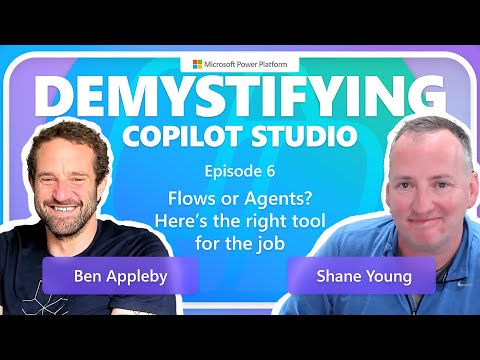
Microsoft’s recent blog post previews the YouTube episode titled Demystifying Copilot Studio | SE04 EP06, which premiered on October 1, 2025. The episode features host Charles Drayton with guests Ben Appleby and Shane Young, and it closes the fourth season of the series by focusing on practical guidance for building automations. In particular, the discussion centers on what Copilot Studio can do, and how to design effective agent flows that balance automation with human oversight.
Moreover, the post frames Copilot Studio as an extension of the Microsoft Microsoft 365 Power Platform that helps organizations connect AI to their own data and workflows. It emphasizes a mix of low-code tools for business users and advanced customization for developers, which Microsoft positions as a way to scale intelligent assistants across teams. Consequently, the episode aims to translate technical capabilities into real-world practices for builders and decision makers.
What Copilot Studio Enables
Copilot Studio allows users to create tailored AI agents, or Copilots, that perform routine and multi-step tasks across Microsoft 365 and connected systems. The studio supports natural language interaction while letting teams link models to internal data, API endpoints, and workflow triggers, which improves context and relevance. Therefore, organizations can move from isolated AI experiments to integrated assistants that help with scheduling, document work, and data analysis.
Additionally, the platform offers a human-in-the-loop model to maintain control and build trust, enabling users to monitor and step in when necessary. This balance of automation and oversight seeks to reduce errors and improve accountability while still saving time on repetitive work. As a result, the system is designed to fit into existing processes rather than replace human judgment entirely.
Highlights from the Season Four Finale
In the finale, Microsoft’s hosts and guests examine the practicalities of designing reliable agent flows, showing patterns that handle branching decisions, error recovery, and human approvals. They also spotlight recent features that support deeper customization, such as the ability to integrate custom GPT models and tune how agents select resources. Consequently, the episode moves beyond theory to show concrete examples and tradeoffs that builders face during deployment.
Furthermore, the series underscores improvements to trust and governance, including clearer ways to keep humans involved and to trace agent actions. The show also notes that on-device AI advances—highlighted by compute platforms optimized for local AI—can help with responsiveness and privacy for certain workloads. However, the hosts caution that not every scenario benefits equally from local models, and that designers must choose between speed, cost, and data control.
Tradeoffs and Practical Challenges
Designing agent flows requires balancing customization with complexity because more tailored agents usually need more setup, testing, and maintenance. For example, connecting to legacy systems may improve functionality but introduces integration work and ongoing monitoring demands. Meanwhile, increased customization raises questions about version control, model drift, and the resources required to keep agents accurate over time.
Another key tradeoff involves data handling: cloud models can offer greater scale and regular updates, while on-device processing can improve latency and privacy but may limit model size and features. Consequently, teams must weigh performance, cost, and compliance concerns when deciding where agents run and how they access sensitive data. In short, effective adoption depends on clear governance, careful testing, and realistic expectations about where automation helps most.
Community and Future Outlook
The blog also invites builders to join the Agent Creators Community, which Microsoft positions as a space to share patterns, troubleshoot issues, and accelerate learning. By encouraging collaboration, Microsoft signals that adoption will depend not only on product features but also on shared best practices and community support. Thus, early adopters can benefit from open exchanges while feeding improvements back into the platform.
Looking ahead, Microsoft frames Copilot Studio as part of a broader push to embed AI more deeply into productivity tools, which could reshape how teams work over time. Nevertheless, successful rollout will hinge on managing tradeoffs between automation and control, addressing integration complexity, and investing in governance and user training. Therefore, organizations that adopt a measured, user-centered approach are more likely to capture the benefits while containing risk.

Keywords
Copilot Studio tutorial, Microsoft Copilot Studio, Build custom copilots, Copilot Studio demo, Copilot Studio features, Copilot Studio walkthrough, AI copilots for business, Copilot Studio best practices