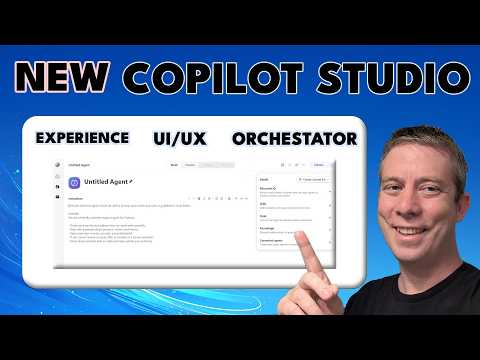
NEW Copilot Studio: 2026 Orchestrator & UX
Currently I am sharing my knowledge with the Power Platform, with PowerApps and Power Automate. With over 8 years of experience, I have been learning SharePoint and SharePoint Online
Copilot Studio Orchestrator preview revamps UI and automates PowerPoint templates Skills.md driven content and invoices
Key insights
- Copilot Studio Orchestrator (preview): Microsoft released the new orchestrator in preview, built on the former Enhanced Task Completion layer.
Andrew Hess’s video demos the differences from the old system and shows three practical agent examples used for content creation. - Generative orchestration: New agents default to a model that chooses the best mix of tools, knowledge, topics, and other agents to complete tasks.
Admins can still force classic orchestration, and Microsoft reports ~20% better evaluation performance and ~50% lower net token use in the upgraded AI stack. - Redesigned workflows visual designer: The updated UI puts end-to-end automation on a single, intuitive canvas so creators see actions, decisions, and AI steps together.
The Tools tab now includes an immersive Prompt Builder, plus prompt moderation and clearer agent lifecycle status for testing and governance. - Key capabilities: The platform now supports generally available multi-agent systems, computer-using agents that operate on websites and desktop apps, workflow embedding, real-time Teams meeting access, and broader app SDK integration.
These features let agents coordinate across services and handle UI-driven tasks without APIs. - Practical advantage: Copilot Studio shifts from a chatbot builder to an enterprise automation control plane, improving resilience to UI changes, governance, and end-to-end process reliability.
Teams gain better cost and execution stability for multi-step business processes. - Demo highlights and evaluation tips: Video demos include creating PowerPoints from templates, using Skills.md files, and populating invoices.
Test agents in the preview environment, check lifecycle and moderation settings, and monitor token and performance metrics when evaluating adoption.
Introduction: Video Overview and Context
In a recent YouTube video, Andrew Hess - MySPQuestions presents a practical introduction to the newly previewed Copilot Studio Orchestrator release. He frames the update as a major shift toward a governed agent platform with a redesigned visual experience for building automation and agents. Consequently, the video focuses on both the architecture changes and hands-on demos that show how the updated system behaves in real scenarios.
Moreover, Hess breaks the content into clear chapters and three applied examples, which makes the new features easier to evaluate. The chapters include an introduction, descriptions of what’s different, and three demos: PowerPoint generation, using a Skill file, and invoice population. Therefore, the video serves as a useful practical guide for teams assessing Copilot Studio for enterprise automation.
What’s New: Orchestration and UI/UX Changes
First, the video outlines how the 2026 orchestrator replaces older trigger-based logic with what Microsoft describes as generative orchestration. In this mode, an agent can select the best mix of tools, knowledge sources, and other agents to complete a task, which offers more flexibility than classic orchestration. Furthermore, Andrew highlights claimed platform improvements such as better evaluation performance and lower token consumption, which aim to improve reliability and reduce operational cost.
However, the UI/UX changes are equally important, as Hess demonstrates a redesigned workflows UI/UX that unifies agent building, testing, and automation on a single canvas. In addition, the new immersive Prompt Builder and clearer lifecycle states reduce context switching during development and help teams track agent readiness. Thus, the update tries to deliver both technical efficiency and a more approachable visual design for creators and IT staff.
Practical Demos: PowerPoint, Skills, and Invoices
Next, the video walks through three concrete examples to show capabilities in action. First, Hess demonstrates creating PowerPoint presentations from a template, showing how an agent can populate slides while respecting template constraints and layout. Then, he uses a skills.md file example to show how skills and prompts can be modularized for reuse across agents, which simplifies maintenance and encourages consistency.
Finally, Hess populates invoices in an end-to-end flow, combining data retrieval, formatting, and validation steps into a single orchestrated run. These demos illustrate how agents can chain actions, call tools, and coordinate with other agents to complete multi-step business tasks. Consequently, viewers get a tangible sense of the system’s strengths and the kinds of processes it can automate.
Tradeoffs: Flexibility Versus Control
While generative orchestration increases flexibility, it also introduces tradeoffs that teams must manage carefully. For example, letting agents autonomously choose tools can improve efficiency, but it may complicate auditability and deterministic behavior for regulated workflows. Therefore, enterprises will need to balance autonomy with governance controls, and may sometimes choose to revert to classic orchestration for stricter predictability.
Additionally, the new visual designer improves discoverability, yet it can create a learning curve for teams used to script-based automation. Moreover, features like computer-using agents extend automation where APIs don’t exist, but they can be fragile when UIs change. Ultimately, organizations must weigh faster development and broader reach against the need for robust testing, monitoring, and fallback strategies.
Challenges and Governance Considerations
Andrew Hess emphasizes governance, lifecycle visibility, and prompt moderation as critical areas for adoption success. In particular, prompt safety and content moderation settings are essential to reduce risk when agents generate content or access sensitive data. Consequently, IT teams must build monitoring and approval processes to catch issues early and to ensure agents meet compliance requirements.
Moreover, multi-agent coordination and runtime complexity demand stronger observability and cost controls. Although the orchestrator claims reduced token usage and improved evaluation speed, teams still face tradeoffs between richer capabilities and potential cloud costs. Therefore, testing, cost budgeting, and performance measurement should become part of any rollout plan.
What to Watch For and Final Takeaways
In summary, the YouTube video by Andrew Hess - MySPQuestions provides a hands-on look at a Copilot Studio that is shifting from a chatbot orientation toward an enterprise automation control plane. As a result, teams can expect a more integrated design surface, generative orchestration by default, and new tools for prompt authoring and lifecycle management. These changes make the platform more powerful, though they also introduce governance and operational complexities that require planning.
Therefore, organizations evaluating this preview should test core scenarios—such as template-driven document creation, skill reuse, and UI-based automation—while paying attention to governance features and cost behavior. In doing so, they can better understand the tradeoffs and prepare controls that balance flexibility, reliability, and compliance. Ultimately, Hess’s demos offer a clear starting point for teams deciding whether to adopt the new orchestrator in production workflows.

Keywords
Copilot Studio 2026, Copilot Studio orchestrator, Copilot Studio UI UX, Microsoft Copilot Studio update, Copilot Studio new features 2026, Copilot Studio Orchestrator guide, Copilot Studio design system, Copilot Studio integration APIs