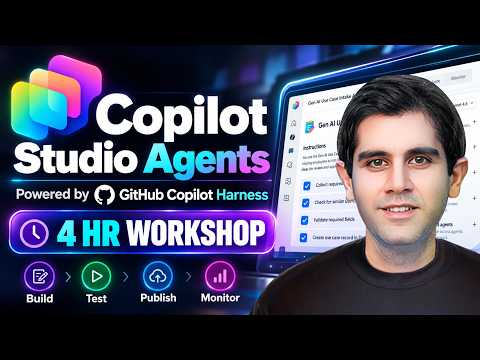
Copilot Studio Agents: Hands-On Workshop
Principal Program Manager at Microsoft Power CAT Team | Power Platform Content Creator
Microsoft expert: build, test and publish Copilot Studio agents with GitHub Copilot Harness and monitoring
Key insights
-
GitHub Copilot Harness workshop: a 4-hour hands-on session that shows how to build and run production-ready agents.
You will follow the full lifecycle: Build → Test → Evaluate → Publish → Monitor. -
Authoring model: the studio now uses a natural-language-first and instruction-driven approach that focuses on clear instructions instead of topic-based flows.
This makes it easier to describe agent behavior in plain language and iterate quickly. -
Agent capabilities: the harness supports long, multi-step work and richer automation using memory, skills, tools, workflows, and connected agents.
Agents can coordinate across tools and files to complete real business processes. -
New authoring UI and runtime: the experience includes Build / Preview / Evaluate / Monitor tabs and an enhanced orchestration runtime for testing and debugging.
Microsoft also distinguishes the harness comparison between GitHub Copilot, standard, and Copilot chat options. -
Updated training path: the Recruit NextGen course refresh focuses on hands-on missions and shows how agents plan multi-step work and recover from failed actions.
Missions use practical scenarios (for example IT support) to teach agent mechanics. -
Requirements and prep: you need a Microsoft 365 Developer tenant, access to Copilot Studio, a Microsoft 365 Copilot license, and available Copilot Credits in the tenant.
Familiarity with SharePoint, Power Platform, or Power Fx helps but is optional.
Overview
The YouTube video by Reza Dorrani presents a four-hour, hands-on workshop that explores building agents in Copilot Studio using the GitHub Copilot harness. The session emphasizes a natural-language-first approach and walks viewers through a full agent lifecycle from creation to monitoring. Moreover, the workshop focuses on how agents can manage multi-step work by combining models, tools, memory, and connected agents. As a result, the video serves as both a practical demo and a guided learning path for makers and developers.
Core Workshop Content
Reza demonstrates how to author agent behavior by shaping instructions, grounding with knowledge, and wiring tools and skills so agents can complete real tasks. He shows how the harness encourages designers to think about workflows, reusable skills, and memory rather than only topic-based conversations. The workshop follows a clear cycle of Build / Preview / Evaluate / Monitor, illustrating testing and iteration in a single environment. Therefore, viewers get hands-on exposure to both authoring and runtime concerns.
What’s New in the Harness Model
The video highlights several fresh features in the GitHub Copilot harness, including enhanced orchestration, support for memory, and the ability to connect multiple agents and skills. Reza compares this experience with the standard and Copilot chat harnesses, explaining when the newer harness makes more sense for longer, tool-heavy tasks. He also walks through UI changes that streamline the authoring flow and make testing and evaluation more visible. Consequently, the harness is positioned as a stronger option for end-to-end automation rather than simple conversational bots.
Tradeoffs and Practical Challenges
While the new harness offers more power, it also introduces complexity that teams must manage carefully, and Reza addresses these tradeoffs in the workshop. For instance, designing natural-language-first instructions provides flexibility, but it can make debugging harder when an agent takes unexpected steps across tools or skills. In addition, grounding with knowledge or retrieval-augmented generation improves factual accuracy, yet it raises questions about data governance and latency that designers must balance. Thus, the video stresses that makers should plan for testing, observability, and access controls up front.
Testing, Monitoring, and Iteration
Reza spends notable time on practical testing strategies and monitoring agent execution to catch failures early and understand behavior over time. He demonstrates how to preview flows and evaluate outcomes, and he explains how monitoring helps reveal when agents drift from expected behavior or when external tools fail. This focus on observability reflects a shift from prototype chat experiments to production-ready automation where reliability matters. Therefore, teams should allocate time to build test cases, create meaningful evaluation metrics, and maintain ongoing monitoring practices.
Deployment Considerations and Resource Needs
The workshop clarifies the operational requirements for running these agents, including tenant setup, licensing, and resource planning that organizations must consider before rolling out agents. Reza notes that a Microsoft 365 tenant with proper services enabled, a Copilot license, and available computation credits are often necessary to complete end-to-end scenarios. Furthermore, teams must weigh the cost of compute and Copilot credits against the productivity gains these agents can deliver. Consequently, project leaders should create a clear cost-benefit view before committing to a broad deployment.
Who Should Attend and Learn from It
The content is most useful for developers, makers, and technical product owners who need to build agents that orchestrate multiple tools and complete complex tasks. Reza’s step-by-step format helps intermediate users move from proof-of-concept to more robust prototypes by showing concrete examples and pitfalls. Beginners will benefit from structured missions like the updated training path labeled Recruit NextGen, while experienced teams will appreciate the deeper orchestration and monitoring guidance. Thus, the workshop targets a wide range of practitioners with different goals.
Final Takeaways
In sum, the video by Reza Dorrani provides a practical introduction to building modern agents in Copilot Studio with the GitHub Copilot harness, balancing hands-on demos with design guidance. It highlights the key tradeoffs between flexibility and complexity, stresses the importance of testing and monitoring, and outlines the operational prerequisites for production use. Viewers leave with a clear sense of the new authoring model and a realistic view of the effort required to make agent-driven automation reliable. Overall, the workshop is a useful resource for teams exploring next-generation agent development.

Keywords
copilot studio agents, github copilot agents, copilot harness workshop, hands-on copilot studio tutorial, github copilot hands-on workshop, copilot agents tutorial, copilot studio training, copilot studio for developers