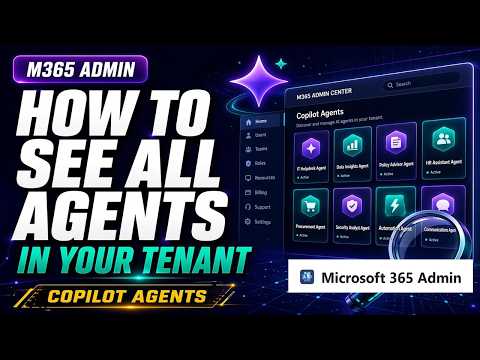
Copilot: View All Admin Agents in Tenant
M365 Adoption Lead | 2X Microsoft MVP |Copilot | SharePoint Online | Microsoft Teams |Microsoft 365| at CloudEdge
Expert guide to list Copilot agents for tenant visibility governance and compliance in Microsoft Three Sixty Five Admin
Key insights
- Copilot Microsoft 365 Admin Agent now lets admins view and list all agents across a tenant, turning scattered agents into a searchable agents inventory that is discoverable and manageable.
- Find agents in the Microsoft 365 admin center under Copilot (look for Agents or the newer Agents & connectors hub); use the Copilot Control System for data access and finer agent settings.
- Admins can see many agent types: Microsoft-built agents, partner/third‑party agents, custom agents from Copilot Studio, shared agents, admin‑published agents, and early frontier agents for testing.
- The inventory shows key fields like agent name, creator, creation date, host products, and availability status, and supports filters (e.g., available to all users, no users, or missing owner) for cleanup and governance.
- Use the usage report in Reports > Usage > Microsoft 365 Copilot > Agents to track adoption, but note a current limitation: it does not include usage for Microsoft‑built or partner agents.
- Better visibility improves governance, security, and compliance: you can identify unused or duplicate agents, block unsafe agents, and run stronger lifecycle management—you can’t manage what you can’t see.
A recent YouTube video from Ami Diamond [MVP] offers a clear walkthrough of a new administrative capability in Microsoft’s Copilot environment, and this article summarizes his demonstration for newsroom readers. In the video, Ami, who is a man and an established Microsoft-focused expert, shows how administrators can now view and list all agents across a tenant from the admin console. Consequently, this change promises improved governance and visibility for organizations that are scaling Copilot and custom agent deployments. The walkthrough highlights practical navigation steps and explains why the feature matters for security, compliance, and lifecycle management.
What the Video Shows
First, Ami guides viewers through the Microsoft 365 admin center to reach the new Agents inventory, demonstrating clicks and menu paths so admins can replicate the process. Then he explores the newer Agents & connectors hub that centralizes many types of agents, including Microsoft-built, partner, custom, shared, and admin-published agents. The video pauses on key screens to explain fields such as creator, creation date, host products, and availability status, which helps administrators assess each agent at a glance. Overall, the demo is step-by-step and aimed at helping admins adopt the feature quickly while avoiding common navigation pitfalls.
Inventory Details and Practical Insights
During the walkthrough, Ami points out useful filters that let admins find agents available to all users, agents with no users, or agents that lack an owner, and he explains why those filters matter for cleanup efforts. Furthermore, he highlights the ability to identify unused or duplicate agents, which supports better adoption tracking and lifecycle decisions. He also shows how the interface flags blocked or deployed agents, thereby simplifying the task of enforcing organizational policies. As a result, admins gain a clearer picture of where AI is active across the tenant and which assets need attention.
Reporting Capabilities and Current Limits
The video also covers the built-in usage reporting available from the admin center, where admins can view adoption metrics on the Microsoft 365 Copilot usage pages and the specific Agents tab. However, Ami stresses an important limitation: the current usage report does not include agents built by Microsoft or by partner providers, which can leave gaps in a complete adoption view. Because of this, organizations may need to combine the new inventory screens with other monitoring tools or vendor reporting to create a full picture of agent activity. Consequently, teams must balance the convenience of the centralized inventory against the need for additional data sources to ensure comprehensive oversight.
Governance Tradeoffs and Challenges
Centralizing agent visibility brings clear governance benefits, yet it also surfaces tradeoffs that administrators must manage, such as the tension between enabling innovation and enforcing control. For example, blocking or restricting agents improves security and compliance but can slow user-driven experiments that drive adoption, whereas a permissive posture can accelerate innovation while increasing risk. Additionally, scaling this oversight creates administrative overhead: identifying owners, cleaning up orphaned agents, and maintaining accurate metadata requires effort and clear processes. Therefore, organizations should weigh these tradeoffs carefully and align governance choices with business priorities.
Actionable Steps for Administrators
Finally, Ami’s video offers practical recommendations that administrators can apply immediately: use the inventory filters to find agents that have no users or missing owners, review where agents are available to users, and block any agents that pose compliance concerns. Additionally, admins should integrate the new Copilot Control System settings to manage data access and to set clearer guardrails for custom agents created in Copilot Studio. In short, combining the centralized inventory with policy-driven workflows and periodic reviews can reduce risk while supporting responsible Copilot adoption.
In conclusion, Ami Diamond’s recorded demonstration makes a persuasive case that visibility is a prerequisite for managing Copilot at scale. Although limitations remain—particularly around usage data for Microsoft and partner agents—the new inventory and centralized experience represent a meaningful step toward discoverable and governable agents. Consequently, this capability helps organizations move from a fragmented state where “agents are everywhere, but hard to track” toward a more controlled environment where agents are manageable and auditable. Administrators who follow the practical steps shown in the video will be better positioned to balance governance, security, and innovation across their tenant.

Keywords
Copilot Microsoft 365 Admin agent, Microsoft 365 Copilot agents, See all agents in tenant, View Copilot agents tenant, Manage Copilot agents in Microsoft 365, List Copilot agents in tenant, Copilot admin center agents view, Find Copilot agents in tenant