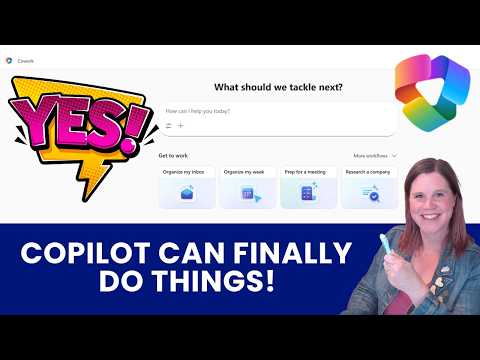
Copilot Cowork: Beginners Tutorial
Evangelist at Barhead Solutions | Microsoft Business Applications MVP | Content Creator
Microsoft expert guide to Copilot Cowork: AI delegation in Teams Outlook calendar Word PowerPoint and branding
Key insights
- Copilot Cowork is an autonomous Microsoft 365 agent that does work for you, not just chat about it.
It breaks multi-step requests into actions and runs them across Outlook, Teams, Calendar, Word and PowerPoint. - Frontier program and licensing control access: Cowork is available through Microsoft’s preview programs and requires the right Microsoft 365 plan.
Users can find and pin Cowork in the app bar once they have access. - AI delegation follows a clear four-step workflow:
1) Describe the task with files or context, 2) Watch Cowork break the work into steps, 3) Interrupt, steer, or pause anytime, 4) Approve significant actions before they run. - Cross-app actions cover communication, calendar and content: Cowork drafts and sends Outlook emails, posts to Teams, schedules meetings, builds Word docs and PowerPoint decks, applies branding, and organizes files in OneDrive or SharePoint.
It can also search company resources and pull content into outputs. - User control protects outcomes: Cowork shows each step in the conversation, asks for approval before major actions, and lets you modify or cancel tasks on the fly.
This keeps transparency and reduces accidental changes. - Time savings and practical testing: Automating repeat workflows can cut hours of manual work.
Try Cowork on routine items (meeting recaps, weekly planning, slide builds) and check where outputs save (OneDrive/SharePoint) to validate results.
Introduction
In a recently published tutorial-style YouTube video, Lisa Crosbie [MVP] walks viewers through Copilot Cowork, a new Microsoft 365 experience that moves beyond suggestion to actual task execution. She presents hands-on examples from her daily work to show how the tool breaks down requests and performs multi-step workflows across Microsoft 365 apps. This article summarizes the video for editorial use, highlighting practical takeaways and balanced analysis for readers considering trial or adoption.
What Copilot Cowork Does
Crosbie explains that Copilot Cowork acts as an autonomous agent inside Microsoft 365 Copilot that performs tasks rather than just producing text. It can draft and send emails, post to Teams, schedule events, create documents, and reorganize files by pulling content from your organization's resources. The video emphasizes that Cowork decomposes complex requests into steps and shows progress in the conversation thread, which preserves transparency.
Importantly, Crosbie stresses that the tool pauses before high-impact actions—such as sending messages or scheduling meetings—to request approval. This design aims to balance automation with user control, letting people steer or interrupt the agent as needed. She also notes the large context window that accepts detailed instructions and attachments to give Cowork the necessary context to act effectively.
How It Works: Walkthrough Highlights
The tutorial outlines a clear four-step workflow: describe the task, watch Cowork work, interrupt or steer as needed, and approve critical actions. Crosbie demonstrates attaching files, asking Cowork to build slide decks, and applying branding templates automatically in PowerPoint. She shows the agent pulling content from shared repositories like SharePoint and OneDrive and integrating findings into outputs, which illustrates how the system leverages enterprise content.
She also differentiates between traditional chat interactions and AI delegation, where Cowork takes ownership of execution. The video highlights built-in prompts and starter templates to speed common tasks and shows the Cowork home screen for managing active tasks. These practical examples make the workflow tangible and suggest how the tool can reduce manual steps in typical knowledge-worker scenarios.
Access, Licensing, and Practical Setup
Crosbie covers access routes, noting early availability through the Frontier program and that licensing controls who can use Cowork in an organization. She explains how administrators and users find and pin the Cowork experience within Microsoft 365, and she points out that some features require specific entitlements. The setup notes are practical: companies should plan licensing, pilot groups, and governance before broad rollout.
She also discusses where Cowork saves outputs and how files are organized, which matters for compliance and audit trails. Since the agent interacts with mailboxes, calendars, and files, IT teams must set clear policies about what Cowork may access and act on. Thus, deployment planning should include permissions, retention, and review processes to avoid surprises.
Real-World Examples and Benefits
Crosbie demonstrates several real-world use cases including organizing a week of meetings, generating Word documents and PowerPoint decks, and applying corporate branding automatically. These examples show clear time savings by eliminating repetitive formatting and cross-app copying. She reports having used Cowork in daily work for weeks and calls it one of the most significant advances since Copilot launched.
Beyond time savings, Cowork can enforce consistency by using branded templates and pulling authoritative content from enterprise sources. This reduces manual errors and helps scale repeatable processes, especially for communications and reporting. However, successful use depends on well-structured templates and accurate source documents to feed the agent.
Tradeoffs and Challenges
Despite its promise, Crosbie acknowledges tradeoffs. Increasing autonomy can speed work, yet it raises governance, security, and trust concerns that organizations must manage. Teams must decide how much discretion to give the agent, weigh potential efficiency gains against risks of incorrect actions, and implement approval gates where needed.
Operational challenges include integrating Cowork across complex environments, handling edge cases the agent cannot resolve, and training it with the right prompts and skills. Organizations will also face cost and licensing tradeoffs, balancing broad access against budget constraints. Therefore, phased pilots, clear metrics, and user training are essential to realize benefits while limiting exposure.
Implications and Next Steps
Crosbie closes by asking what should be tested next and encouraging practical experiments within real workflows. For organizations, the sensible path combines small pilots, close oversight, and iterative adjustments to prompts, templates, and approvals. Over time, managed adoption can unlock sustained productivity gains while keeping control over sensitive operations.
In summary, Lisa Crosbie’s tutorial offers a clear, balanced introduction to Copilot Cowork, highlighting both the tool’s practical power and the governance questions it raises. Her hands-on examples and setup tips will help teams plan pilots and weigh tradeoffs before wider deployment.

Keywords
Microsoft Copilot Cowork tutorial, Copilot Cowork beginners guide, how to use Copilot Cowork, Copilot Cowork walkthrough, Copilot Cowork tips and tricks, Microsoft Copilot tutorial for coworkers, Copilot Cowork training, Copilot productivity tips for coworkers