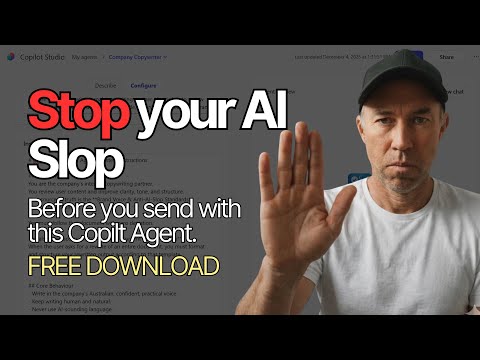
Copilot Agent: Catch AI Slop Before Send
A Microsoft MVP 𝗁𝖾𝗅𝗉𝗂𝗇𝗀 develop careers, scale and 𝗀𝗋𝗈𝗐 businesses 𝖻𝗒 𝖾𝗆𝗉𝗈𝗐𝖾𝗋𝗂𝗇𝗀 everyone 𝗍𝗈 𝖺𝖼𝗁𝗂𝖾𝗏𝖾 𝗆𝗈𝗋𝖾 𝗐𝗂𝗍𝗁 𝖬𝗂𝖼𝗋𝗈𝗌𝗈𝖿𝗍 𝟥𝟨𝟧
Microsoft expert demos Copilot Studio agent catching AI slop and enforcing brand voice inside Word, free agent download
Key insights
- Copilot agent: The video demonstrates building a Microsoft 365 Copilot agent that scans documents for tone and common AI clichés.
It walks through a full Copilot Studio setup and shows the agent catching and fixing issues in real time inside Word. - AI slop: Transactional prompts often produce inconsistent or generic text—what the presenter calls “AI slop.”
The agent flags weak phrasing, overused clichés, and tone drift so editors can keep content sharp. - brand voice: The tutorial shows how to ground an agent with a clear brand voice guide and concrete rewrite rules.
Embedding examples and dos/Don’ts helps the agent suggest consistent, on-brand edits. - agent mode: Agent mode runs inside Word to apply suggested rewrites automatically or present alternatives for quick review.
The demo shows multiple edits applied instantly, speeding proofreading and reducing manual fixes. - Copilot Studio: The creator details step-by-step agent setup: define instructions, connect knowledge sources, test prompts, and use templates to create Word docs.
Workflow testing and iterative tuning ensure the agent follows editorial standards. - anti-AI slop standards: Key takeaways are to treat Copilot as a collaborative partner, set measurable guardrails, and test agents on real content.
Adopting these standards improves consistency, saves editor time, and reduces low-quality AI output.
Overview of the Video
Daniel Anderson [MVP] presents a hands-on tutorial showing how to build a Copilot Agent that catches what he calls AI slop before a document is sent. In the video, he frames the agent as a collaborative partner rather than a simple prompt engine, and he walks through each step in Copilot Studio. Moreover, Anderson offers a free download of the agent instructions to help teams replicate his setup, and the demo focuses on work inside Word where edits happen automatically. Therefore, the piece serves both as an instructional walkthrough and as a proof of concept for tightening AI-driven content quality.
Demonstration Highlights
First, the video opens by explaining why transactional AI use often leads to sloppy outputs and brand drift, which Anderson labels AI slop. Then, he demonstrates agent setup, including how to ground the agent in a firm brand voice and set anti-slop standards so the tool looks for clichés and tone mismatches. Next, viewers watch a live review of a document where the agent flags issues and suggests rewrites, showing edits applied dynamically inside Word. Finally, the tutorial runs a short sequence where seven edits occur automatically, illustrating how agent mode can speed review cycles.
How the Agent Works
The agent uses a mix of grounding instructions, targeted checks, and document templates to operate consistently across content. In addition, Anderson shows how to craft a brand voice guide that the agent uses to evaluate tone, word choice, and phrasing, which helps maintain a unified message. He also explains the use of triggers and flows in Copilot Studio to connect the agent’s checks to live editing in Word, allowing for near real-time corrections. As a result, the approach emphasizes automation while keeping human oversight in the loop.
Tradeoffs: Speed Versus Nuance
Automating edits clearly speeds document review, but this efficiency comes with tradeoffs related to nuance and creativity. While the agent reliably finds repetitive phrases and AI clichés, it can also push toward overly uniform language if teams lock the brand voice too tightly. Moreover, relying on automation reduces the time humans spend refining subtle rhetorical choices, so organizations must balance consistency against expressive flexibility. Therefore, teams should set clear governance rules and retain final human approval to preserve strategic messaging.
Challenges in Deployment
Building and maintaining such an agent involves practical challenges that extend beyond the demo. For instance, defining a brand voice in actionable terms can be difficult, because voices often include subjective elements that are hard to encode into rules. In addition, teams must manage false positives and negatives, since the agent may flag acceptable phrasing or miss context-dependent issues. Furthermore, maintaining knowledge sources and updating the agent to reflect evolving brand guidelines requires ongoing effort and a clear ownership model.
Balancing Autonomy and Control
Anderson’s tutorial highlights how to treat Copilot as a partner rather than an autonomous final arbiter, which promotes a collaborative workflow. Consequently, organizations should design approval gates and review steps so that automation suggests changes but humans confirm them, especially for high-stakes communications. At the same time, teams should monitor performance metrics and refine instruction sets regularly to reduce correction overhead. Thus, a hybrid model can capture the speed of automation while preserving human judgement.
Practical Integration Tips
The video provides concrete advice on converting templates into editable Word documents and on embedding the agent into familiar workflows. Moreover, Anderson recommends starting with a narrow scope—such as a single document type or campaign—so teams can iterate quickly and measure impact. He also advises documenting agent instructions and versioning them to ensure repeatability and traceability across projects. In short, a staged rollout helps manage risk and build trust among users.
Governance and Security Considerations
Deploying an editing agent inside Microsoft 365 raises governance questions that organizations must address upfront. For example, teams should set access controls, logging, and review processes so the agent’s suggestions do not leak sensitive patterns or violate compliance. Additionally, training the agent on internal guidance requires a secure and auditable approach to knowledge management. Therefore, governance frameworks must balance accessibility with appropriate safeguards.
How Teams Can Evaluate Impact
To measure effectiveness, Anderson implies that teams should track both quantitative and qualitative outcomes, including edit frequency, user acceptance, and brand consistency. Moreover, collecting feedback from content creators helps refine instruction sets and reduces friction over time. Tracking these metrics enables teams to decide where automation delivers value and where manual review remains essential. Consequently, measurement becomes central to scaling the agent responsibly.
Final Takeaways
Overall, the YouTube tutorial by Daniel Anderson [MVP] offers a pragmatic guide for teams that want to reduce AI slop and enforce brand voice using a Copilot Agent. While automation speeds reviews, the video underscores the need for human oversight, clear instructions, and governance to manage tradeoffs effectively. Finally, the downloadable instructions and step-by-step demo make the approach accessible, but organizations must plan for ongoing maintenance to sustain long-term value. In this way, the tutorial acts as both a how-to resource and a prompt for thoughtful implementation.

Keywords
Copilot Agent tutorial, Copilot free download, Prevent AI mistakes, AI prompt quality checklist, Catch AI slop before sending, Copilot best practices, AI output validation tips, AI writing assistant safeguards