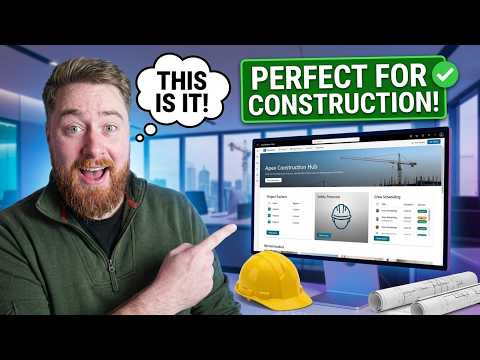
SharePoint Setup Construction Teams Love
SharePoint intranet for construction: project tracker, document control, Teams and OneDrive, Microsoft cloud expertise
Key insights
- This summary covers a YouTube tutorial that demonstrates a tailored SharePoint site for construction teams; the notes describe the video and are not authored by the presenter.
- The setup uses Document libraries with metadata, versioning, and co‑authoring to store drawings, RFIs, safety files, and contracts; metadata (Phase, Trade, Status) speeds search and reduces mistakes.
- A Project tracker and templated project folders standardize job setups, speed onboarding, and make it fast to find project files; SharePoint lists and Power Apps capture field inspections and issue logs.
- Integrations with Microsoft Teams, Power Automate, and Power BI embed chat, automate approvals, and show live dashboards; built‑in AI features can summarize RFIs and generate safety checklists.
- Mobile access via the SharePoint app and OneDrive sync supports offline photos and site check‑ins, while role permissions, sensitivity labels, and retention rules protect documents and support compliance.
- Benefits include fewer emails, faster RFI resolution, lower admin time, and better on‑site access to critical files; the solution scales from small jobs to large portfolios and improves daily operations.
Introduction
The YouTube video by Dougie Wood [MVP] demonstrates a practical SharePoint intranet tailored for construction companies. In the clip, he walks viewers through a purpose-built site that organizes project folders, supports document control, and improves on-site communication. Overall, the presentation highlights how a configured SharePoint site can act as a central hub for project teams, subcontractors, and office staff.
Rather than a generic tutorial, the video focuses on real-world features that construction teams use daily, such as toolbox talks, project trackers, and templated folders. Dougie explains the layout and shows how quick navigation and mobile access matter in the field. Consequently, the setup aims to reduce admin overhead and speed up routine tasks.
Design and Core Features
The site design in the video emphasizes clear structure and metadata-driven libraries. Dougie demonstrates custom columns and content types so drawings, RFIs, and safety files are easy to find and filter, and he shows how consistent naming prevents confusion across projects.
In addition, the setup integrates with Microsoft 365 tools such as Power Apps, Power Automate, and Teams to streamline workflows and notifications. For example, automated approval flows can route change orders to the right approver, while mobile-friendly forms capture site reports. These integrations help teams act faster and keep records auditable.
The video also highlights a project tracker and dashboard approach that surfaces status at a glance. Dashboards pull key metrics and recent documents so managers see delays or missing approvals immediately. By combining lists, dashboards, and news announcements, the site balances daily operations with portfolio-level visibility.
How It Helps Construction Teams
Practically, the setup cuts down on email noise and lost documents by centralizing information where teams already work. Dougie shows that site teams can open necessary manuals, toolbox talk documents, and safety files on a phone or tablet, improving compliance and response time on site. As a result, teams spend less time searching and more time executing work.
Moreover, templated project folders and standardized lists reduce repetitive setup work for each new job. When templates enforce consistent metadata and permissions, handovers between phases or subcontractors become smoother. This standardization contributes to fewer errors and faster onboarding of new projects or partners.
Tradeoffs and Challenges
However, the video also implies clear tradeoffs that organizations must balance when adopting this approach. Customizing a SharePoint intranet delivers big productivity gains, yet it increases the need for governance and ongoing maintenance. Firms must weigh the initial setup and design time against long-term efficiency and the cost of updates when business needs change.
Another challenge is permissions and external access: giving subcontractors the right level of access without exposing sensitive data requires careful planning. While role-based access simplifies many cases, complex contracting arrangements can complicate permissions and create administrative overhead. Therefore, teams must plan governance early and assign site owners.
Field realities also create constraints, such as intermittent connectivity and device diversity. Although offline sync and the SharePoint mobile app help, some features depend on reliable network access. Additionally, maintaining metadata discipline among many users demands training and enforcement to prevent data sprawl.
Implementation Tips and Best Practices
Dougie recommends starting with a pilot site and iterating based on user feedback rather than trying to build a perfect intranet at once. Beginning with a single project or small portfolio helps validate templates, metadata, and workflows. Then, you can scale up and refine governance rules once the core pattern proves effective in practice.
He also advises assigning clear ownership for each site and providing brief, role-based training for on-site staff and office teams. Automate routine approvals with Power Automate and use simple mobile forms from Power Apps to capture site data. In this way, the system reduces manual steps without requiring deep technical skills from most users.
Finally, balance convenience with security by using sensitivity labels and retention policies where needed, and monitor usage to keep the site tidy. Regular reviews of templates, metadata, and permissions help avoid drift as projects and teams change. With clear governance and incremental rollout, the approach Dougie demonstrates can deliver real operational relief for construction teams.

Keywords
SharePoint for construction teams, Construction project management SharePoint, SharePoint document management construction, Construction site collaboration SharePoint, SharePoint templates for construction, Construction workflow automation SharePoint, Field reporting SharePoint construction, Construction team collaboration tools SharePoint