Power DevOps
17. Mai 2026 15:53
Power Platform: Connect Azure DevOps Git
von HubSite 365 über Dhruvin Shah [MVP]
Microsoft MVP (Business Application & Data Platform) | Microsoft Certified Trainer (MCT) | Microsoft SharePoint & Power Platform Practice Lead | Power BI Specialist | Blogger | YouTuber | Trainer
Microsoft expert guides Power Platform Azure DevOps Git integration for Dataverse source control and ALM
Key insights
-
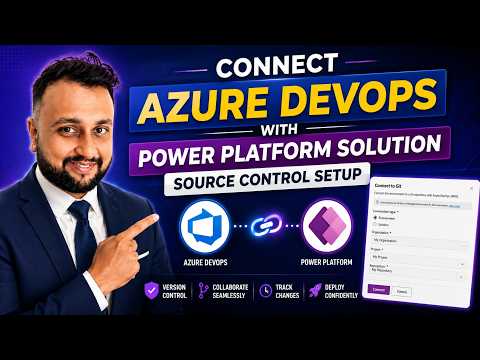
Microsoft added native Git integration to the Power Platform to connect Dataverse solutions directly with Azure DevOps Git repositories.
Makers and developers can now track, commit, pull, and compare changes from inside the product. -
Key prerequisites include a Power Platform environment with Dataverse, a system administrator role, and an Azure DevOps organization, project, and repository with contributor rights.
Microsoft recommends using the feature in developer environments; production deployments should use pipelines and build artifacts. -
At a high level you bind an environment or solution to a repository and branch so the platform extracts solution objects into readable YAML and metadata files.
Once bound, changes appear in the source control view for committing, checking for updates, pulling, and resolving conflicts. -
The practical flow: create a repo, select organization/project/repo/root folder/branch in the solution’s source control settings, then run the first commit, which can take several minutes for large solutions.
After that, make changes, publish customizations, and use delta commits to push only incremental updates more quickly. -
The native binding works with a single branch at a time; you can disconnect and rebind to a different branch as needed.
Use Azure DevOps for pull requests and merges, and use the Power Platform’s Check for Updates to pull teammates’ changes. -
Benefits include human-readable artifacts, clearer change history, earlier conflict detection, and better collaboration across makers and pro developers.
For robust ALM, combine native Git integration with deployment pipelines and build artifacts for testing and production releases.

Keywords
Connect Git Azure DevOps Power Platform integration, Azure DevOps source control Power Platform, Git source control for Power Apps solutions, Power Platform ALM with Azure DevOps, CI/CD for Power Platform Azure DevOps, Manage Power Apps with Git and Azure DevOps, Power Platform solution deployment Azure DevOps, Power Apps DevOps best practices
HubSite 365 Apps