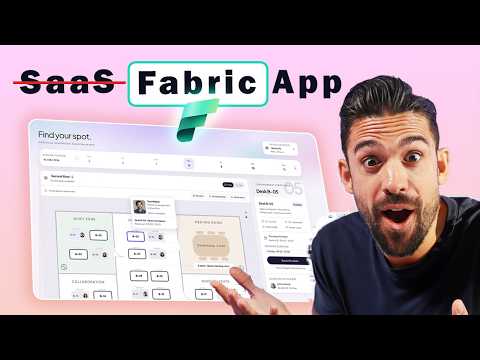
Fabric Apps vs. SaaS: The Real Tradeoff
Microsoft Fabric desk booking app with SQL writeback and Power BI reporting replaces SaaS, enabling workspace analytics
Key insights
- Fabric Apps: The video demonstrates building a web app directly inside Microsoft Fabric so you can run apps close to governed data.
Fabric Apps aim to remove separate backends, hosting, and manual API work for internal, data-driven tools. - Desk Booking App and SQL database: The demo shows a desk-booking tool where users sign in with a work account, pick a desk, and the booking saves as a row in a SQL database.
This gives immediate reporting and avoids extra SaaS or SharePoint lists. - TypeScript and authentication: Developers define models in TypeScript and Fabric generates schemas and client code.
Users sign in via Microsoft Entra ID, so Fabric handles authentication and single sign-on. - Automated platform services: Fabric creates database schemas, APIs, hosting, scaling, and networking automatically.
That managed stack speeds development and reduces infrastructure tasks for teams. - Not a universal SaaS replacement: Fabric Apps work best for organization-specific, data-centric internal apps rather than full-featured public SaaS products.
Preview status and feature gaps mean you should assess scale, compliance, and long-term support before replacing existing SaaS. - Practical takeaway — writeback and reporting: Use Fabric Apps when you need fast writeback to governed data and instant analytics in one place.
They cut duplication and speed delivery, but evaluate governance, security, and maintenance needs first.
The YouTube video by How to Power BI demonstrates a practical experiment: a desk booking application built entirely inside a Microsoft Fabric workspace. The presenter signs in with a work account, picks a desk, and creates a booking that lands as a row in a SQL database ready for reporting. Importantly, the app runs without Power Apps, SharePoint lists, or any third-party SaaS subscription, which frames the central question of the piece: can Fabric Apps replace traditional SaaS solutions?
What the Video Demonstrated
The creator walked viewers through building the desk booking interface with TypeScript and Fabric tooling, then showed the booking flow end to end. Data entered in the UI immediately appears in the workspace-managed database, and the host highlights how reporting can begin right away using familiar analytics tools. This demonstration emphasizes the convenience of building applications close to governed data to reduce integration steps and latency.
Moreover, the video notes authentication through Microsoft Entra ID, managed hosting, and automatically generated APIs, all provided inside the Fabric environment. These built-in features remove many of the infrastructure chores typical of custom web apps, such as provisioning hosting or configuring identity providers. Consequently, the demo frames Fabric Apps as a fast route from prototype to production for internal, data-centric tools.
How Fabric Apps Work in Practice
The video explains that developers define their application data model in TypeScript and that Fabric generates database schemas and type-safe GraphQL clients. Fabric then hosts the app and manages scaling, networking, and authentication, so teams avoid wiring together separate services. This code-first approach lowers the friction of creating transactional applications that sit on top of governed data.
As a result, organizations can build interactive experiences that not only show analytics but also let users act on business data inside the same platform. For example, a booking row can be immediately visible to analysts, enabling faster operational and analytical feedback loops. Therefore, the approach makes it easier to connect operational activity with reporting and AI capabilities.
Tradeoffs Between Fabric Apps and SaaS
While the video positions Fabric Apps as a compelling option for internal tools, it also implicitly highlights tradeoffs: convenience and tight integration versus feature richness and specialization. On one hand, Fabric removes integration work and simplifies governance by keeping data and apps together, which can reduce security risk and cut development time. On the other hand, established SaaS products often include mature features, polished user experiences, and large ecosystems that are costly to replicate in a bespoke Fabric app.
Furthermore, choosing Fabric means balancing operational control and vendor lock-in against speed and simplicity. Fabric apps run inside the Microsoft ecosystem, so teams gain managed services but also align more tightly with Microsoft’s platform decisions and release cadence. Thus, planning must factor in long-term maintainability, update paths, and whether custom development effort will outpace the benefits of a specialized SaaS.
Challenges and Practical Considerations
The video touches on technical and organizational challenges that arise when teams move application logic into an analytics platform. Developers need TypeScript expertise and must adapt to Fabric’s code-first model, which differs from low-code tools familiar to many business users. Additionally, operations teams should assess transactional consistency, backup and recovery, and performance limits when using Fabric-managed databases for live operational workloads.
Security and governance are important as well, because serving both analytics and transactional use cases on a shared platform raises questions about role design and data access. While Fabric provides built-in authentication and policy controls, organizations must still design data models and permissions carefully to avoid leaking sensitive information. Therefore, success depends on coordination between data engineers, developers, and security teams to balance agility with controls.
Where Fabric Apps Fit and What Comes Next
The video’s desk booking app illustrates a clear niche: internal, data-centric applications that benefit from close integration with analytics and governed data. For companies that need custom workflows, quick iteration, and strong governance, Fabric offers a compelling alternative to building a full application stack or stitching in a SaaS product. However, replacing third-party SaaS entirely is not yet a universal answer, especially for complex, customer-facing, or highly specialized services.
In conclusion, the How to Power BI video provides a useful, hands-on case study showing how Fabric Apps can simplify development and shorten time to insight for internal tools. At the same time, organizations should weigh feature completeness, long-term maintenance, and platform dependence before committing to a Fabric-first strategy. Ultimately, Fabric Apps add a powerful option to the toolbox that teams can use alongside, rather than always in place of, traditional SaaS solutions.

Keywords
can Fabric apps replace SaaS, Fabric apps vs SaaS, Microsoft Fabric apps benefits, migrate from SaaS to Fabric apps, Fabric apps cost comparison with SaaS, Power Platform Fabric vs SaaS, enterprise adoption of Fabric apps, low-code Fabric apps replacing SaaS