SharePoint: AI-Driven Personalization
Software Development Redmond, Washington
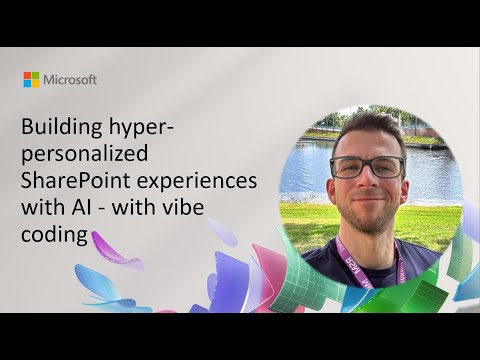
Microsoft expert demos AI vibe coding Genie for SharePoint SPFx to prototype React JSX UIs for Copilot intranets
Key insights
- In a YouTube demo from the SharePoint Framework community call (26 June 2025), presenter Henry Amm showed vibe coding using a free SPFx web part called Genie, which uses a tuned system prompt and Claude to generate UI mockups.
- Genie converts short natural-language prompts into rich React JSX mockups (accordions, carousels, search, charts), letting teams prototype pages and widgets quickly without writing full code.
- SharePoint’s AI-powered hyper-personalization adapts content to user roles, behavior, and preferences, while Knowledge Agents help surface the most relevant content and keep sites up to date.
- Generated outputs are non-functional UI prototypes; developers must complete data wiring and apply production hardening (layout fixes, performance, security) before release.
- The approach fits Microsoft’s broader AI plan—integrating Copilot and Microsoft 365 features for smarter tagging, search, and task automation to boost productivity across intranets.
- Practical value: speeds iteration, democratizes design for site owners, and suits HR pages, dashboards, and support widgets; teams should test, iterate, and verify accessibility and governance before deployment.
Quick summary of the demo
On June 26, 2025, a SharePoint Framework community call showcased a live demo that highlights a new approach to rapid UI creation inside SharePoint. The presenter, Henry Amm, demonstrated a free SPFx web part called Genie, which converts short natural language prompts into React JSX mockups. Consequently, the demo emphasized speed and creativity, showing how simple prompts can produce accordions, carousels, search, and chart layouts for scenarios like HR home pages and IT support dashboards.
How Genie and vibe coding work
The demo centered on a technique the speaker called vibe coding, where users give a brief “vibe” or prompt and the system returns UI mockups. Under the hood, a tuned system prompt plus an LLM — in this case Claude — generates non-functional JSX that developers can then iterate on. As a result, teams can quickly prototype page structures and visual components before committing to data wiring and production hardening.
Importantly, Genie currently outputs layouts rather than completed, data-connected components, which shortens the design loop but does not replace implementation. Thus, the generated code is best viewed as a staged mockup that requires additional work to fetch data, enforce accessibility, and adapt styles. Nevertheless, this separation helps teams explore many design directions rapidly and choose what to develop further.
Benefits for rapid prototyping
First, the approach accelerates idea-to-prototype cycles by removing repetitive layout work from developers’ daily tasks. Also, designers and non-developers can express needs in plain language, then review generated JSX to refine interactions and content flow. Consequently, organizations gain earlier feedback on UX and can align stakeholders faster than with traditional hand-coding alone.
Second, the demo highlighted how combinations of widgets — such as accordions, search bars, and charts — can be stitched together automatically to create coherent pages. Moreover, this method supports creativity because it encourages iteration: users can reset prompts, tweak phrasing, and regenerate alternatives within minutes. Therefore, teams can test more ideas and reduce time spent on low-value coding.
Technical tradeoffs and limitations
Although promising, the workflow also presents tradeoffs that teams must weigh carefully. For instance, generated JSX may not follow a project’s architectural patterns or accessibility standards, meaning developers must refactor outputs to meet production requirements. As a result, time savings in early design could be offset by later integration and compliance work.
Another challenge is data wiring: the demo produces mockups without live bindings, so integrating real data sources, authentication, and caching remains manual. In addition, teams must ensure secure handling of prompts and model outputs, particularly if proprietary content or user data is involved. Thus, organizations must introduce governance and review steps to manage model use responsibly.
Finally, maintaining consistent styling and performance can be difficult when mixing autogenerated components with hand-crafted code. While vibe coding aids prototyping, it may create technical debt if reusability and maintainability are not enforced. Consequently, development teams should set clear rules for when to convert a prototype into production-ready components.
Integration with broader AI and Microsoft’s and SharePoint features
The demo sits within a wider trend of adding AI-driven personalization to SharePoint, including features that use Knowledge Agents and AI-powered search. Thus, prototype UIs from Genie could later be enhanced by contextual content surfaced through these services. In turn, this synergy promises intranets that adapt to user roles, preferences, and behavior.
Moreover, Microsoft’s broader investments in Copilot-like assistants suggest future states where automation helps tag content, summarize documents, and recommend widgets based on usage. Nevertheless, achieving that vision requires careful alignment between prototype outputs and platform services to ensure consistent user experiences. Therefore, teams should plan integration steps early when experimenting with AI-generated layouts.
What organizations should consider next
Organizations interested in experimenting should start by using Genie for low-risk prototyping and proof-of-concept work. Then, they can formalize review practices to check accessibility, security, and performance before moving any autogenerated UI into production. By doing so, teams preserve speed advantages while minimizing downstream costs.
Finally, governance and skill development will be essential as teams adopt this approach. Training developers to refactor AI-generated JSX into reusable, tested components will reduce long-term maintenance burdens. In the end, the demo shows a practical path to accelerate SharePoint design, but success depends on balancing rapid experimentation with disciplined engineering and policy controls.
Keywords
hyper-personalized SharePoint, AI-driven SharePoint personalization, SharePoint AI experiences, vibe coding SharePoint tutorial, personalized intranet Microsoft 365, SharePoint web part personalization, AI for employee experience in SharePoint, customizing SharePoint with AI