SharePoint Copilot: My Day UX Components
Software Development Redmond, Washington
Build SharePoint Copilot Apps for Microsoft Copilot with SPFx and React to deliver hosted UX and tenant distribution
Key insights
- SharePoint Copilot Apps: A new framework that embeds rich UX components directly into the Microsoft 365 Copilot canvas so agents can show interactive visuals instead of only text.
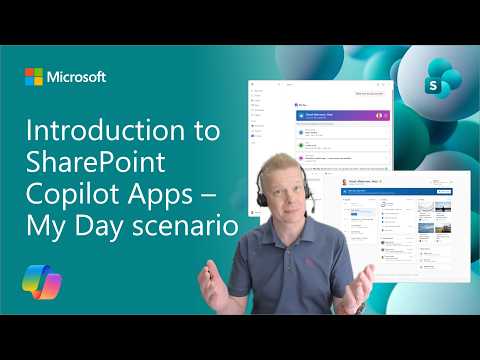
It helps users act on information without leaving the Copilot conversation. - My Day scenario: The demo shows an inline and a full-screen component that displays meetings, tasks, and calendar details inside Copilot.
The agent surfaces the right view when a user asks for schedule or task information. - Developer model (SPFx & MCP Apps): Built on the SharePoint Framework (SPFx) and the MCP Apps pattern, it uses standard JavaScript stacks like React or any other framework.
Developers do not need proprietary languages and can use their preferred IDE or coding agents. - Automatic hosting & distribution: Microsoft handles hosting and routing for deployed components, removing server management and operational costs.
Teams can package solutions and distribute them across multiple Microsoft 365 tenants easily. - UX components & capabilities: You can build charts, maps, lists, forms, KPIs and other interactive elements — the agent invokes the right component based on user intent.
Implementation is flexible because it’s JavaScript-based and supports rich visual experiences. - Availability & benefits: Public preview is expected in July 2026 and you can start building with the SPFx 1.24 preview release in any Microsoft 365 tenant.
Benefits include faster workflows for users and a focus on UX for developers, with lower operational overhead.
The Microsoft YouTube video, presented under the author name Microsoft, demonstrates a new developer model called SharePoint Copilot Apps and focuses on a practical example named "My Day." Moreover, the demo shows how interactive UX components can appear directly inside the Copilot Canvas, allowing users to view schedules, tasks, and KPIs without leaving the conversation. The presenters emphasize that these components use standard web technologies and offer automatic hosting and distribution across Microsoft 365 tenants. As a result, organizations and developers can deliver richer interfaces within the Copilot experience while reducing hosting overhead.
Overview of the Feature
SharePoint Copilot Apps is built on the SharePoint Framework and follows the MCP Apps model, which means developers work with familiar web stacks rather than proprietary languages. For example, you can build with React or any preferred JavaScript framework and package the UX components so that agents in Copilot can surface them when relevant. The video illustrates both inline and full-screen presentations of the "My Day" scenario, demonstrating how the agent selects and displays an appropriate visual interface. Consequently, the approach aims to move Copilot beyond text and into a richer mixed UI environment.
Developer Experience and Workflow
Developers can use their usual IDEs and leverage coding agents if they choose, which simplifies creation and speeds up iteration. Moreover, the model eliminates much of the operational burden because hosting is handled automatically by the platform, so teams can focus on the UX rather than servers and deployment pipelines. The presenter walks through a quick code check in the video to show how the component integrates with the agent and how packaging supports multi-tenant distribution. Therefore, this lowers barriers for teams of different sizes to ship Copilot-ready experiences.
User Benefits and UX Patterns
From the user's perspective, the main benefit is contextual relevance: Copilot can present interactive charts, maps, lists, forms, and KPIs exactly when the user asks for them. For instance, the "My Day" agent can show a compact inline view for a quick glance and expand to full-screen for deeper interactions, which reduces context switching and speeds decisions. In addition, developers can design components that handle complex data such as schedules, travel bookings, or line-of-business metrics directly inside the chat flow. Consequently, users gain a smoother path from question to action while staying inside the Copilot conversation.
Tradeoffs and Challenges
Despite the advantages, there are tradeoffs to consider. On the one hand, automatic hosting and simplified packaging reduce operational tasks, but on the other hand that model can limit low-level customization of hosting environments and integration points, which some advanced teams may need. Moreover, relying on the Copilot canvas for complex UIs raises questions about performance, responsive behavior, and how to maintain consistent accessibility across inline and full-screen modes. Therefore, teams must weigh the convenience of managed hosting against the need for specialized control and testing.
Developer and Governance Considerations
Security, privacy, and governance present additional challenges when components run inside Copilot and are distributed across tenants. For example, ensuring data isolation, permission scoping, and secure authentication flows requires careful design and testing, especially when components access line-of-business systems. Meanwhile, compatibility and dependency management can become complicated if teams use diverse JavaScript frameworks or rely on third-party libraries, which makes versioning and testing important. Thus, organizations should plan for clear governance, access controls, and thorough validation before scaling these components broadly.
Availability and Next Steps
The video notes that support for SharePoint Copilot Apps is slated for public preview in July 2026, and developers can start experimenting with the capability via the SPFx 1.24 preview release. Furthermore, the demo presenter highlights steps such as building the UX, packaging the solution, and distributing it across Microsoft 365 tenants, which provides a practical path from prototype to deployment. For teams evaluating this approach, the recommended next steps are to pilot small, well-scoped components, validate performance and security, and iterate on accessibility and UX. Ultimately, the new model points to a future where conversational AI and rich web UX converge to deliver more productive workflows.

Keywords
SharePoint Copilot apps, Copilot agent UX components, My Day Copilot scenario, Build UX components Copilot, Copilot UI design for SharePoint, Microsoft Copilot SharePoint development, Copilot adaptive cards tutorial, SharePoint Copilot app UX best practices